44 Power-Button Board
Replacing the Power-Button Board
1
Follow the instructions in "Before You Begin" on page 9.
2
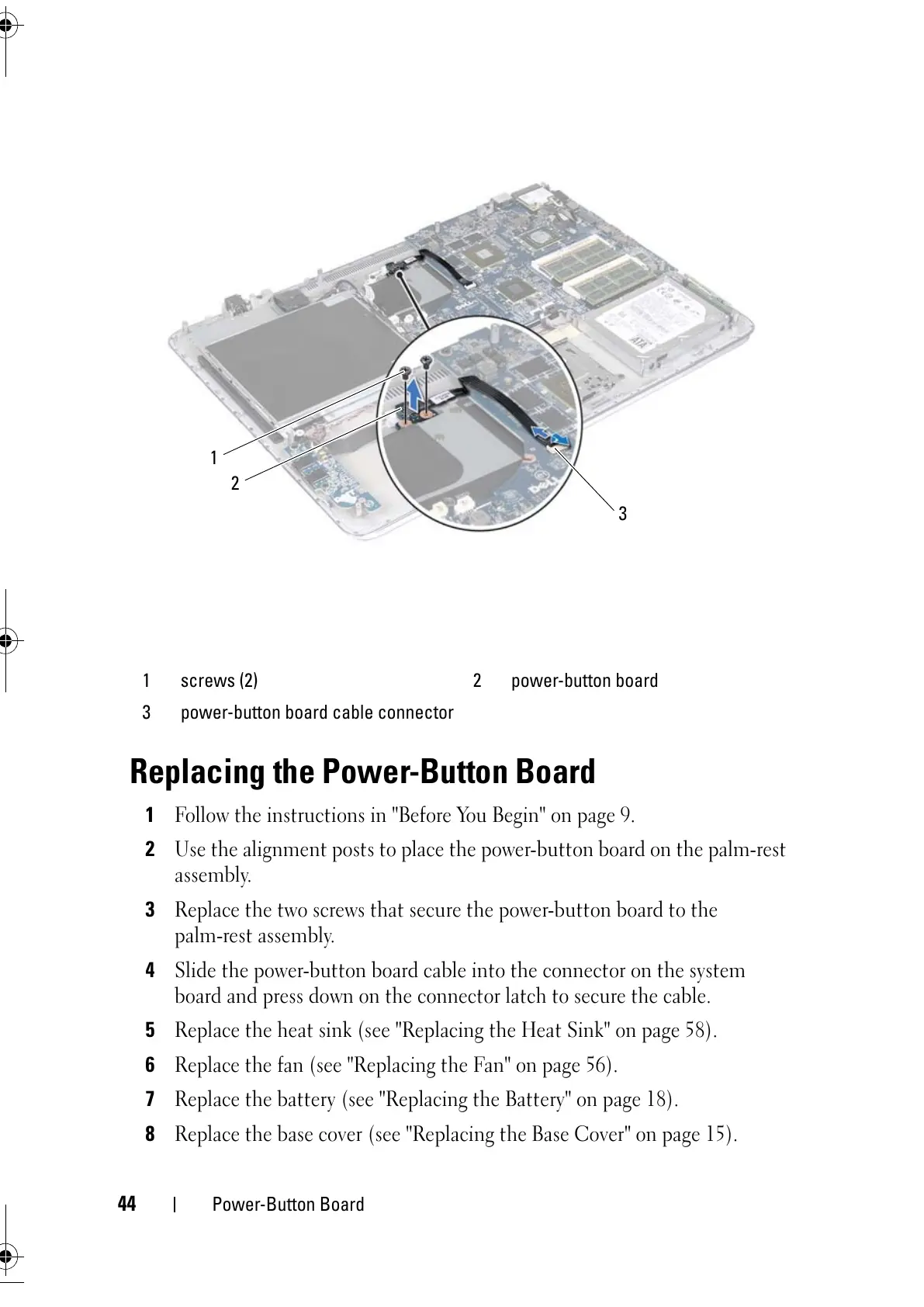
Use the alignment posts to place the power-button board on the palm-rest
assembly.
3
Replace the two screws that secure the power-button board to the
palm-rest assembly.
4
Slide the power-button board cable into the connector on the system
board and press down on the connector latch to secure the cable.
5
Replace the heat sink (see "Replacing the Heat Sink" on page 58).
6
Replace the fan (see "Replacing the Fan" on page 56).
7
Replace the battery (see "Replacing the Battery" on page 18).
8
Replace the base cover (see "Replacing the Base Cover" on page 15).
1 screws (2) 2 power-button board
3 power-button board cable connector



 To Next Page