20 Memory Module(s)
5
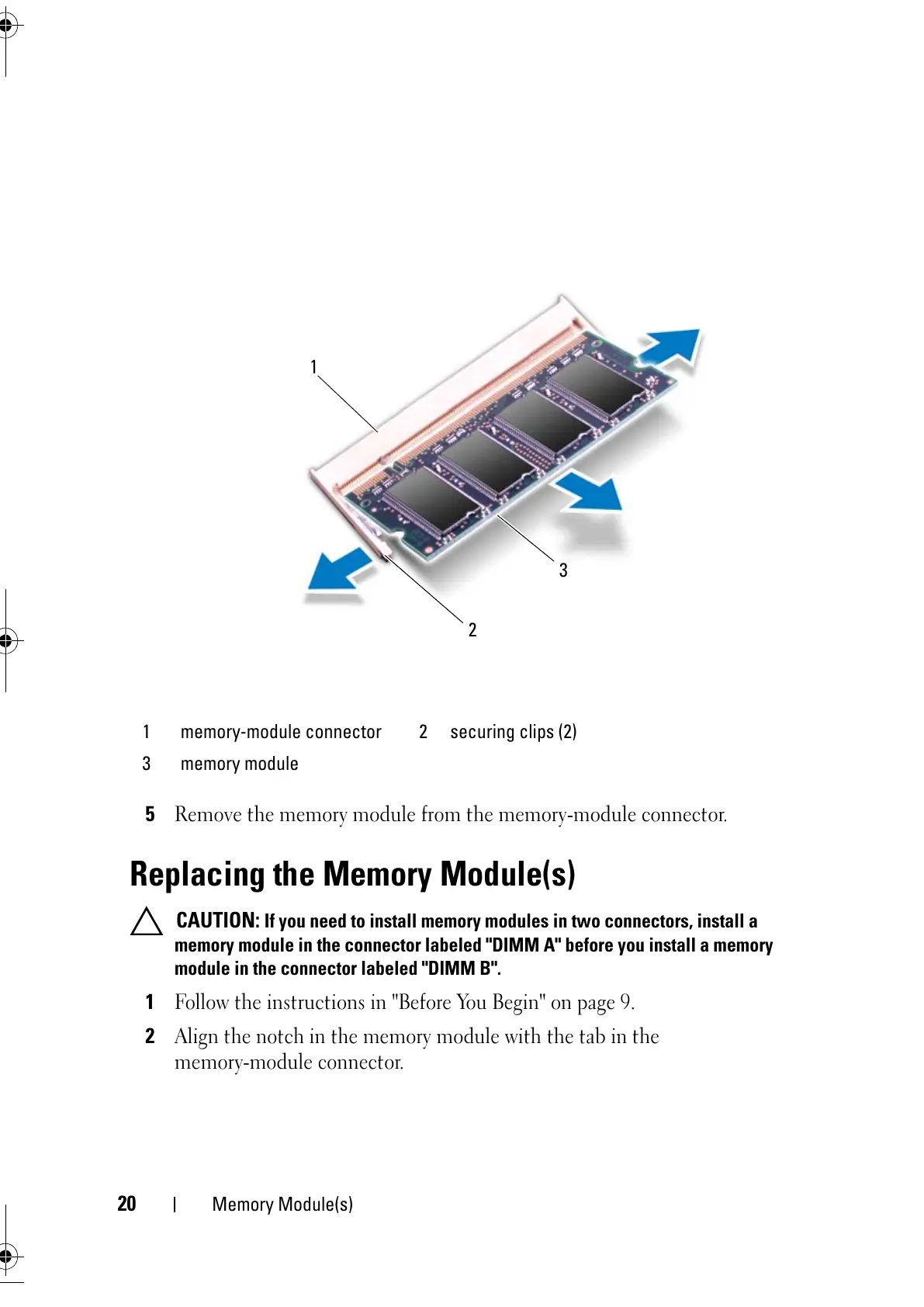
Remove the memory module from the memory-module connector.
Replacing the Memory Module(s)
CAUTION: If you need to install memory modules in two connectors, install a
memory module in the connector labeled "DIMM A" before you install a memory
module in the connector labeled "DIMM B".
1
Follow the instructions in "Before You Begin" on page 9.
2
Align the notch in the memory module with the tab in the
memory-module connector.
1 memory-module connector 2 securing clips (2)
3 memory module



 To Next Page