Display 89
Replacing the Display Hinges
1
Follow the instructions in "Before You Begin" on page 9.
2
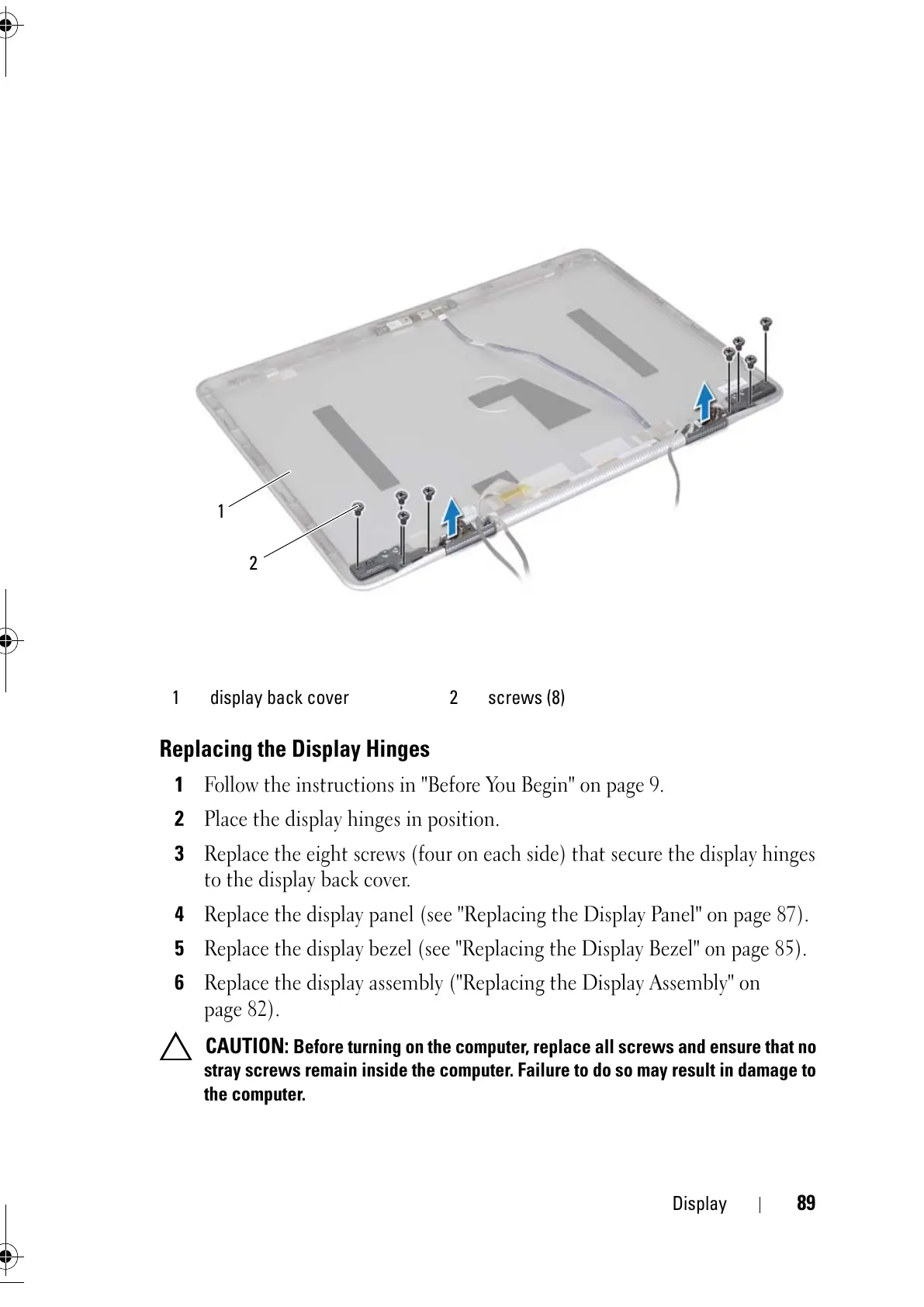
Place the display hinges in position.
3
Replace the eight screws (four on each side) that secure the display hinges
to the display back cover.
4
Replace the display panel (see "Replacing the Display Panel" on page 87).
5
Replace the display bezel (see "Replacing the Display Bezel" on page 85).
6
Replace the display assembly ("Replacing the Display Assembly" on
page 82).
CAUTION: Before turning on the computer, replace all screws and ensure that no
stray screws remain inside the computer. Failure to do so may result in damage to
the computer.
1 display back cover 2 screws (8)



 To Next Page