52 Battery Status-Light Board
Replacing the Battery Status-Light Board
1
Follow the instructions in "Before You Begin" on page 9.
2
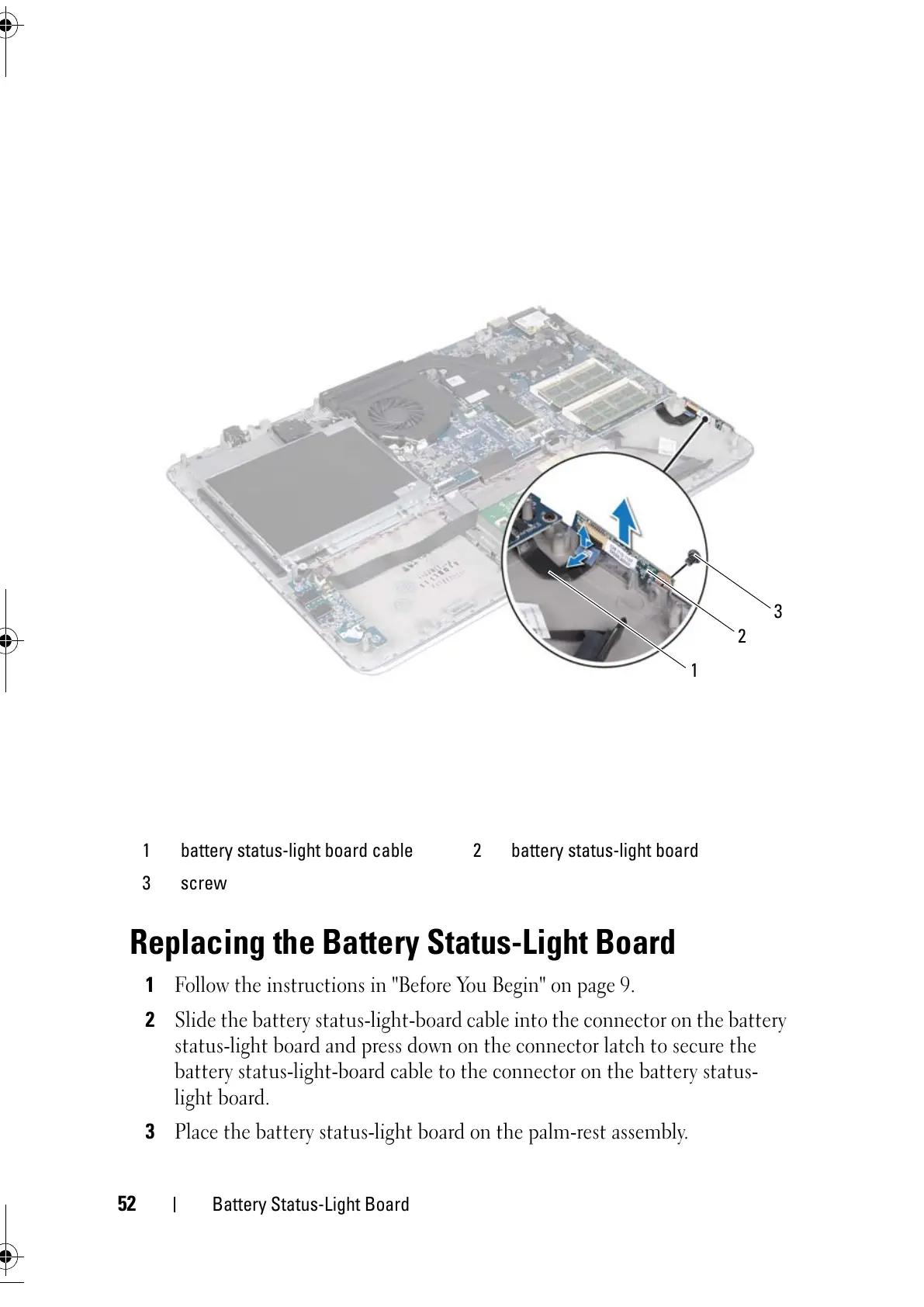
Slide the battery status-light-board cable into the connector on the battery
status-light board and press down on the connector latch to secure the
battery status-light-board cable to the connector on the battery status-
light board.
3
Place the battery status-light board on the palm-rest assembly.
1 battery status-light board cable 2 battery status-light board
3 screw



 To Next Page