Optical Drive 37
Replacing the Optical Drive
1
Follow the instructions in "Before You Begin" on page 9.
2
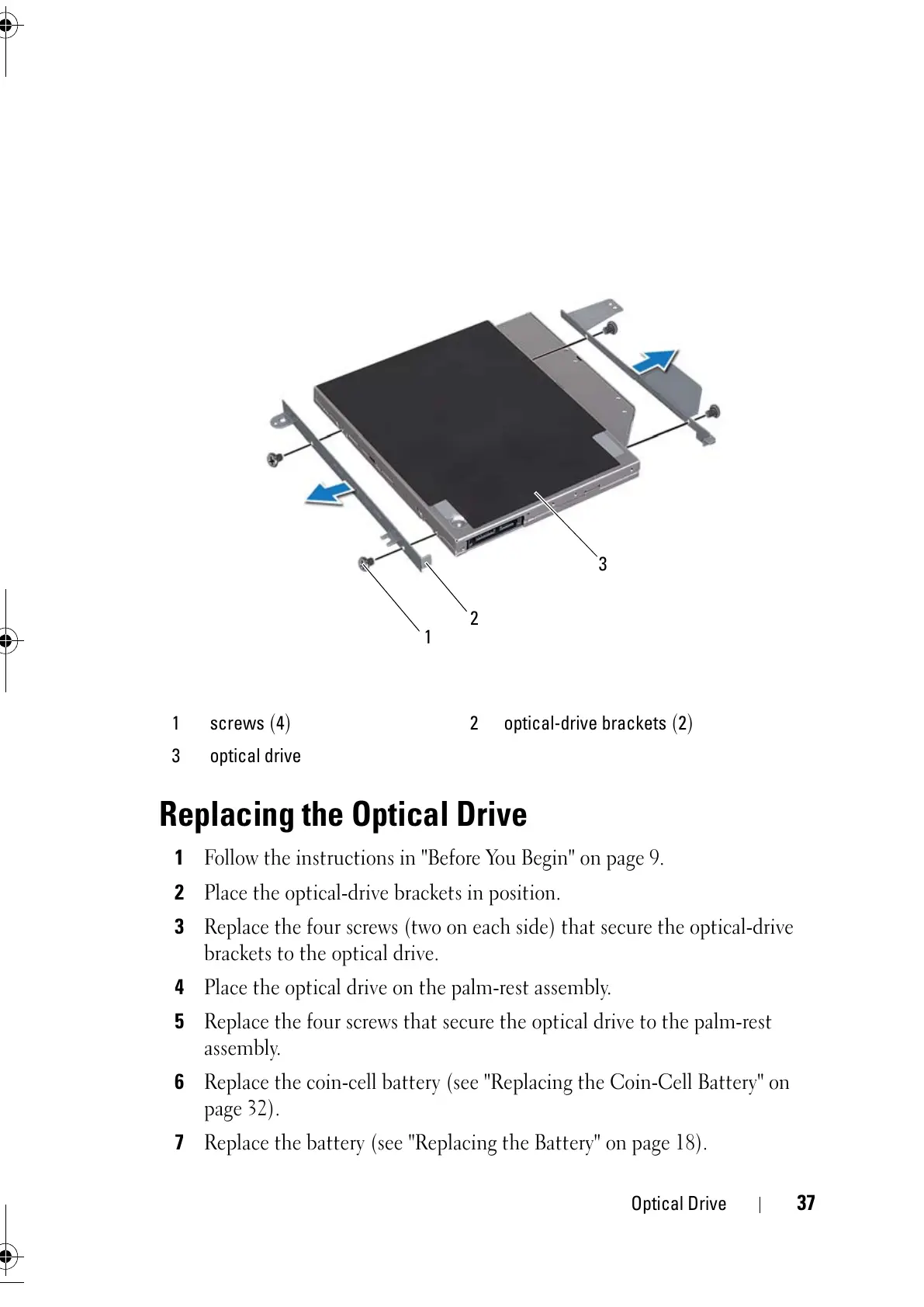
Place the optical-drive brackets in position.
3
Replace the four screws (two on each side) that secure the optical-drive
brackets to the optical drive.
4
Place the optical drive on the palm-rest assembly.
5
Replace the four screws that secure the optical drive to the palm-rest
assembly.
6
Replace the coin-cell battery (see "Replacing the Coin-Cell Battery" on
page 32).
7
Replace the battery (see "Replacing the Battery" on page 18).
1 screws
(
4
)
2 optical-drive brackets
(
2
)
3 optical drive



 To Next Page