70 Keyboard
2
Remove the keyboard bracket (see "Removing the Keyboard Bracket" on
page 67).
CAUTION: The keycaps on the keyboard are fragile, easily dislodged, and time-
consuming to replace. Be careful when removing and handling the keyboard.
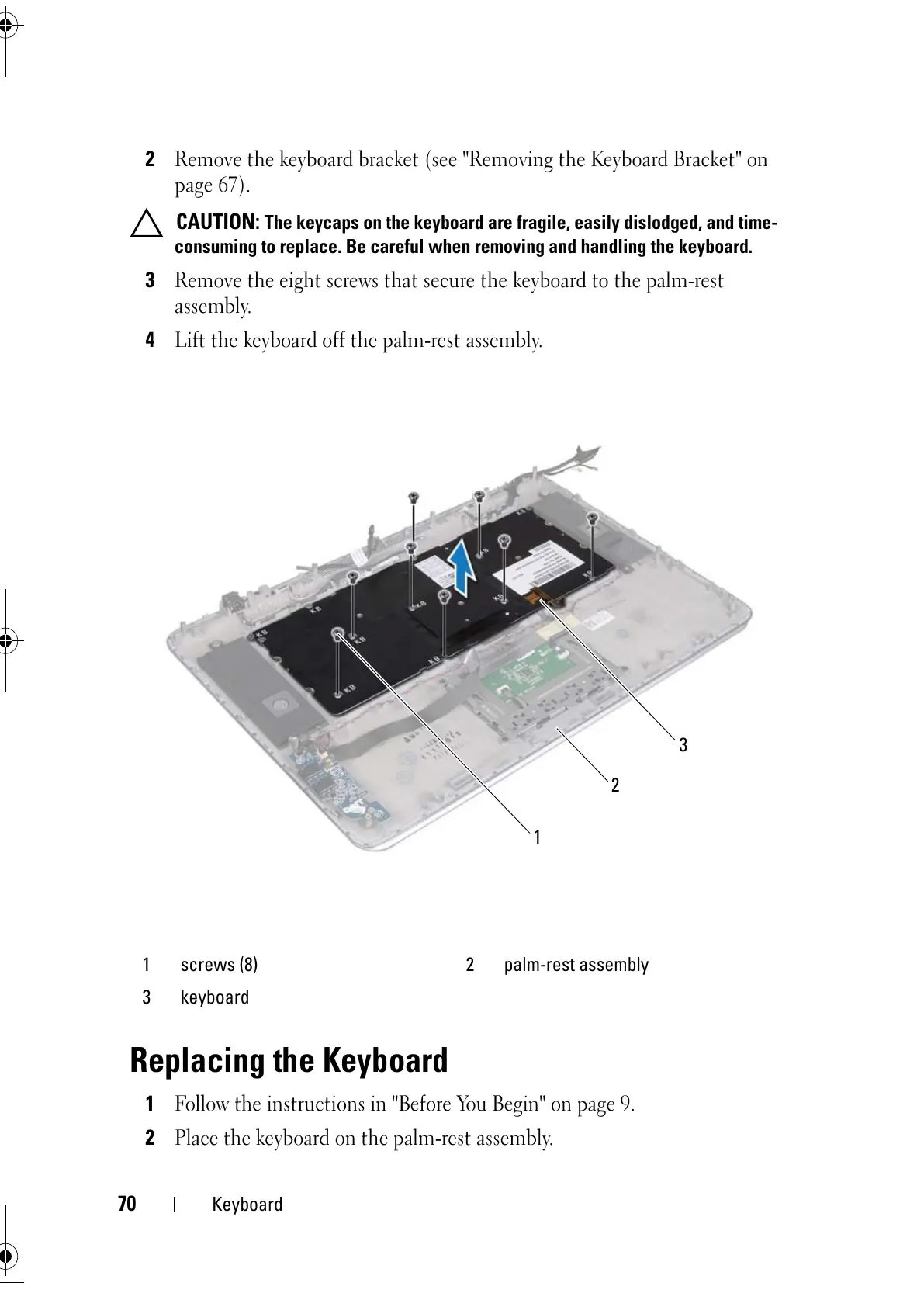
3
Remove the eight screws that secure the keyboard to the palm-rest
assembly.
4
Lift the keyboard off the palm-rest assembly.
Replacing the Keyboard
1
Follow the instructions in "Before You Begin" on page 9.
2
Place the keyboard on the palm-rest assembly.
1 screws (8) 2 palm-rest assembly
3 keyboard



 To Next Page