40 AC-Adapter Connector
Replacing the AC-Adapter Connector
1
Follow the instructions in "Before You Begin" on page 9.
2
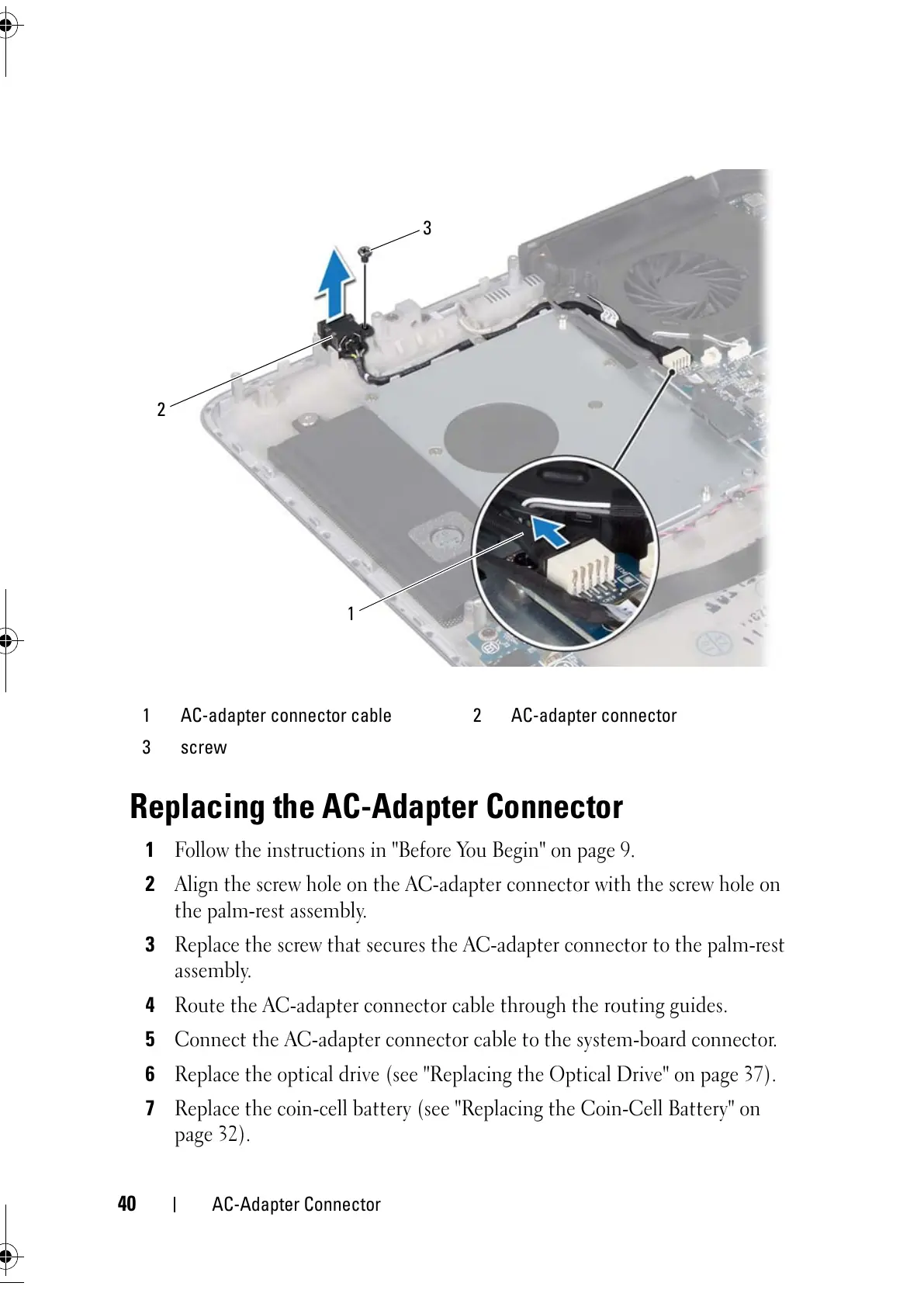
Align the screw hole on the AC-adapter connector with the screw hole on
the palm-rest assembly.
3
Replace the screw that secures the AC-adapter connector to the palm-rest
assembly.
4
Route the AC-adapter connector cable through the routing guides.
5
Connect the AC-adapter connector cable to the system-board connector.
6
Replace the optical drive (see "Replacing the Optical Drive" on page 37).
7
Replace the coin-cell battery (see "Replacing the Coin-Cell Battery" on
page 32).
1 AC-adapter connector cable 2 AC-adapter connector
3 screw



 To Next Page