86 Display
Display Panel
Removing the Display Panel
1
Follow the instructions in "Before You Begin" on page 9.
2
Remove the display assembly (see "Removing the Display Assembly" on
page 81).
3
Remove the display bezel (see "Removing the Display Bezel" on page 83).
4
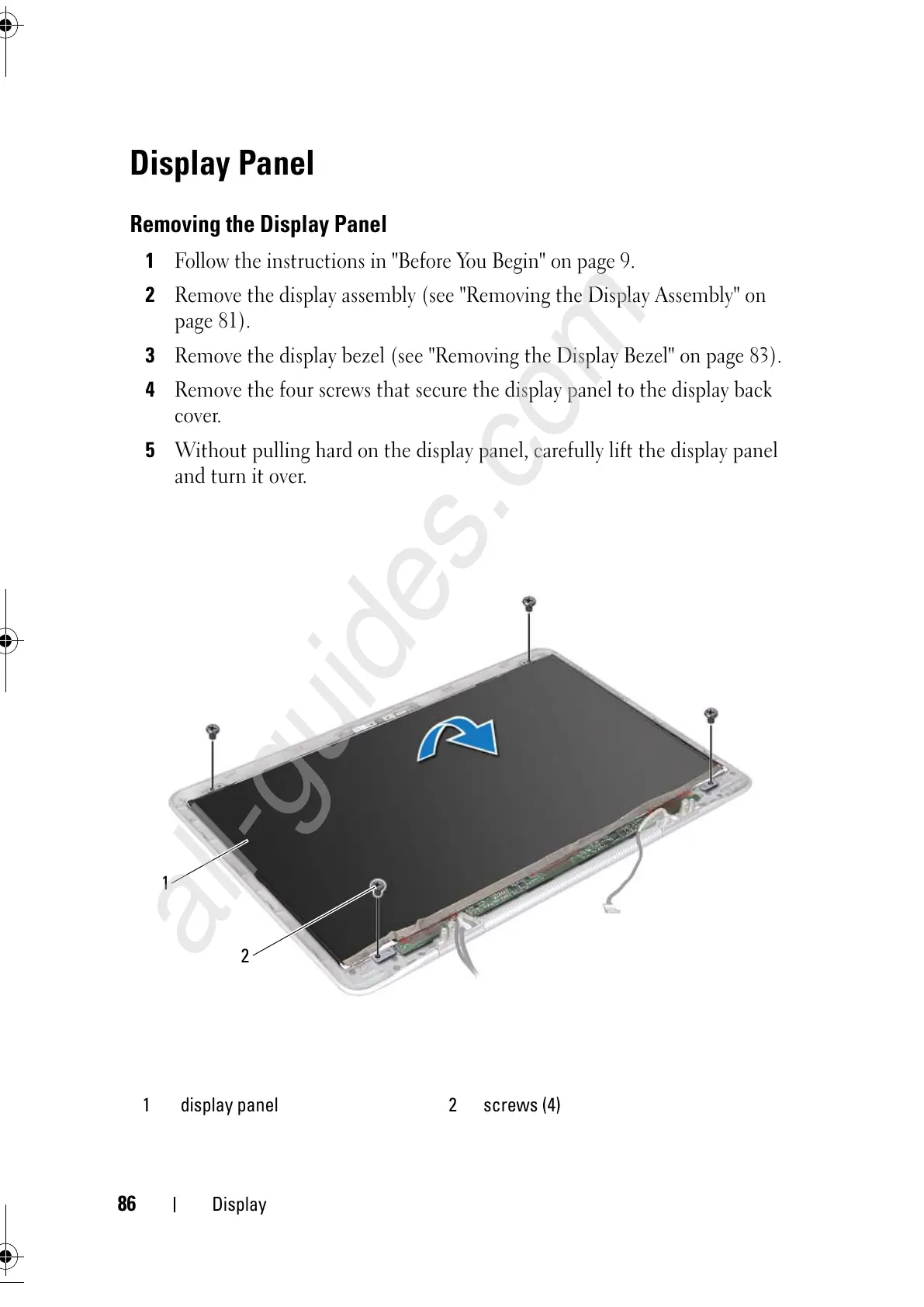
Remove the four screws that secure the display panel to the display back
cover.
5
Without pulling hard on the display panel, carefully lift the display panel
and turn it over.
1 display panel 2 screws (4)



 To Next Page