Memory Module(s) 21
3
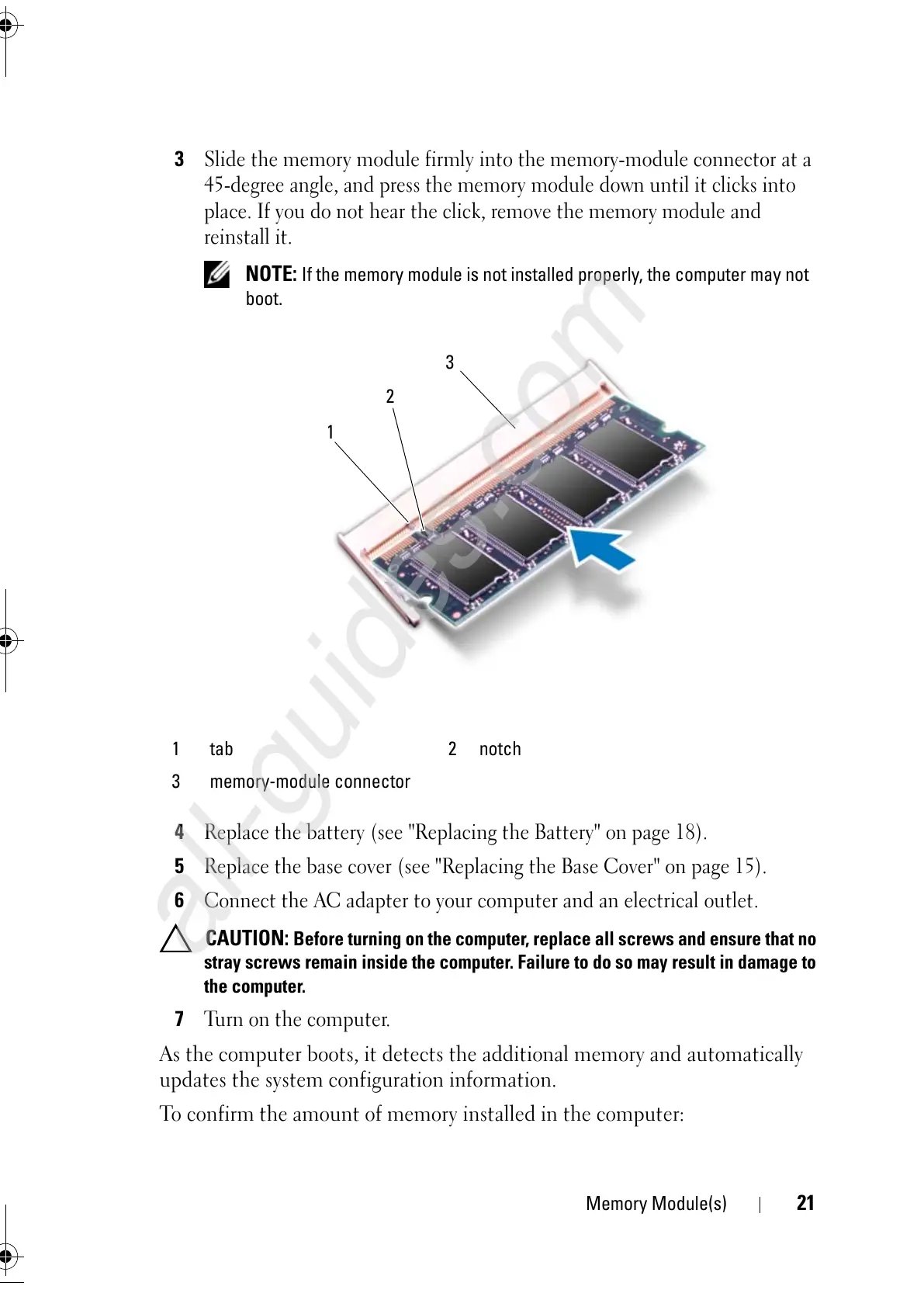
Slide the memory module firmly into the memory-module connector at a
45-degree angle, and press the memory module down until it clicks into
place. If you do not hear the click, remove the memory module and
reinstall it.
NOTE: If the memory module is not installed properly, the computer may not
boot.
4
Replace the battery (see "Replacing the Battery" on page 18).
5
Replace the base cover (see "Replacing the Base Cover" on page 15).
6
Connect the AC adapter to your computer and an electrical outlet.
CAUTION: Before turning on the computer, replace all screws and ensure that no
stray screws remain inside the computer. Failure to do so may result in damage to
the computer.
7
Turn on the computer.
As the computer boots, it detects the additional memory and automatically
updates the system configuration information.
To confirm the amount of memory installed in the computer:
1 tab 2 notch
3 memory-module connector



 To Next Page