28 Hard Drive
5
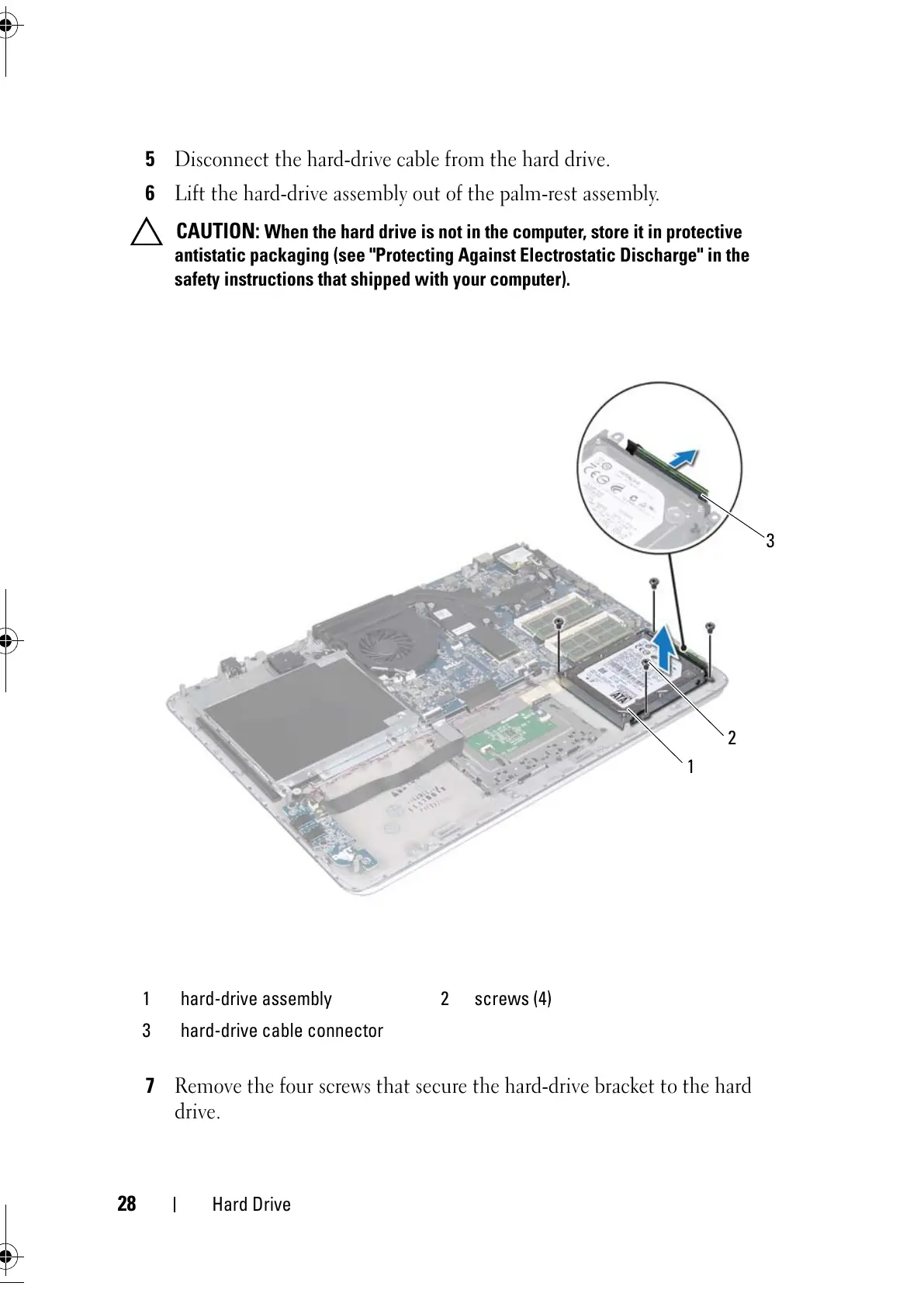
Disconnect the hard-drive cable from the hard drive.
6
Lift the hard-drive assembly out of the palm-rest assembly.
CAUTION: When the hard drive is not in the computer, store it in protective
antistatic packaging (see "Protecting Against Electrostatic Discharge" in the
safety instructions that shipped with your computer).
7
Remove the four screws that secure the hard-drive bracket to the hard
drive.
1 hard-drive assembly 2 screws (4)
3 hard-drive cable connector



 To Next Page