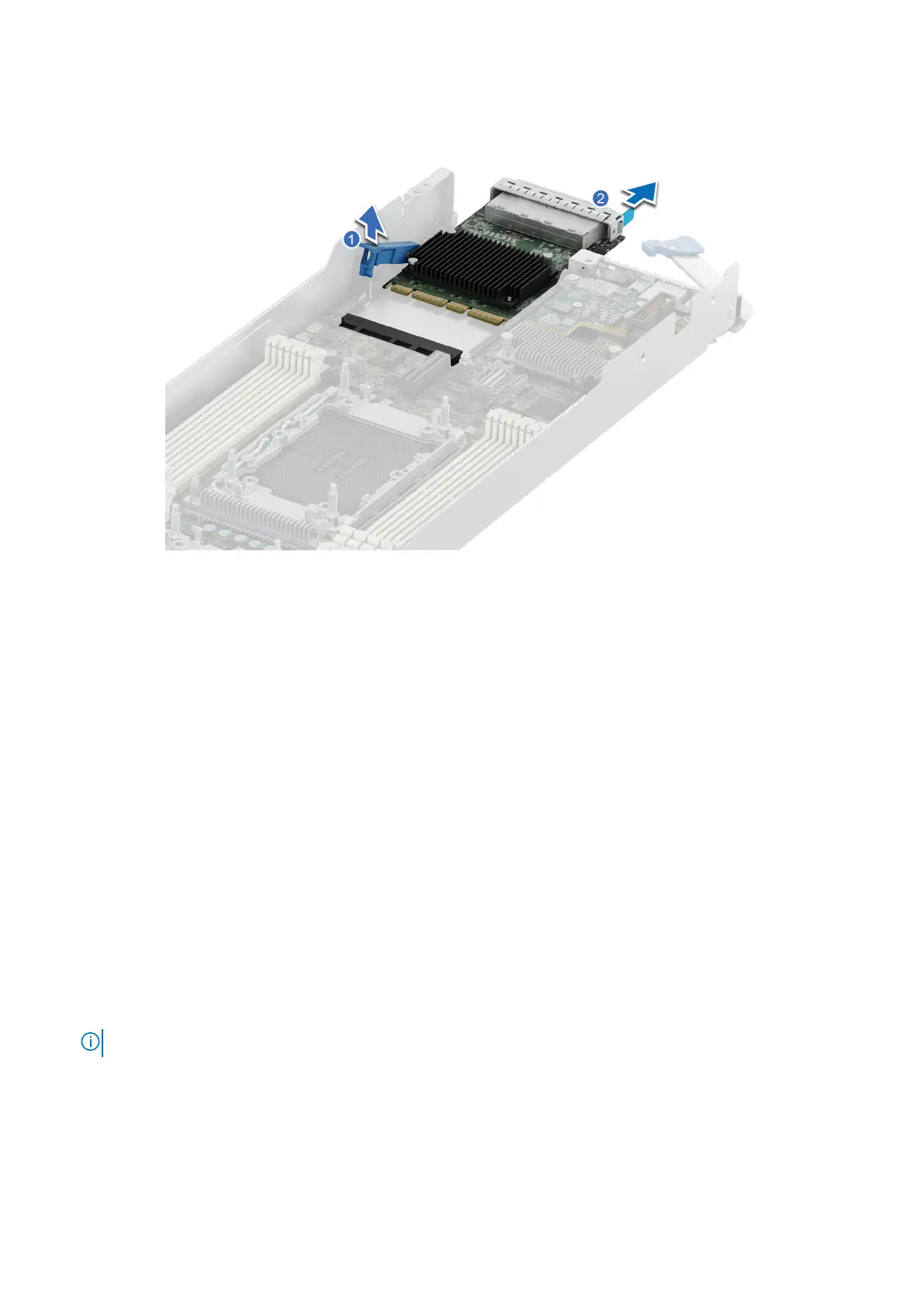
Figure 91. Removing an OCP card
3. Press down the OCP card retention latch to lock it.
Next steps
1. Install the OCP filler.
2. Install the rubber tube cover. See install the liquid cooling cold plate with leak sensor step 6 to install the rubber tube cover.
3. Install the expansion card riser 1.
Installing an OCP card
Prerequisites
1. Follow the safety guidelines listed in Safety instructions.
2. Follow the procedure listed in Before working inside your system.
3. Remove the expansion card riser 1.
4. Remove the rubber tube cover. See remove the liquid cooling cold plate with leak sensor step 1 to remove the rubber tube
cover.
5. Remove the OCP filler.
Steps
1. Align and insert the OCP card into the sled. Slide the OCP card and push firmly until it is fully connected to the system board
connector.
NOTE: Ensure to lift the OCP card retention latch if it is in the lock position.
2. Close the OCP card retention latch to secure the card in place.
Installing and removing system components
115















 To Next Page