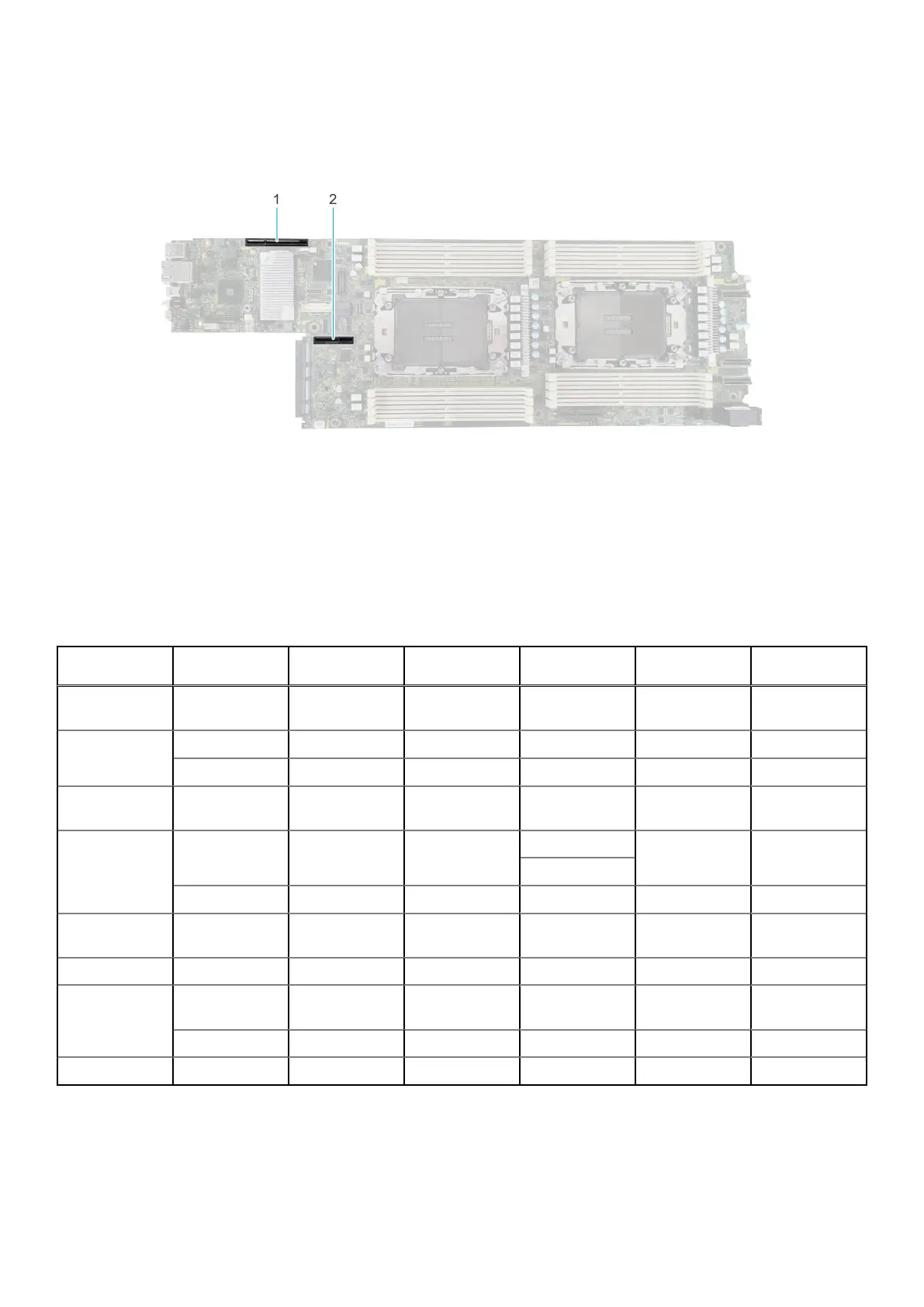
Expansion card installation guidelines
Figure 47. Expansion card slot connectors
1. Riser 1a or Riser 1a with support for SNAP I/O modules (Slot 1)
2. Riser 2b (Slot 2)
The following table describes the expansion card riser configurations:
Table 50. Expansion card riser configuration
Configurations Expansion card
risers
PCIe Slots Controlling
processor
Height Length Slot width
Config1. with 1x
LP
R1a 1 Processor 1 Low Profile Half length x16
Config2. with 2x
LP
R1a 1 Processor 1 Low Profile Half length x16
R2a 2 Processor 1 Low Profile Half length x8
Config3. with 1x
LP SNAPI
R1b 1 Processor 1 and
2
Low Profile Half length x8 + x8
Config4. with 1x
LP + 1LP SNAPI
R1b 1 Processor 1 and
2
Low Profile Half length x16
Low Profile
R2b 2 Processor 2 Low Profile Half length x16
Config5. with 2x
LP
R1a 1 Processor 1 Low Profile Half length x16
R2b 2 Processor 2 Low Profile Half length x16
Config6. with 1x
LP + 1x LP
SNAPI
R1b 1 Processor 1 and
2
Low Profile Half length x16
R2a 2 Processor 1 Low Profile Half length x8
Config7. 1x LP R2b 2 Processor 2 Low Profile Half length x16
74 Installing and removing system components















 To Next Page