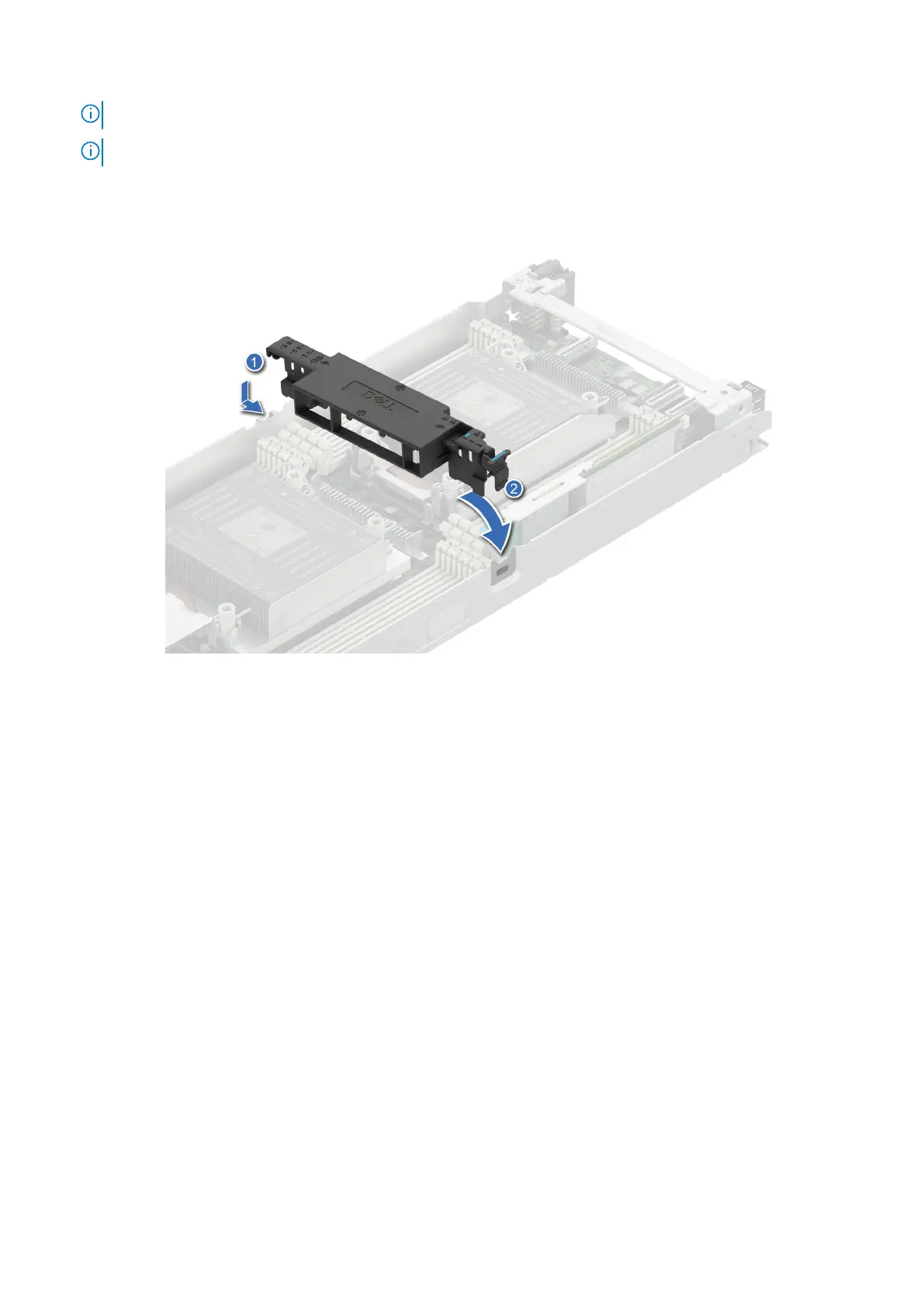
NOTE: Ensure that the SATA cables are routed behind the air shroud clip.
NOTE: Route the cable properly to prevent the cable from being pinched or crimped.
2. Lower the air shroud until the blue clip locks in place.
Figure 28. Installing the air shroud
Next steps
Follow the procedure listed in After working inside your system.
Support bracket
Removing the support bracket
Prerequisites
1. Follow the safety guidelines listed in Safety instructions.
2. Follow the procedure listed in Before working inside your system.
Steps
1. Using the Phillips 1 screwdriver, remove the screws that secure the support bracket to the chassis.
Installing and removing system components
59















 To Next Page