Air shroud
Removing the air shroud
Prerequisites
CAUTION: Never operate your system with the air shroud removed. The system may get overheated quickly,
resulting in shutdown of the system and loss of data.
1. Follow the safety guidelines listed in Safety instructions.
2. Follow the procedure listed in Before working inside your system.
Steps
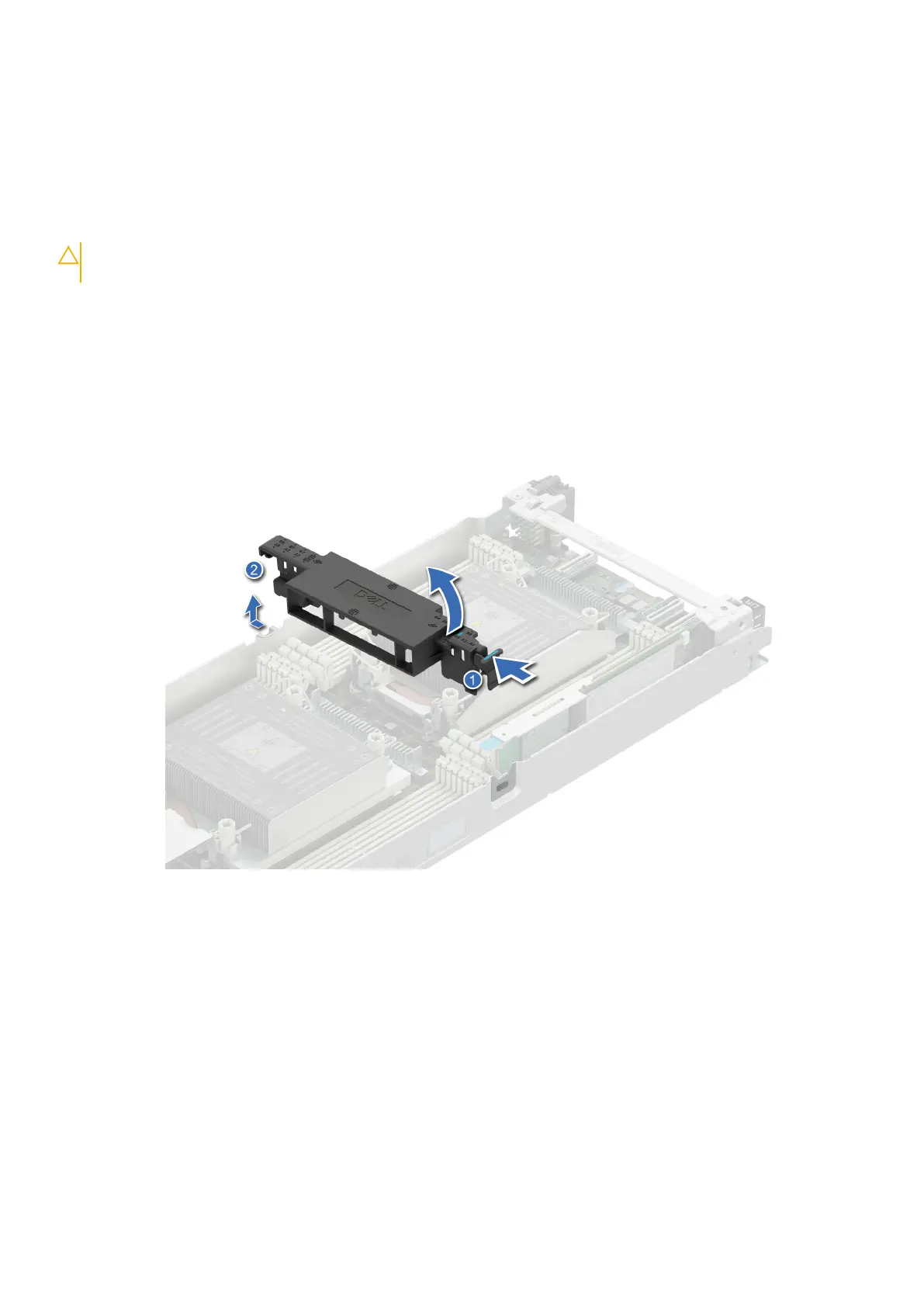
1. Press the blue clip and lift the air shroud.
2. Disengage the air shroud hook from the slot on the chassis and remove the air shroud.
Figure 27. Removing the air shroud
Next steps
Install the air shroud.
Installing the air shroud
Prerequisites
Follow the safety guidelines listed in Safety Instructions.
Steps
1. Insert the hook on the air shroud into the slot on the chassis.
58
Installing and removing system components















 To Next Page