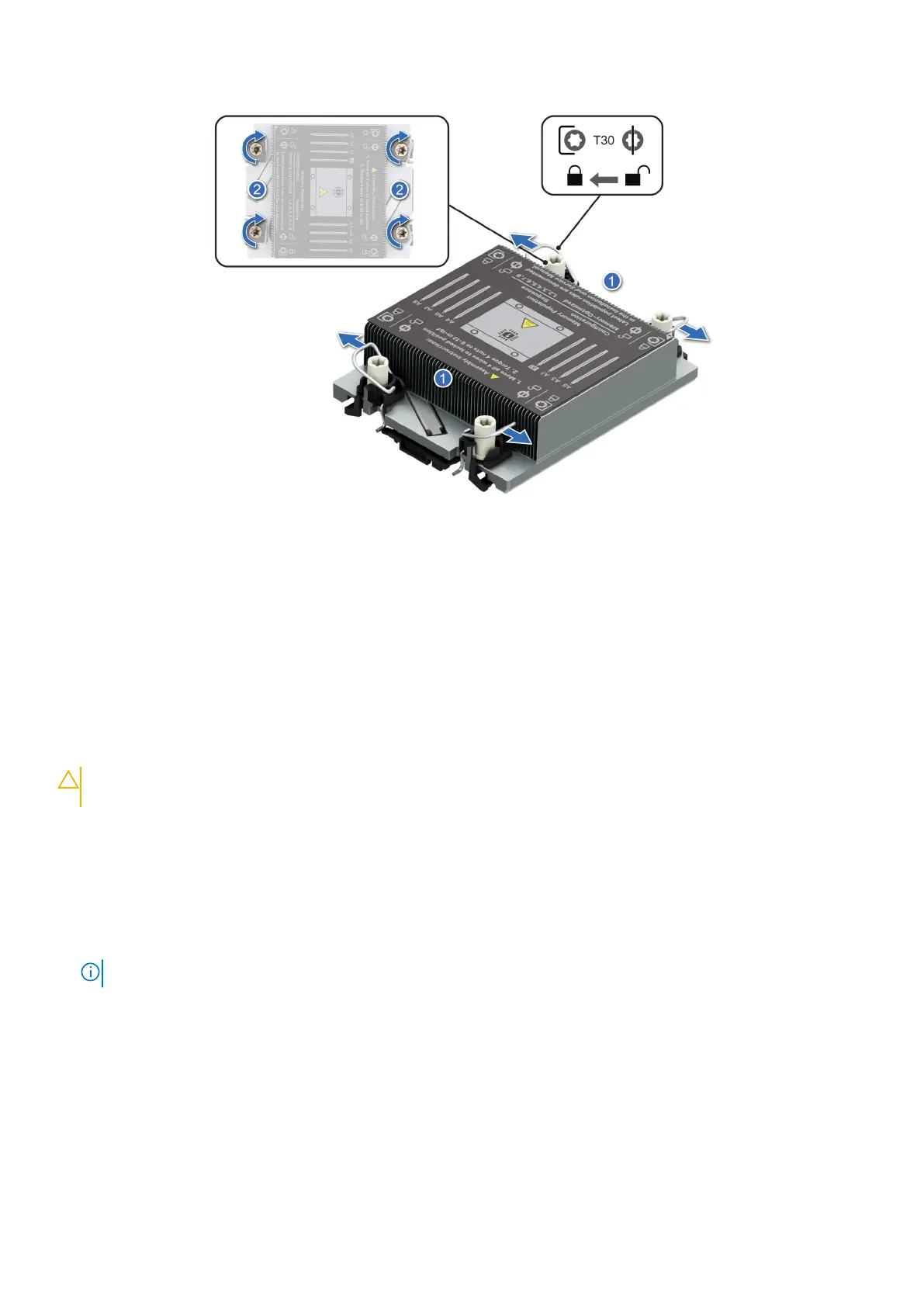
Figure 74. Set the Anti-Tilt wires to the locked position and tightening the captive nuts
Next steps
1. Install the air shroud.
2. Follow the procedure listed in After working inside your system.
Installing the extended heat sink bracket and extended heat sink
module
Prerequisites
CAUTION:
Never remove the heat sink from a processor unless you intend to replace the processor. The heat
sink is necessary to maintain proper thermal conditions.
1. Follow the safety guidelines listed in the Safety instructions.
2. Follow the procedure listed in Before working inside your system .
3. Remove the air shroud.
4. If installed, remove the processor dust cover.
Steps
1. Align the extended heat sink bracket with the screw holes on the system board.
NOTE: Ensure that riser 1 and riser 2 are not installed in the system.
2. Using the Phillips 1 screwdriver, tighten the screws to secure it on the system board.
Installing and removing system components
101





 To Next Page