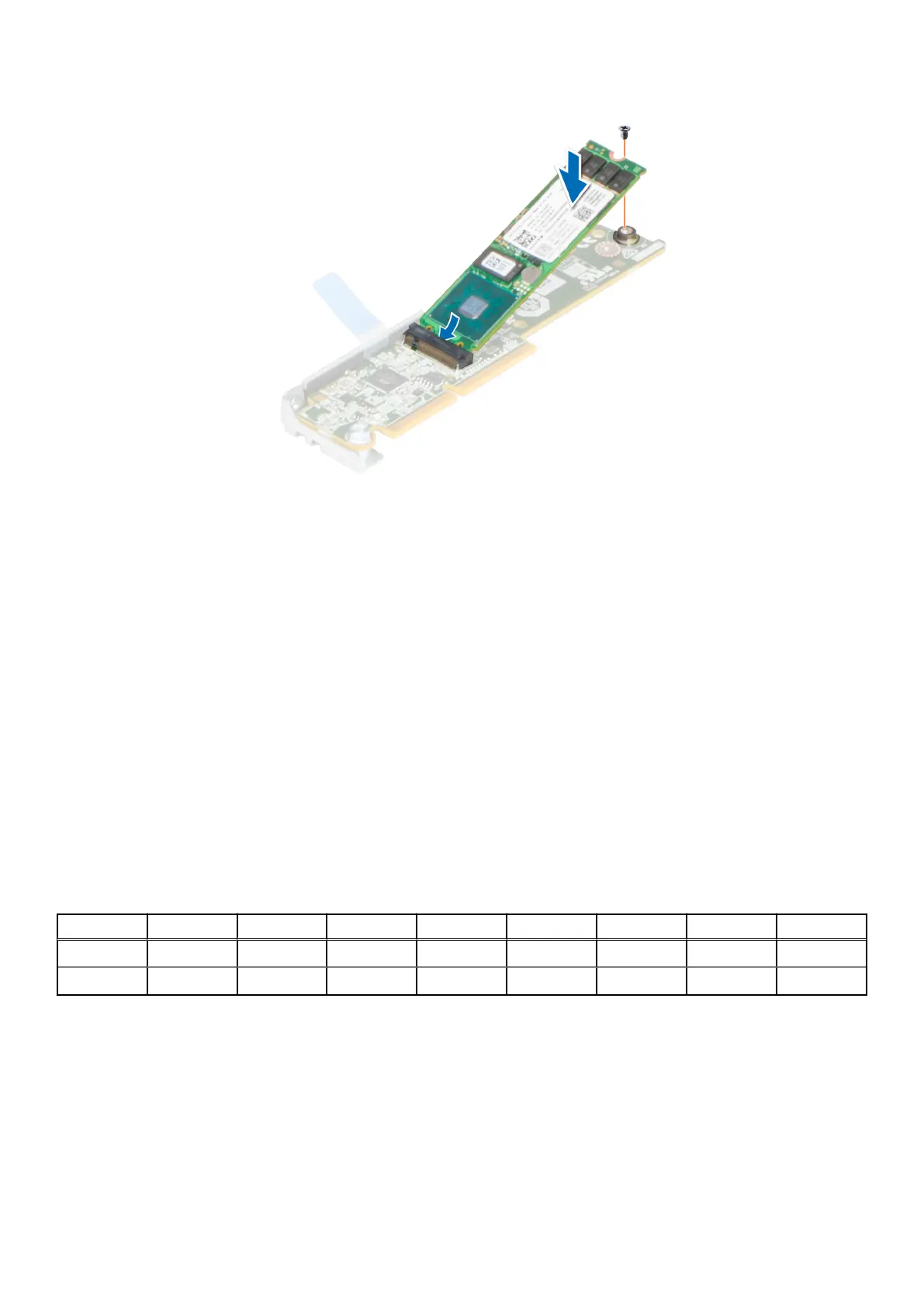
Figure 57. Installing the M.2 SSD module on the M.2 riser
3. Using a Phillips 1 screwdriver, tighten the M.2 SSD module on the M.2 riser with the screw.
Next steps
1. Install the M.2 riser.
2. Follow the procedure listed in After working inside your system.
System memory
System memory guidelines
The PowerEdge C6620 system supports DDR5 registered DIMMs (RDIMMs). System memory holds the instructions that are
executed by the processor.
Your system contains 16 memory sockets organized into 8 channels per processor.
Memory channels are organized as follows:
Table 58. Memory channels
Processor Channel A Channel B Channel C Channel D Channel E Channel F Channel G Channel H
Processor 1 A1 A7 A3 A5 A4 A6 A2 A8
Processor 2 B1 B7 B3 B5 B4 B6 B2 B8
Installing and removing system components 87















 To Next Page