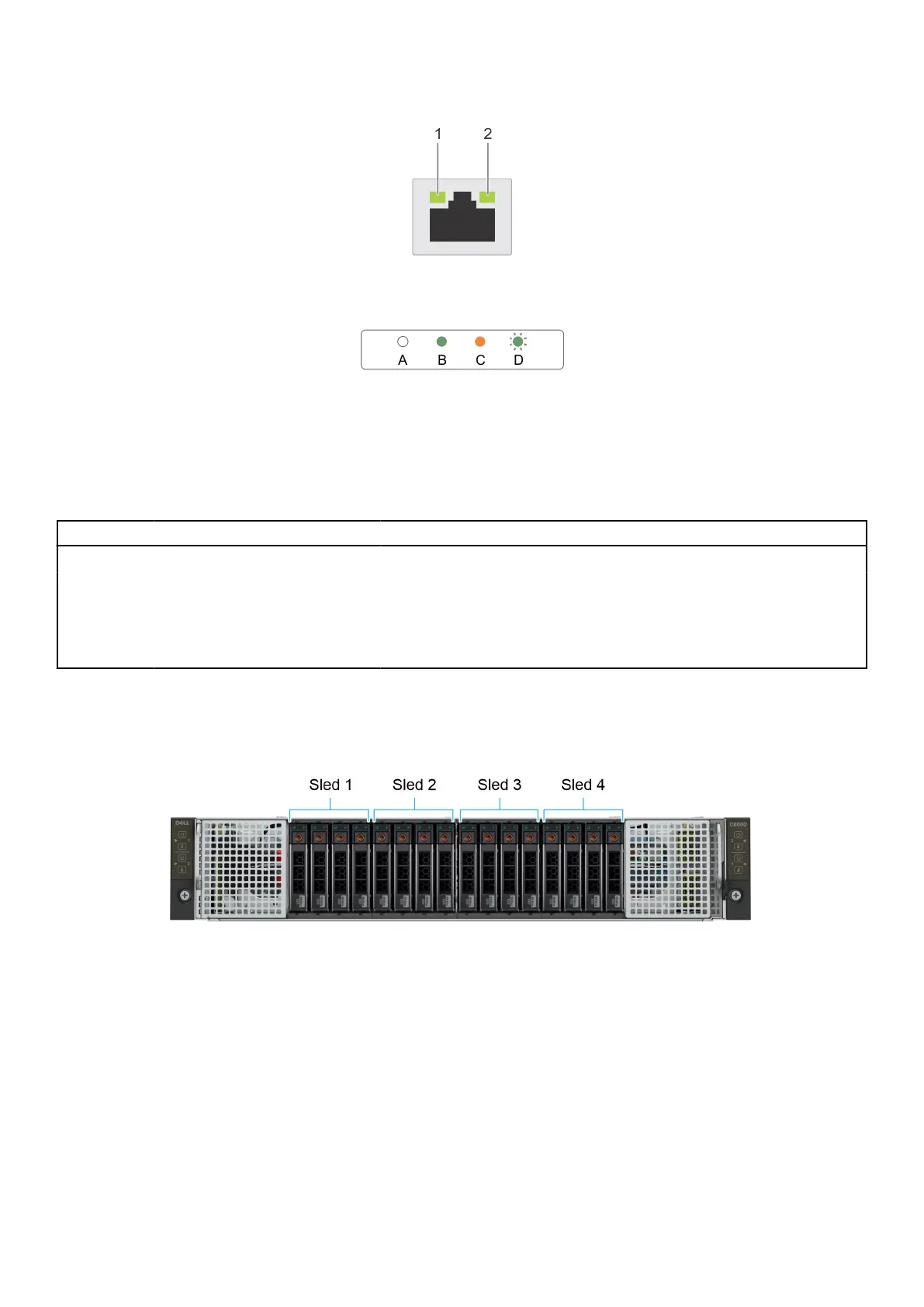
Figure 6. Ethernet port indicator codes
1. Speed indicator
2. Link and activity indicator
Table 4. Ethernet port indicator codes
Convention Status Condition
A Link and activity indicators are off The NIC is not connected to the network.
B Link indicator is green The NIC is connected to a valid network at its maximum port speed.
C Link indicator is amber The NIC is connected to a valid network at less than its maximum port
speed.
D Activity indicator is flashing green Network data is being sent or received.
Sled to hard drive mapping
Figure 7. Sled to drive mapping for 16 x 2.5-inch drive configuration
1. Drives 0–3 mapped to sled 1
2. Drives 4–7 mapped to sled 2
3. Drives 8–11 mapped to sled 3
4. Drives 12–15 mapped to sled 4
PowerEdge C6620 system configurations and features
13















 To Next Page