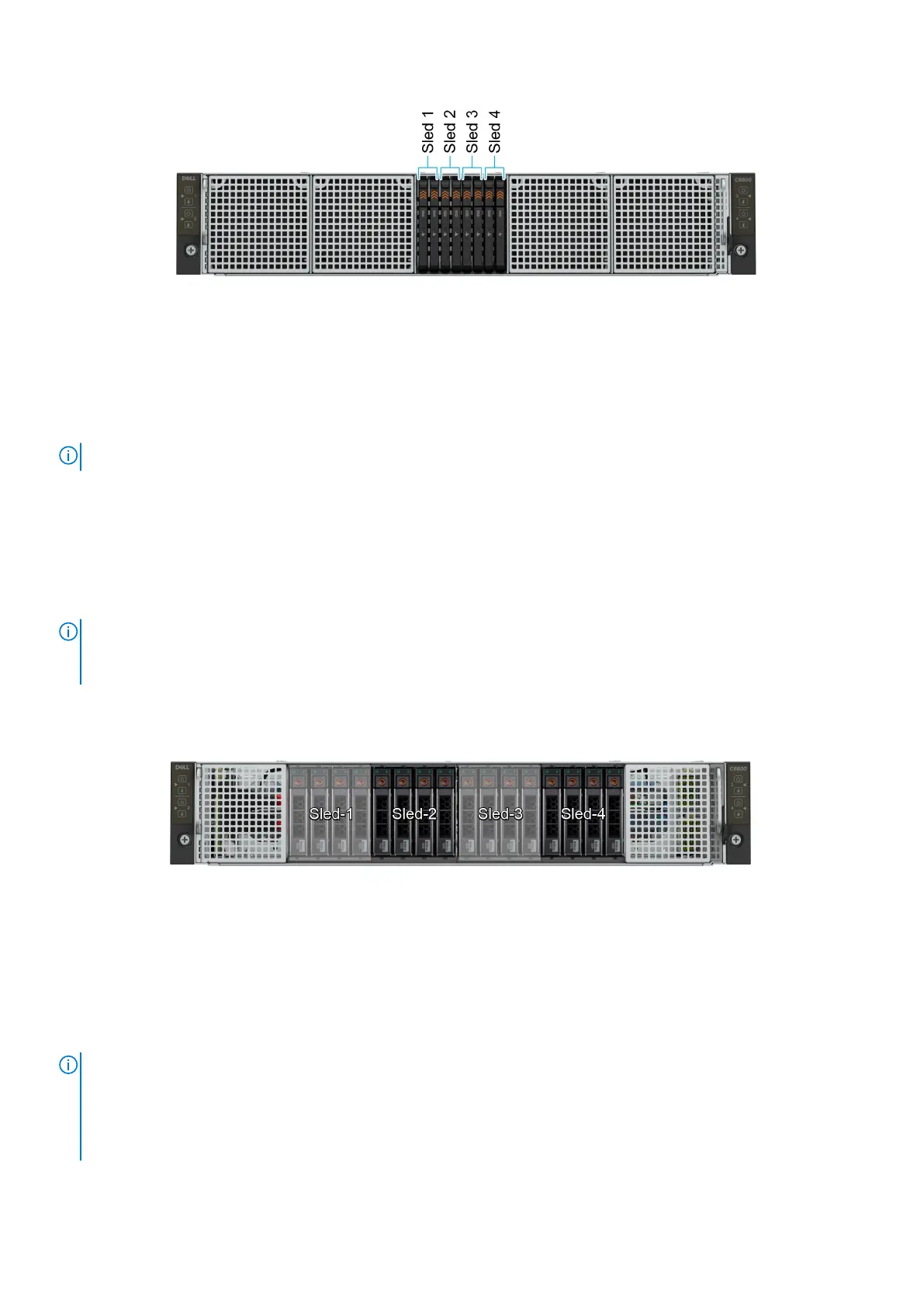
Figure 8. Sled to drive mapping for 8 x E3.s drive configuration
1. Drives 0–1 mapped to sled 1
2. Drives 2-3 mapped to sled 2
3. Drives 4-5 mapped to sled 3
4. Drives 6-7 mapped to sled 4
NOTE: The warranty of the drives are linked to the Service Tag of the corresponding sled.
C6600 chassis options and drive enumerations
C6600 chassis - 16 x 2.5-inch NVMe drive configuration
The C6600 chassis with 16 x 2.5-inch NVMe drive configuration supports NVMe backplane and up to four NVMe drives per sled
and a total of 16 NVMe drives per chassis.
NOTE:
● The NVMe backplane supports only NVMe drives, It does not support SAS/SATA drives.
● The NVMe backplane is PCIe Gen4 capable and can support both Gen4 and Gen3 NVMe drives.
Figure 9. C6600 chassis - 16 x 2.5-inch NVMe backplane with four C6620 sleds
C6600 chassis - 16 x 2.5-inch SAS/SATA drive configuration
The C6600 chassis with 16 x 2.5-inch SAS/SATA drive configuration supports SAS/SATA backplane and up to four SAS/SATA
drives per C6620 sled and a total of 16 SAS/SATA drives per chassis.
NOTE:
● The chassis is optimized for High-Performance Computing (HPC), High Performance Data Analytics (HPDA), Saas/IaaS,
Financial Modeling, vSAN.
● Using an M.2 boot drive in each C6620 sled enables use of front 2.5-inch drives entirely for application data.
● An NVMe PCI card can be used in the LP slot in each C6620 to provide high performance storage for say writes/cache.
14 PowerEdge C6620 system configurations and features




 To Next Page