Next steps
Replace the sled.
NOTE: If the sled is not being replaced immediately, a sled blank must be installed to ensure proper cooling of the system.
Installing a sled
Prerequisites
1. Follow the safety guidelines listed in Safety instructions.
2. Follow the procedure listed in Before working inside your system.
Steps
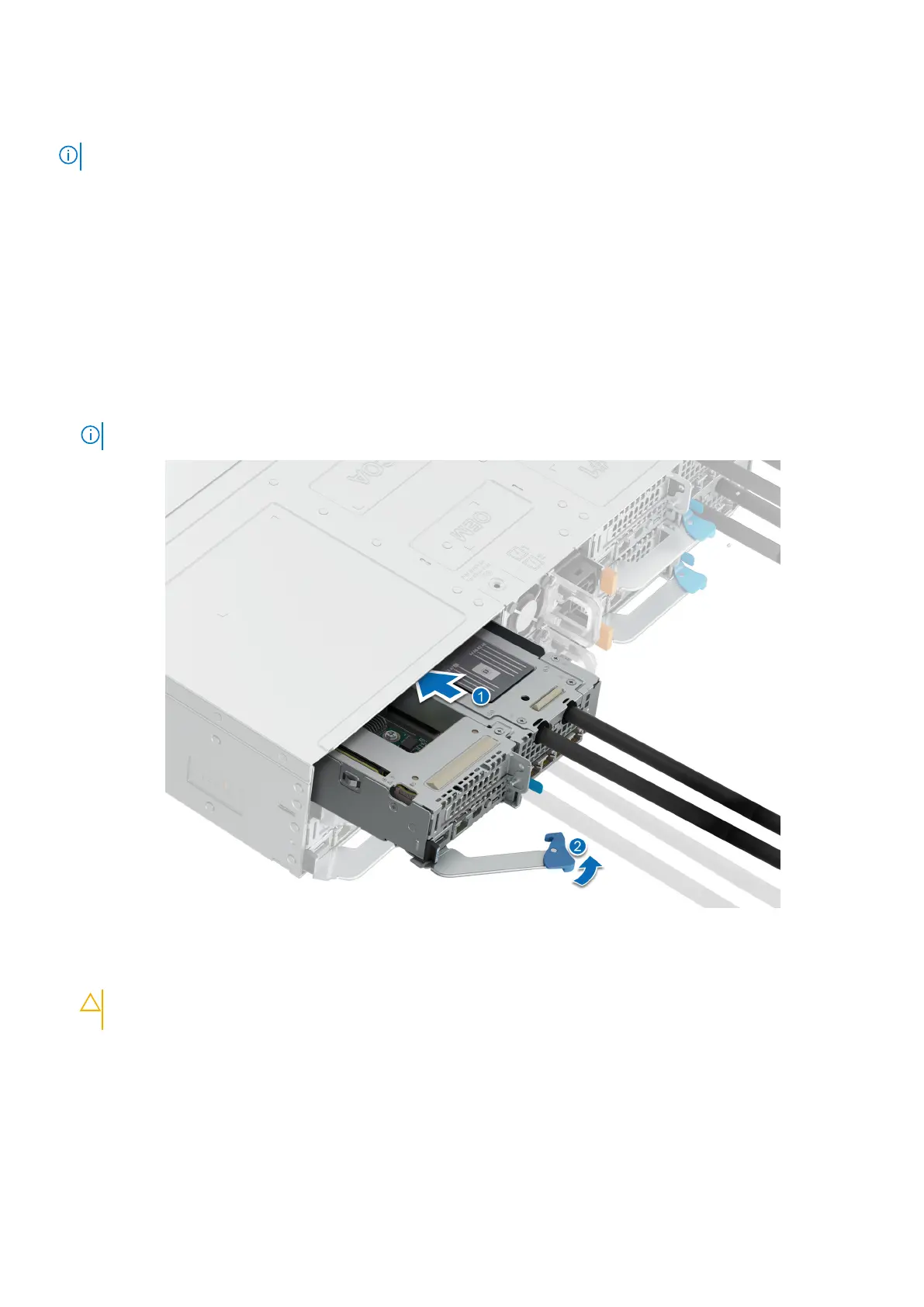
1. Release the sled handle by pressing the blue latch to disengage it from the metal hook.
2. Pull the handle until it rotates to the end of its travel.
3. Holding the sled with both hands, align the sled with the sled-bay in the enclosure.
NOTE: The numbers on the image do not depict the exact steps. The numbers are for representation of sequence.
Figure 24. Installing a sled
4. Insert the sled into the enclosure until the edge of the sled handle touches the edge of the enclosure chassis.
CAUTION:
To avoid any damage to the pins on the sled, do not force the sled into the enclosure. Follow the
two-position insertion and gently slide the sled into the enclosure.
56 Installing and removing system components















 To Next Page