2. Follow the procedure listed in Before working inside your system.
3. Remove the air shroud.
Steps
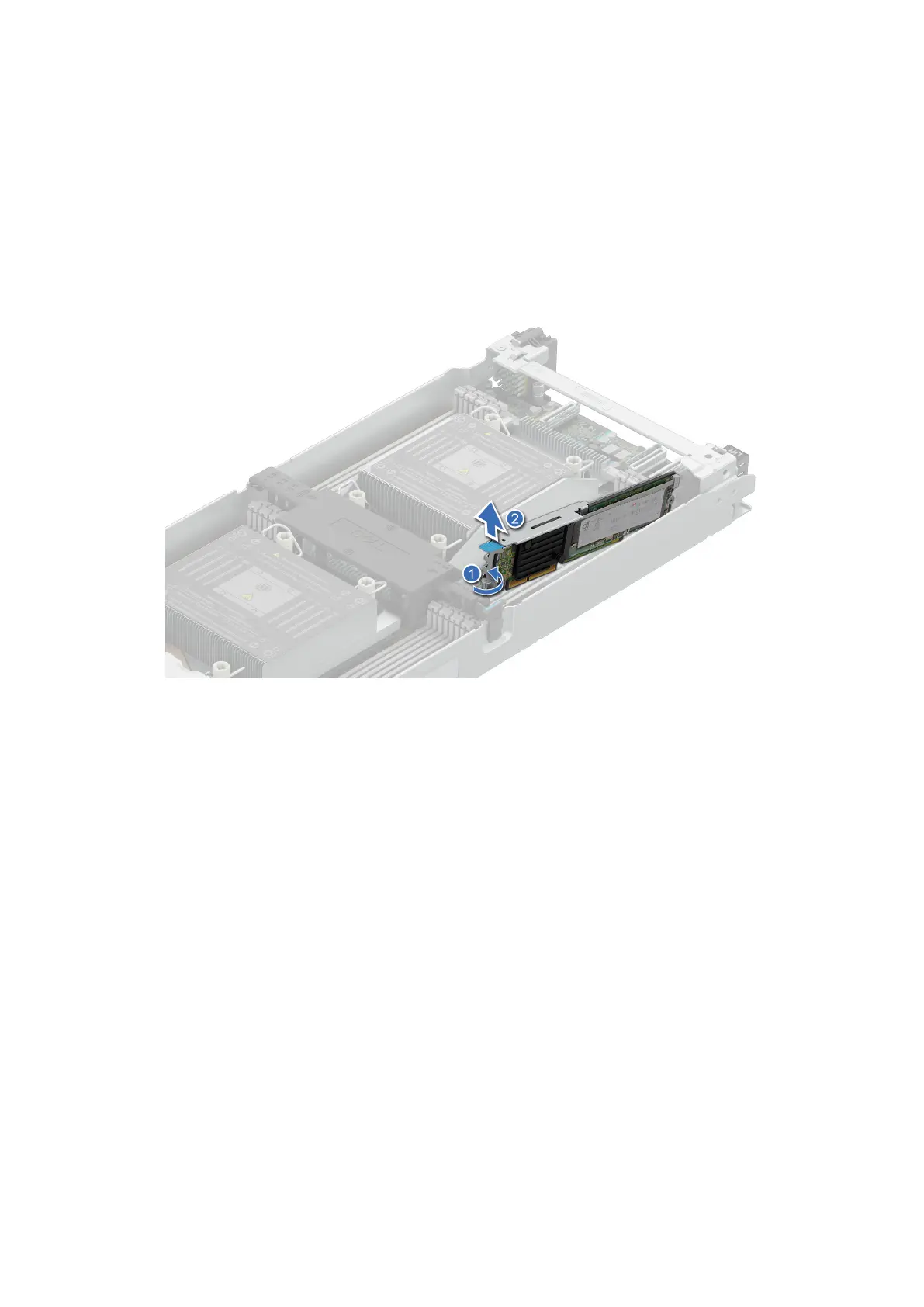
1. Using a Phillips 2 screwdriver, remove the screw that secures the riser to the chassis.
2. Holding the blue tag, lift the riser to disengage the riser from the connector on the system board.
Figure 54. Removing the M.2 riser
Next steps
Replace the M.2 riser.
Installing the M.2 riser
Prerequisites
1. Follow the safety guidelines listed in Safety instructions.
2. Follow the procedure listed in Before working inside your system.
3. Remove the air shroud.
Steps
1. Align the M.2 riser with the stand off on the system board and insert it firmly until the riser is fully seated in the slot.
2. Using a Phillips 2 screwdriver, tighten the screw that secures the riser to the chassis.
84
Installing and removing system components















 To Next Page