Chapter 5 Configuring in DIADesigner-AX
5-7
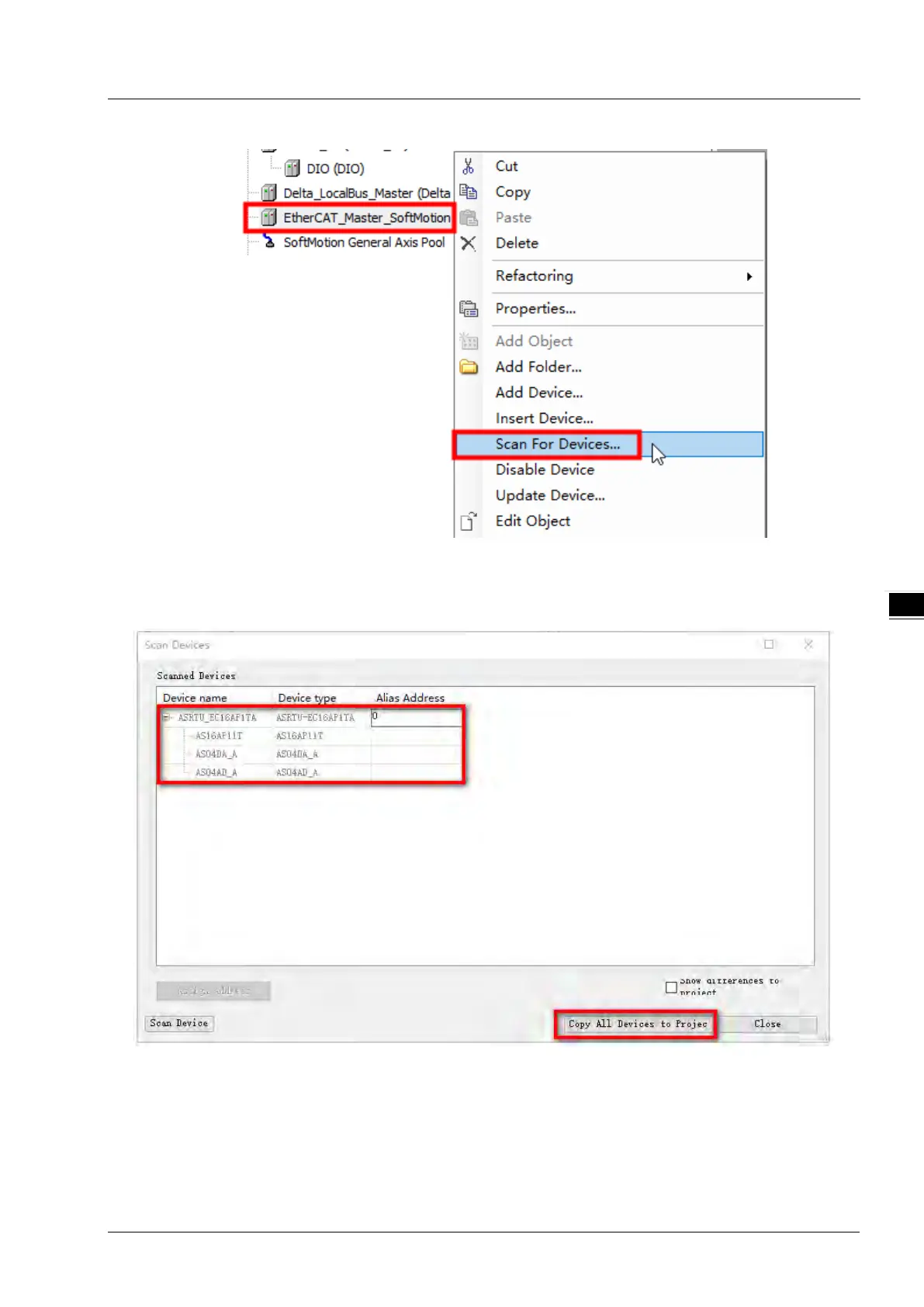
2. The “Scan Devices” window pops up and automatically displays ASRTU-EC16AP1TA and its right-side
extension modules which are scanned out.
After the ASRTU-EC16AP1TA slave and right-side extension modules are scanned out, click “Copy All
Devices to Project” button to add ASRTU-EC16AP1TA and its right-side extension modules to the EtherCAT
master configuration.



 To Next Page