Chapter 5 Configuring in DIADesigner-AX
5-13
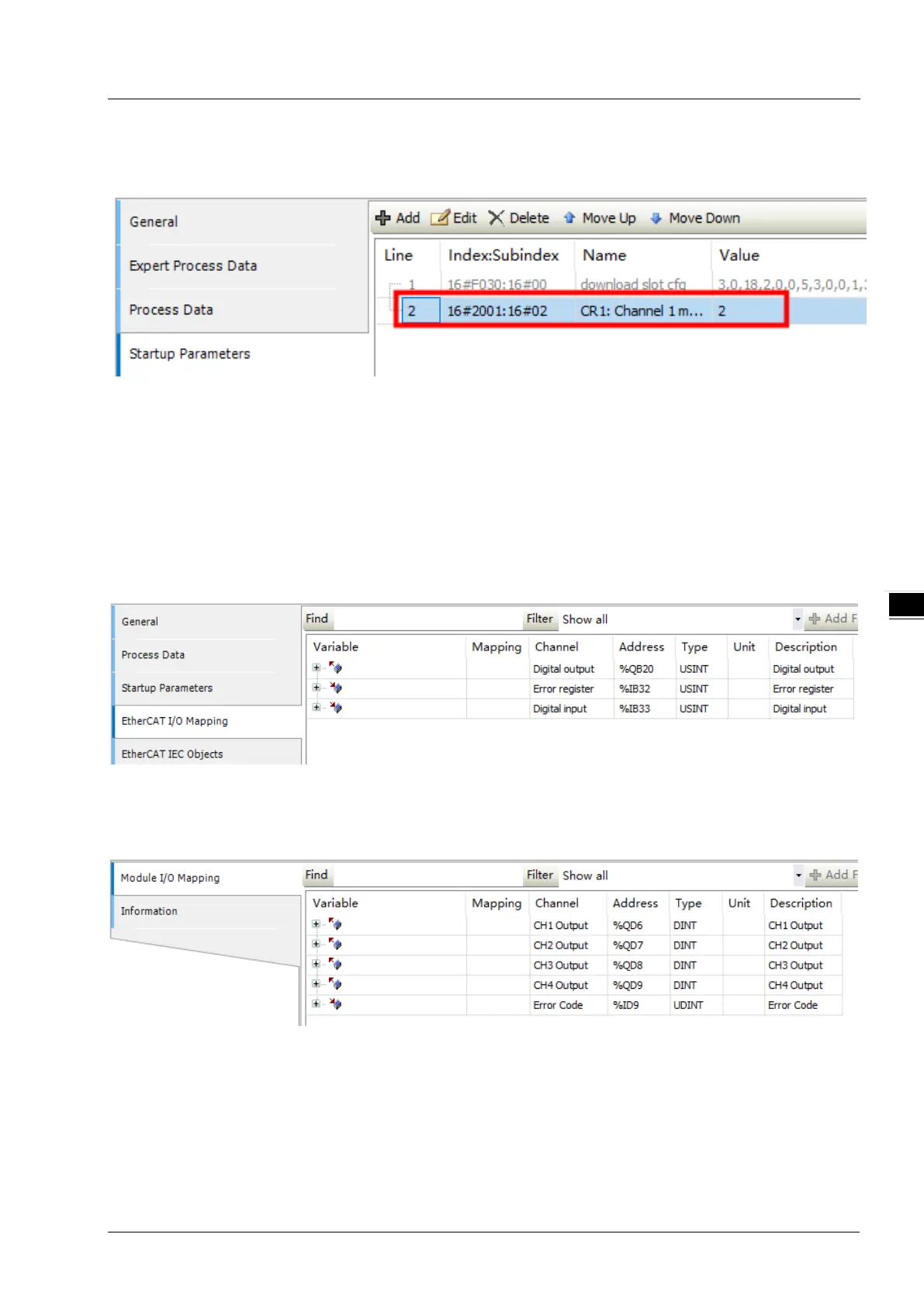
Afterward the “CR1: Channel 1 mode setting” parameter of AS04DA_A is visible in the Startup Parameters tab
as shown in the following image.
After you download the configuration data to the PLC, the channel 1 output mode of AS04DA_A will be
automatically set to 0~10V.
5.6 EtherCAT I/O Mapping
On the EtherCAT I/O mapping page, users could view the mapping relationship between PDO parameters
and devices in PLC as well as define mapping variables or map user-defined variables to parameters.
Here are three types of commonly-used pages:
The first one is the EtherCAT I/O mapping page for ASRTU-EC16AP1TA itself.
The second one is the EtherCAT I/O mapping page for the extension modules on the right side of
ASRTU-EC16AP1TA. For example, below is the EtherCAT I/O mapping page for the right-side extension
module, AS04DA_A.



 To Next Page