Chapter 7 Application Examples
7-7
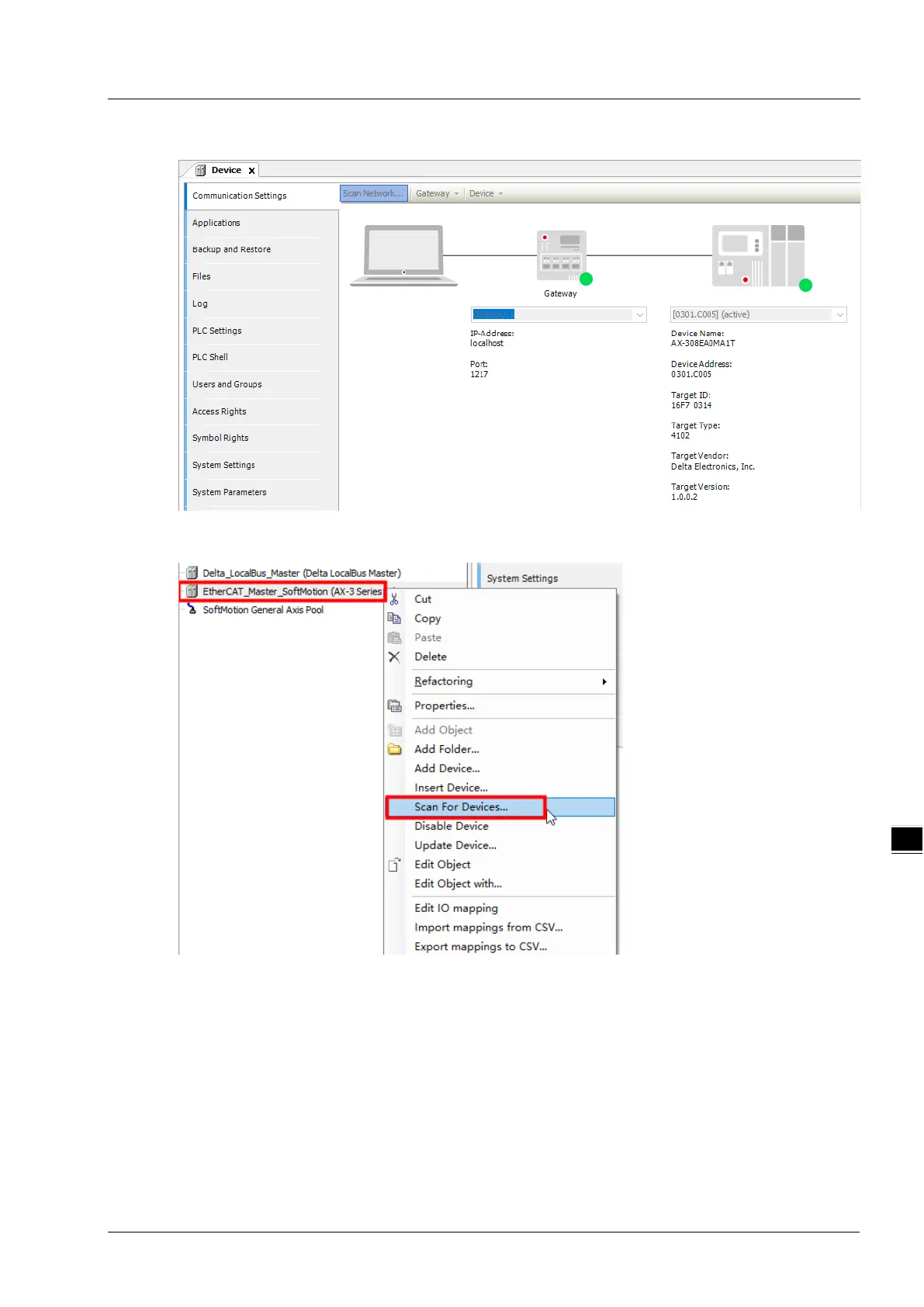
After that, the connected CPU will automatically show up in the “Device” interface as below.
4. Right-click on “EtherCAT_Master_Softmotion” in the red box below and select “Scan For Device”
from the pop-up menu to scan out the EtherCAT slave.
After the scan function is enabled, the software can scan out the ASRTU-EC16AP1TA module and
its right-side extension modules.



 To Next Page