6-32
Modulon DPH Series
6
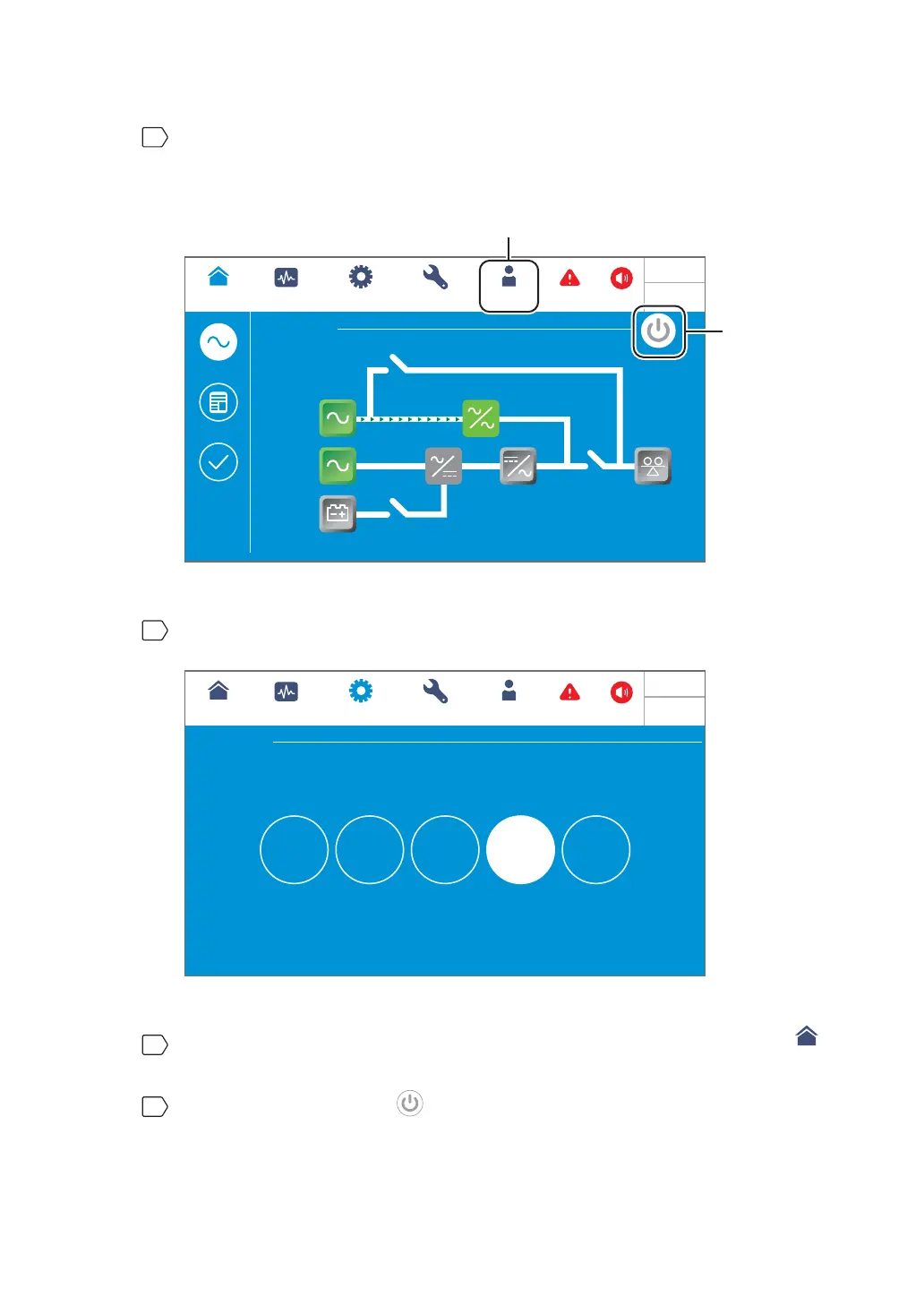
Please log in as an Administrator. For the Administrator password, please contact
service personnel. After login, ensure that you are in the Administrator login status
(see Figure 6-41).
Bypass
2
WARNING
POWER FLOW
Maintenance
Bypass
Bypass
Mains
MEASUREMENT
Power Flow
UPS-1.1 SETUP
MAINTENANCE
Power Flow
Summary
System Status
LOG IN
Administrator
Load
0 %
0 %
0 mins
10:15
May 25,2018
Administrator Login
ON/ OFF
Button
(Figure 6-41 : Main Screen_ Administrator Login & ON/ OFF Button Location)
7
Click SETUP ĺMode Setting ĺEnergy Recycle.
Bypass
UPS-1.1
MODE SETTING
MEASUREMENT
Mode Setting
SETUP
MAINTENANCE LOG IN
Administrator
On-Line Green ECO
Energy
Recycle
Frequency
Conversion
Select to change system mode
2
WARNING
10:15
May 25,2018
(Figure 6-42: Select Energy Recycle Mode)
8
After manually selecting Energy Recycle mode via the LCD, press the icon (
UPS-1.1
)
located in the upper left corner of the screen to go back to the Main Screen.
9
Press the ON/ OFF button ( ) once and the following screen will pop up to ask you
if you want to power on the UPS’s inverter. Please select ‘YES’.













 To Next Page