6-49
6
ௐ
ௐ
UPS Operation
MEASUREMENT
Power Flow
UPS-1.1 SETUP
MAINTENANCE
No
Yes
LOG IN
User
POWER OFF ?
Transfer to Bypass without Protection!
2
WARNING
Energy
Recycle
10:15
May 25,2018
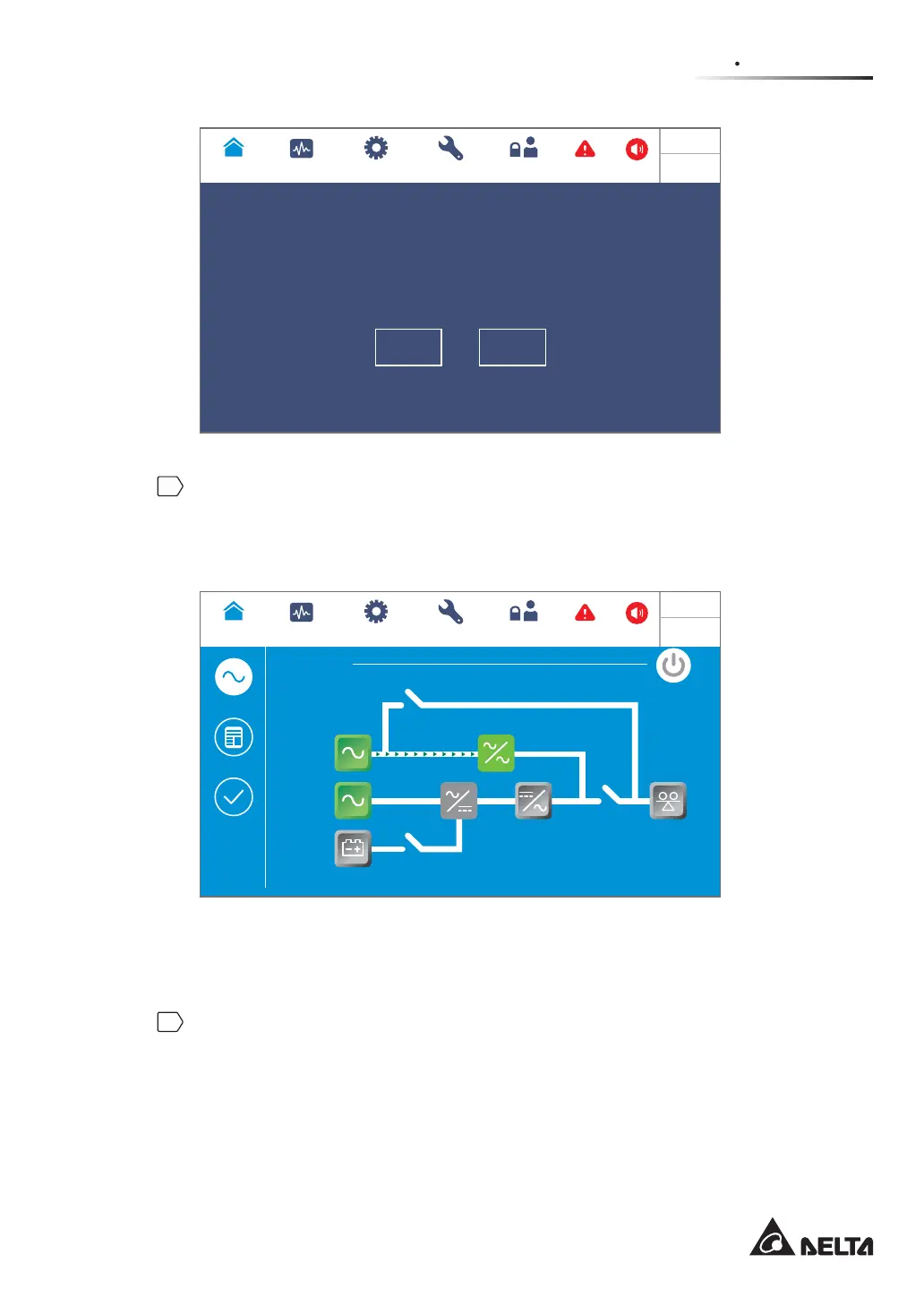
(Figure 6-68: Power off Reminder Screen)
3
After selection of ‘YES’, the UPS will stop self-aging test and transfer to run in bypass
mode. At this moment, the tri-color LED indicator illuminates yellow and the following
screen appears (Figure 6-69). For the tri-color LED indicator location, please refer to
Figure 2-11.
Bypass
POWER FLOW
Maintenance
Bypass
Bypass
Mains
Load
0 %
MEASUREMENT
Power Flow
UPS-1.1 SETUP MAINTENANCE
Power Flow
Summary
System Status
LOG IN
User
2
WARNING
0 %
0 mins
10:15
May 25,2018
(Figure 6-69: Bypass Mode Screen)
Now, each power module performs DC BUS discharging and its LED indicator flashes
green. After discharging, each power module’s LED indicator will be off.
4
Please log in as an Administrator. For the Administrator password, please contact
service personnel. After login, ensure that you are in the Administrator login status
(see Figure 6-70).




 To Next Page