3-50 ineo 367/287/227
Copy function
3
3.4
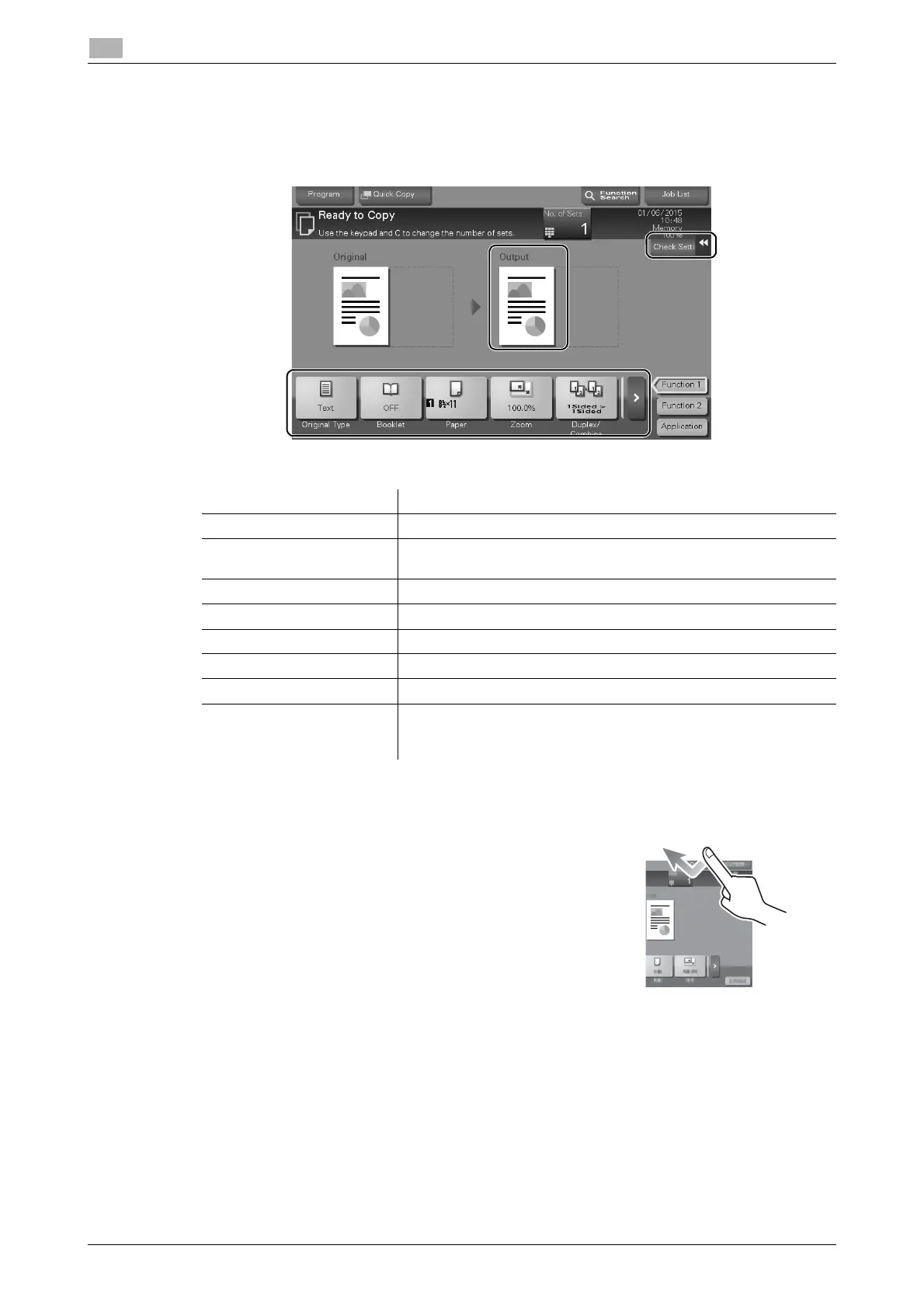
4 Check the basic settings.
% Check the output image configured as specified while viewing the output illustrations displayed on
the Touch Panel.
% Tapping [Check Setting] can check detailed settings.
% To change the setting, tap the desired key on the Touch Panel.
5 Tap the input area for entering the number of copies.
Settings Description
[Original Type] Specify the original type of the original.
[Booklet] The pages in the original data are arranged and spread in a booklet
format and printed on both sides of sheets.
[Paper] Specify the output paper.
[Zoom] Specify the zoom ratio.
[Duplex/Combine] Specify double-sided copying or combine copying.
[Finishing] Configure the offset, punch, or staple setting for output paper.
[Density] Adjust the copy density.
[Bkgd. Removal] Adjust the background density when the print on the back side may
be reproduced on the front side of the copy or when the original
background is colored.











 To Next Page