3-52 ineo 367/287/227
Registering a destination
3
3.5
3.5 Registering a destination
3.5.1 Registering an address book
The fax and scan-to-send functions can register the frequently used destinations as address books. This sec-
tion explains an example to register an address book to which a fax is sent.
Using the Control Panel to register an address book - Registration from Util-
ity
Select a destination type, and register destination information.
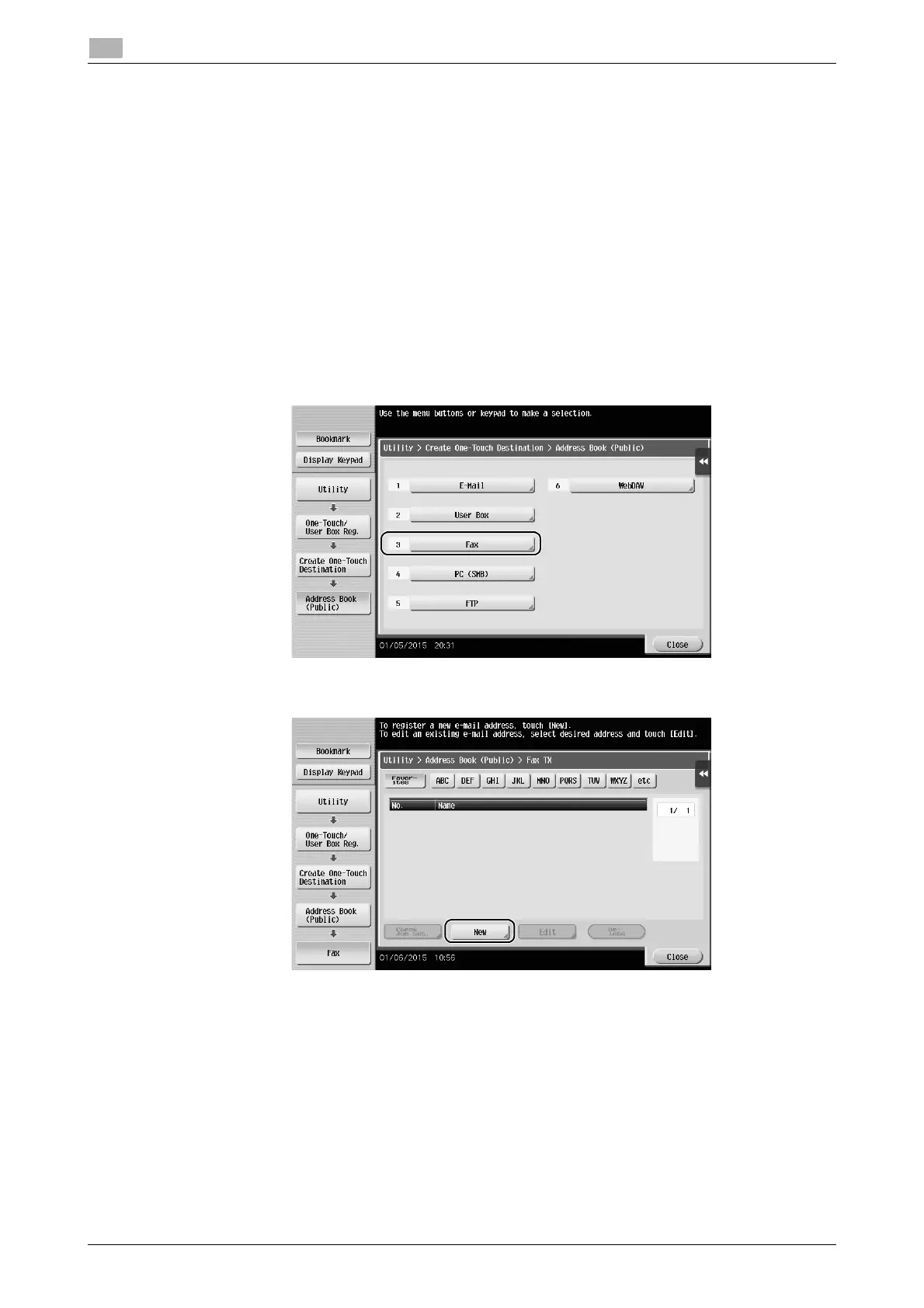
1 Tap [Utility], and select [One-Touch/ User Box Reg.] - [Create One-Touch Destination] - [Address Book
(Public)].
2 Select the type of the destination you want to register.
3 Tap [New].











 To Next Page