ineo 367/287/227 2-29
2.7 Jobs
2
2.7 Jobs
2.7.1 Job screen
A job refers to an operation such as printing, sending, receiving, or saving.
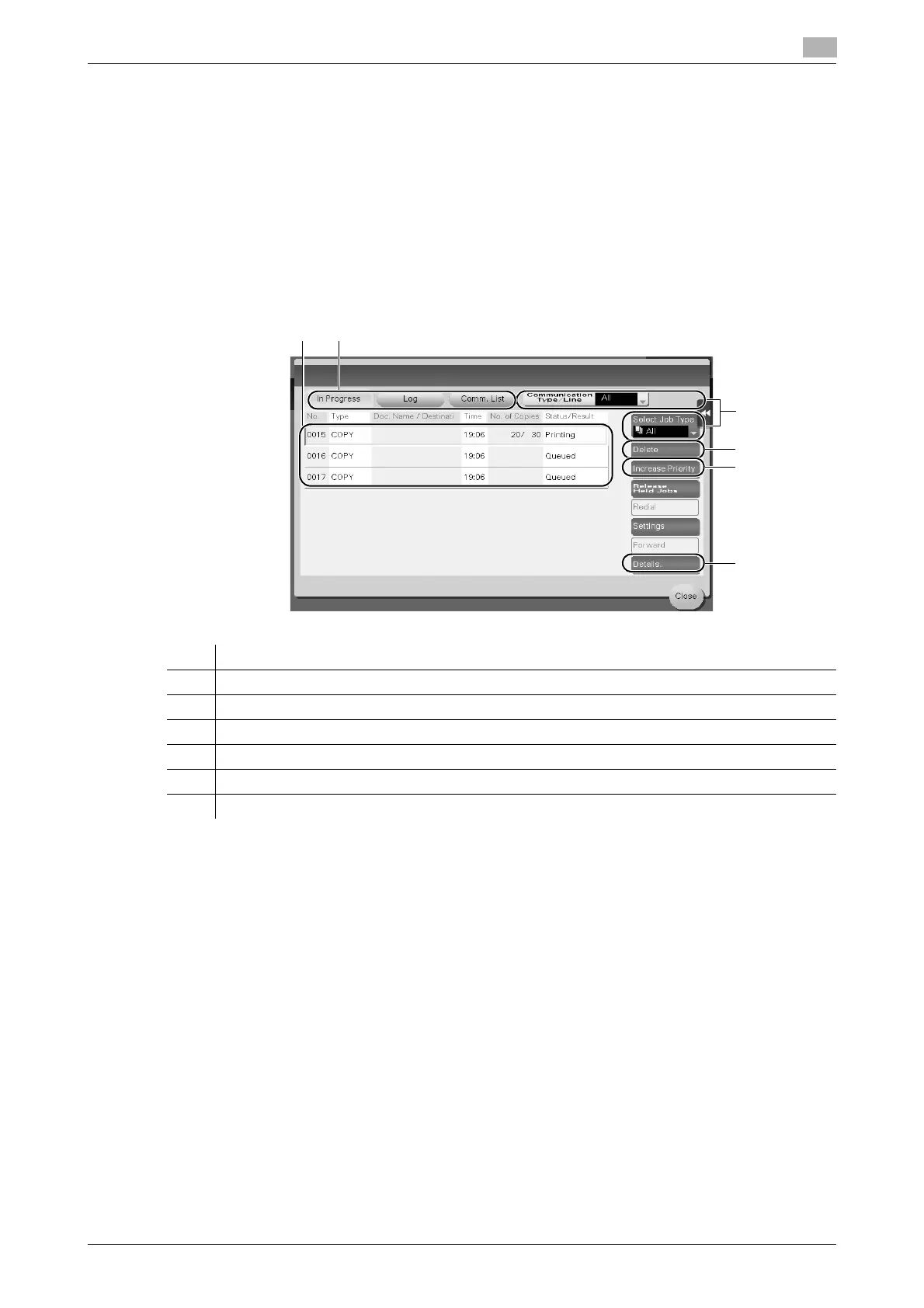
When you tap [Job List] in the main menu or the main screen of each mode, the Job screen appears.
In the Job screen, you can view a list or history of a job currently being executed or print a sending-receiving
result report.
In general, jobs are executed starting from the job at the top of the list of currently active jobs. If you are in a
hurry to execute any particular jobs, you can rearrange the job execution order.
dReference
For details, refer to the User's Guide CD/DVD.
No. Description
1 Displays jobs.
2 Select a job type. In [Comm. List], you can also print a sending-receiving result report.
3 Tap this button to narrow down the jobs to be displayed.
4 Tap this button to delete a job.
5 Tap this button to select a job to be executed preferentially.
6 Tap this button to view details of a selected job.











 To Next Page