ineo 367/287/227 4-9
4.1 Using advanced functions
4
Enabling the i-Option function using the license
Register the license and function codes in this machine.
This procedure is available when this machine cannot be connected to the Internet.
By inputting the codes
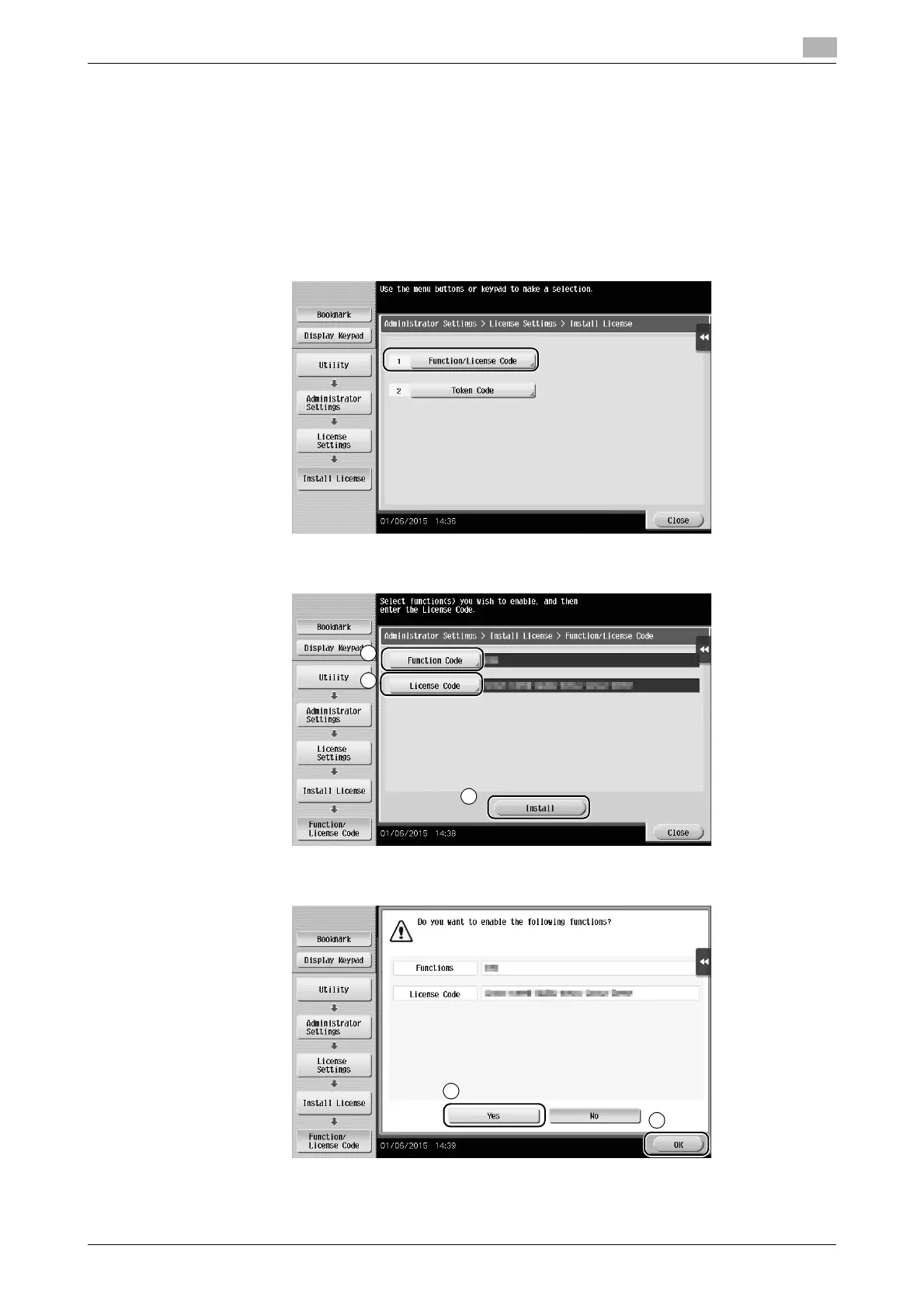
1 Tap [Utility], and select [Administrator Settings] - [Forward] - [License Settings] - [Install License] -
[Function/Licence Code].
% For information on the default administrator password, refer to the User’s Guide CD/DVD.
2 Enter the license and function codes you wrote down.
3 Select [Yes], then tap [OK].
This machine restarts automatically.











 To Next Page