4-10 ineo 367/287/227
Using advanced functions
4
4.1
By using a USB memory device
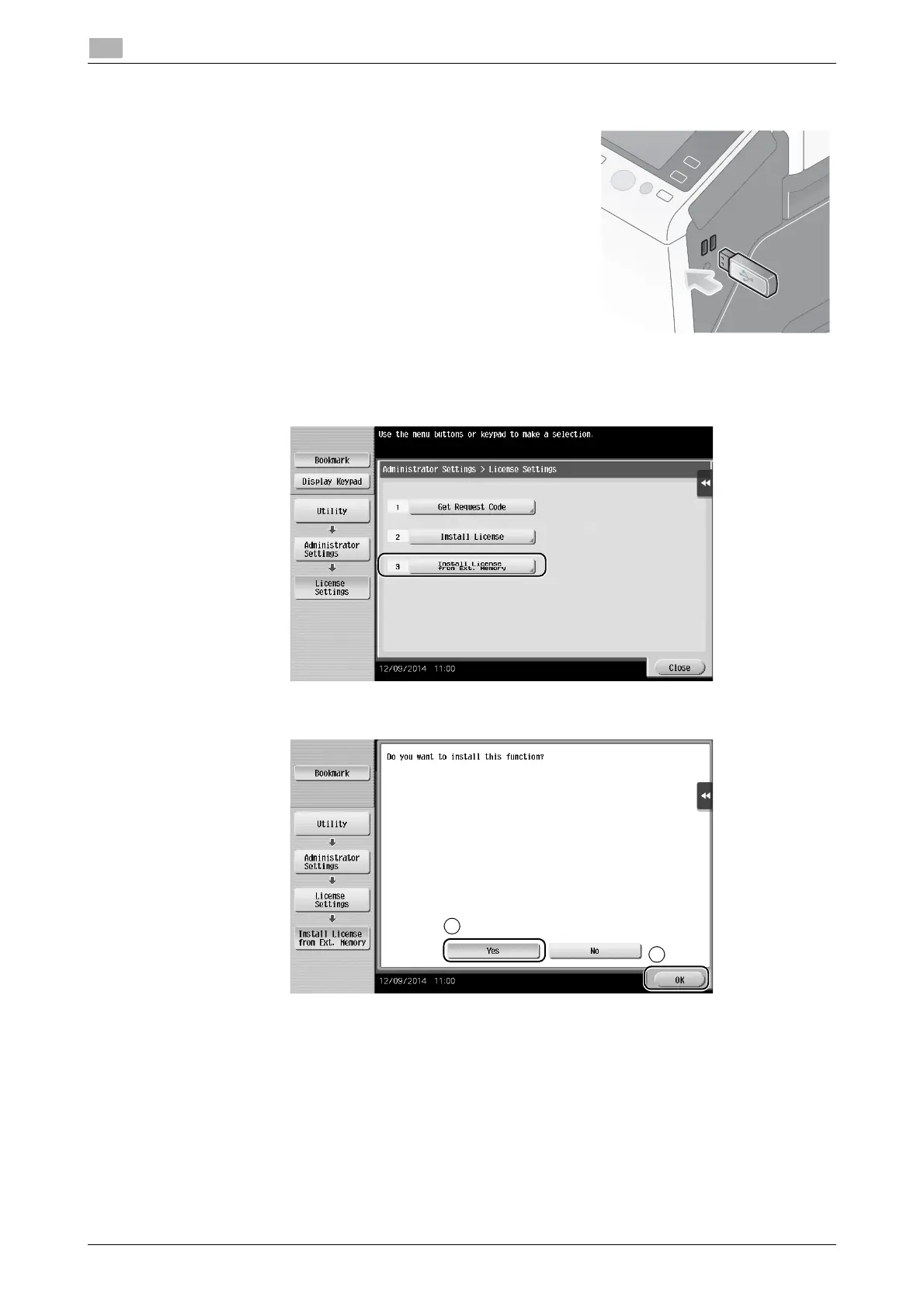
1 Connect the USB memory device stored with the license
code.
2 Tap [Utility], and select [Administrator Settings] - [Forward] - [License Settings] - [Install License from
Ext. Memory].
3 Select [Yes], then tap [OK].
This machine restarts automatically.
Configuring each function
Configure the required settings for each advanced function.
dReference
For details on the required setting items for each advanced function, refer to the User's Guide CD/DVD.











 To Next Page