ineo 367/287/227 3-61
3.5 Registering a destination
3
3.5.3 Registering a group
Several address books can be registered as a group.
This function is useful when you have jobs involving sending data to specified members at periodic intervals.
Registering a new group
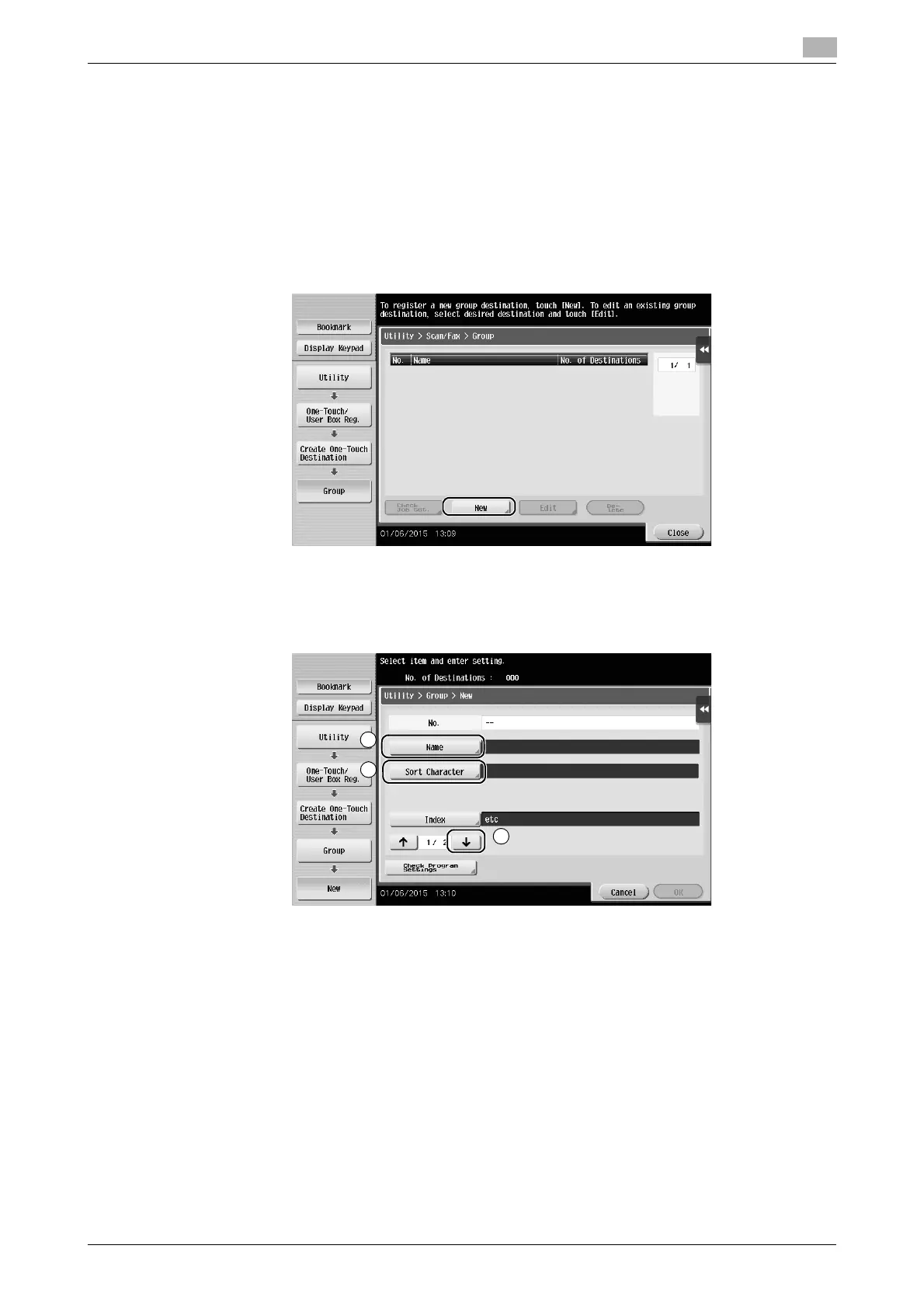
1 Tap [Utility], and select [One-Touch/ User Box Reg.] - [Create One-Touch Destination] - [Group].
2 Tap [New].
3 Enter the destination name you want to register.
% Tap [Name], and enter the destination name using the displayed keyboard.
% For [Sort Character], enter the same name as [Name].
% This sets the appropriate index for the name, which you entered into [Name], to [Index]. To change
the setting, tap [Index].











 To Next Page