2-28 ineo 367/287/227
Touch Panel
2
2.6
To display the Keypad all the time
The Keypad can always be displayed to enable entry of the number of copies on the copy screen, User Box
print setting screen, or browser print setting screen.
dReference
For details, refer to the User's Guide CD/DVD.
2.6.5 Entering characters
When entering characters to register an address or program, use the keyboard screen displayed on the
Touch Panel.
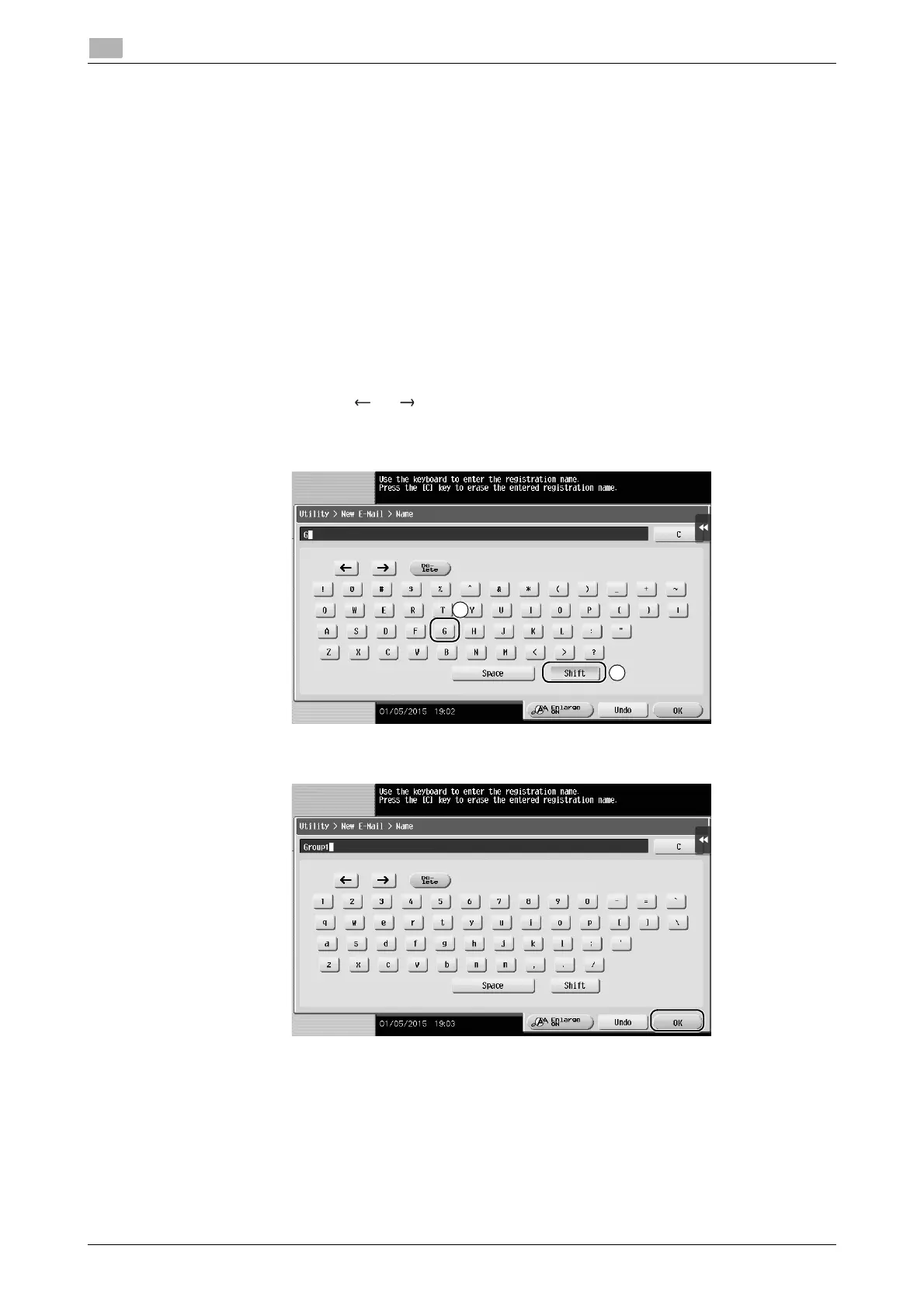
When typing in "Group1":
1 To type in uppercase letters or symbols, tap the [Shift] key.
% If you mistyped, tap [ ] or [ ] to move the cursor to the character you want to clear, then tap the
[Delete] key.
% Tap the [Shift] key again to return to the original keyboard screen.
2 After typing completes, tap [OK].











 To Next Page