4-6 ineo 367/287/227
Using advanced functions
4
4.1
Registering the i-Option license
Register the request code and the contents of the token certificate on the Web site of the License Manage-
ment Server (LMS).
This procedure is available when this machine cannot be connected to the Internet.
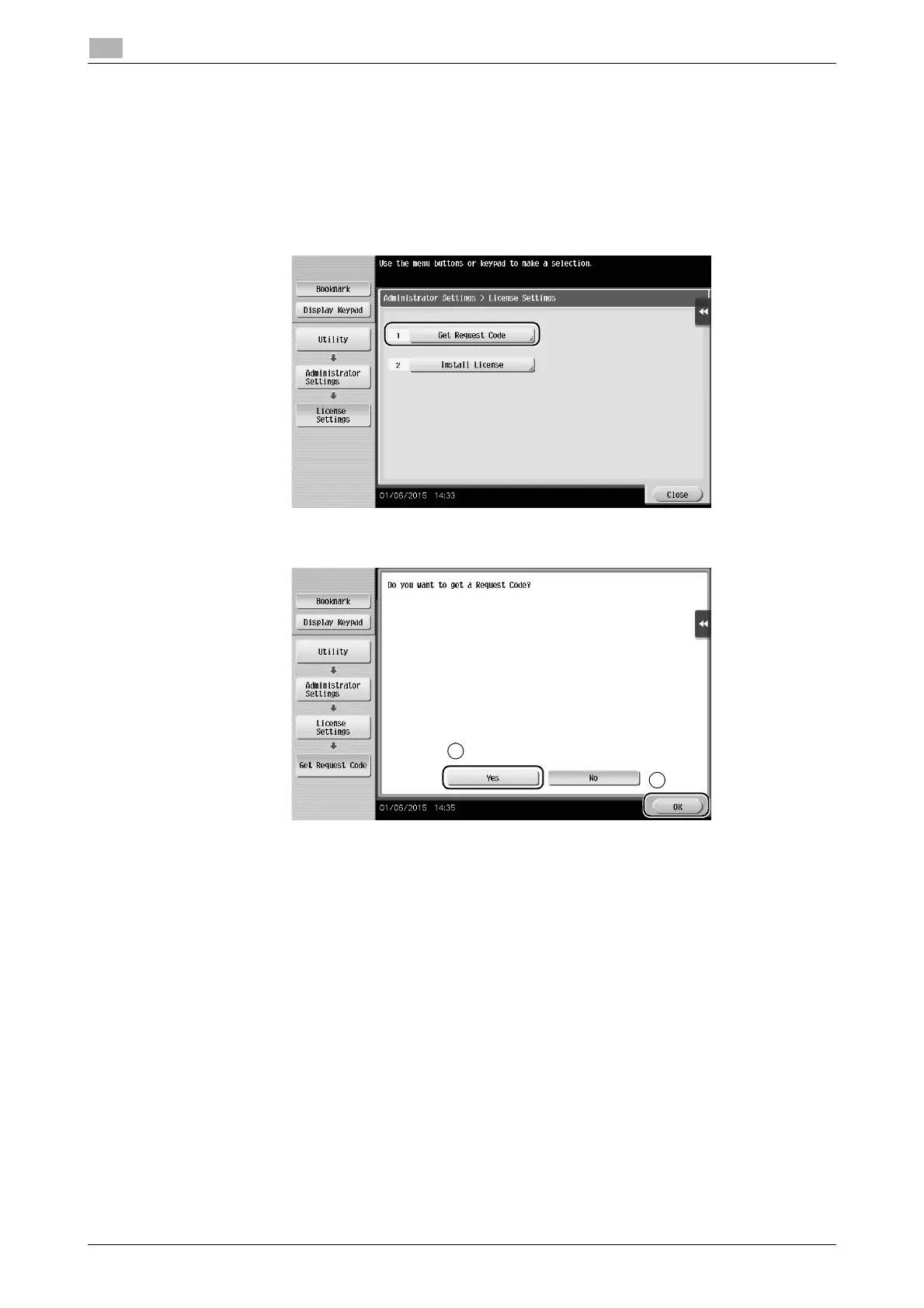
1 Tap [Utility], and select [Administrator Settings] - [Forward] - [License Settings] - [Get Request Code].
% For information on the default administrator password, refer to the User’s Guide CD/DVD.
2 Tap [Yes] and [OK].
3 Tapping [Print] prints the serial number and request code.
% Prepare at hand the printed serial number, request code, and token certificate supplied with i-Op-
tion.











 To Next Page