3-26 ineo 367/287/227
Scan-to-Send function
3
3.2
Configuring your computer
Create a new folder, and enable the sharing settings.
0 This operation requires administrator privileges for your computer.
1 Create a new folder, and write down the folder name in the File path column of the checklist.
2 Enable the folder sharing settings. In the Apple menu, select [System Preferences] - [Sharing].
3 Select the [File Sharing] check box, then click [Options...].
4 Select the [Share files and folders using SMB] and user name check boxes, then click [Done].
5 Under [Shared Folders:], click [+].
6 Select a new folder, then click [Add].
7 Click the new folder to check the access right.
If the access right is changed to [Read & Write], the setting is completed.
Registering destinations
While checking the created checklist, register the folder for receiving the scanned data as an address book
of this machine.
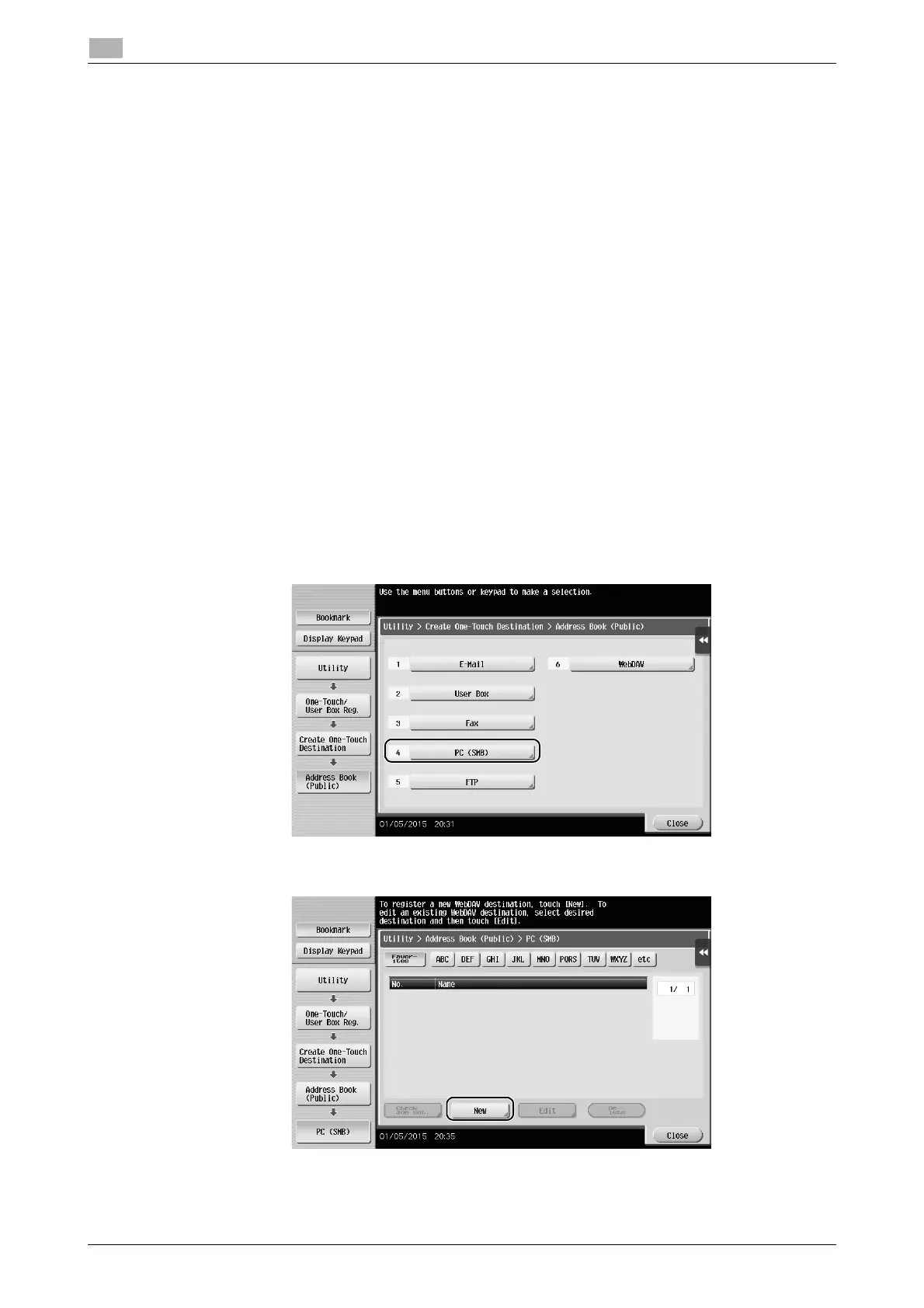
1 Tap [Utility], and select [One-Touch/ User Box Reg.] - [Create One-Touch Destination] - [Address Book
(Public)] - [PC (SMB)].
2 Tap [New].











 To Next Page