4-14 ineo 367/287/227
Using the Web browser function
4
4.2
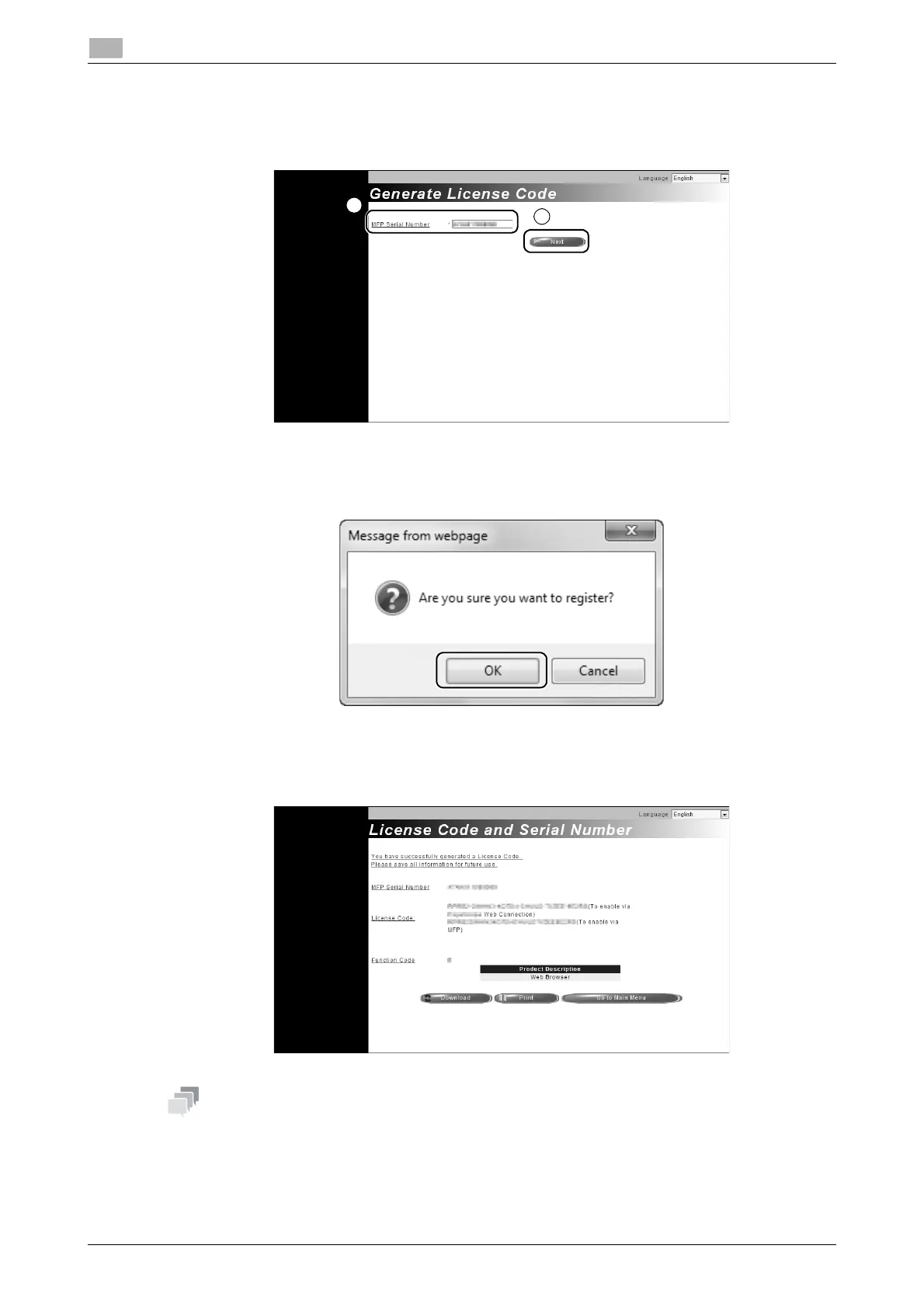
3 Access the Web site of the License Management Server (LMS). Enter the [MFP Serial Number], then
click [Next].
% The URL is https://licensemanage.com/activate.
4 Check the message, then click [OK].
5 The license code is issued.
- The issued license code is required to enable Web browser function. You should write them down on
a memo pad or print them out on paper by clicking [Print].
- You could also store them in your USB memory device. The license code input could be omitted by
using a USB memory device to achieve a convenient operation.
- When using a USB memory device, insert the USB memory device and click [Download] to store the
license code.











 To Next Page