ineo 367/287/227 2-21
2.5 Control Panel
2
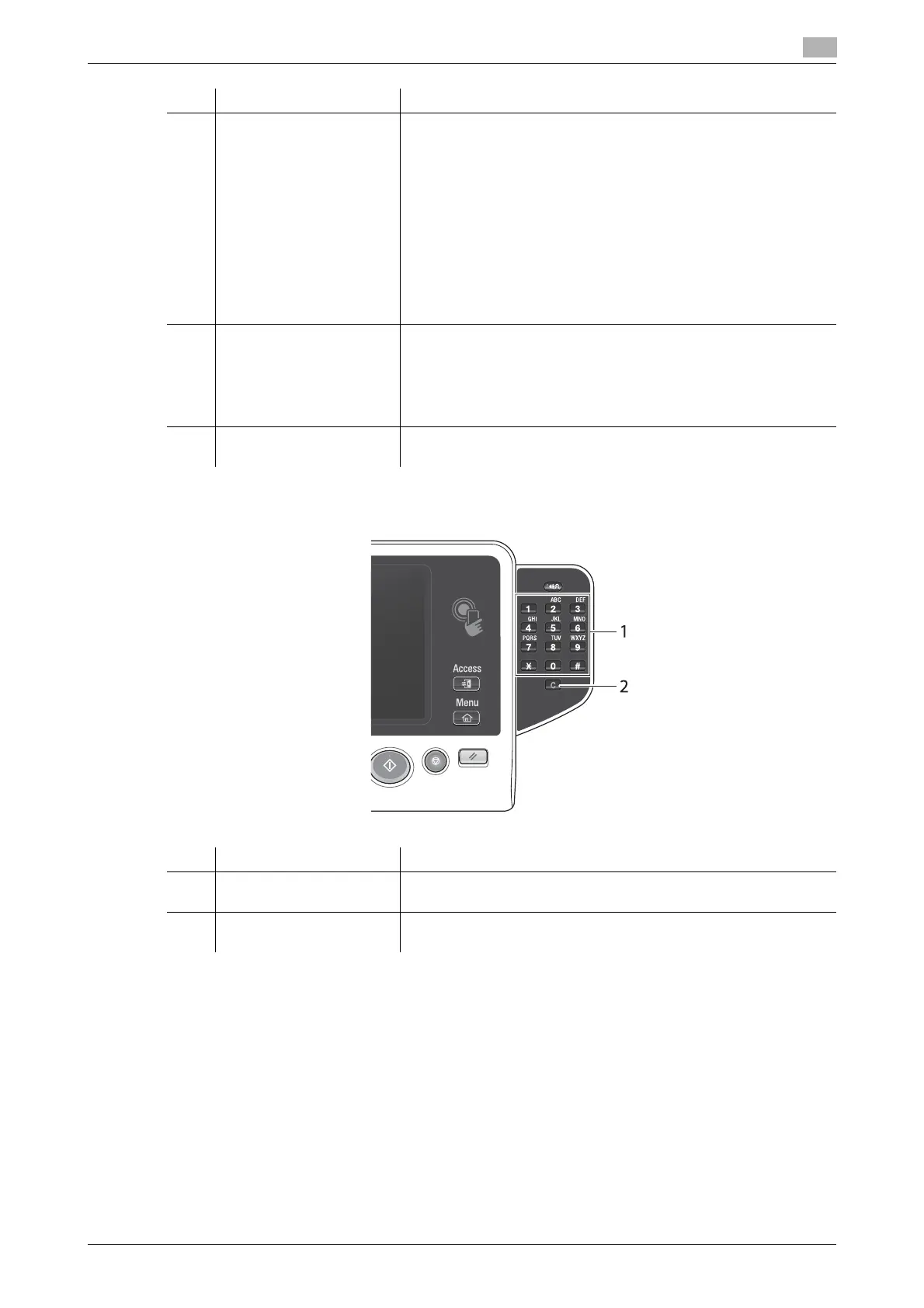
Equipped with the Keypad KP-101
8 1 - 4 Press each key to switch the display of the Touch Panel to a func-
tion assigned to a Register key.
• 1 ([Enlarge Display]): Enters Enlarge Display mode.
• 2 ([Guidance]): Press this key to display the Help Menu. You can
display descriptions of the functions and operating procedures
on the screen.
• 3 ([10 Keypad]): Displays the Keypad on the Touch Panel.
• 4 ([Preview]): Press this key to display a finishing image with the
current settings on the Touch Panel. This function can also
print a single proof copy to be checked before printing a large
number of copies.
These keys can be assigned to any function in the Administrator
Settings to be easy to use.
9 Power Press this key to switch to the power save mode.
In the normal mode, the key lights up blue. In the power save mode,
the key blinks blue or lights up orange.
To create a higher power saving effect, you can change the setting
in [Power Key Setting] of Administrator Settings. For [Power Key
Setting], refer to page 2-19.
10 Warning Indicator Flashes orange if a warning occurs.
Lights up orange if this machine has stopped due to an error.
No. Name Description
1 Keypad Use this Keypad to enter numeric values such as the number of
copies, zoom ratio, and fax number.
2 C (Clear) Press this key to cancel numeric values such as the number of cop-
ies, zoom ratio, and size you entered using the Keypad.
No. Name Description











 To Next Page