devolo dLAN® 200 AVpro Project Manual
20
4 Two-wire lines
4.1 Twisted or untwisted pair, wire pair
You can easily make this connection using a BNC-banana adapter. You can even
make a connection adapter yourself using a coax plug from the DIY store. You
should note that the devolo dLAN 200 AVpro adapter is potential-free. This means
that even large distances can be spanned using 2-wire lines without the need for
additional potential equalisation. To span greater distances, Balun adapters should
be used for better performance. (cf. the two following sections).
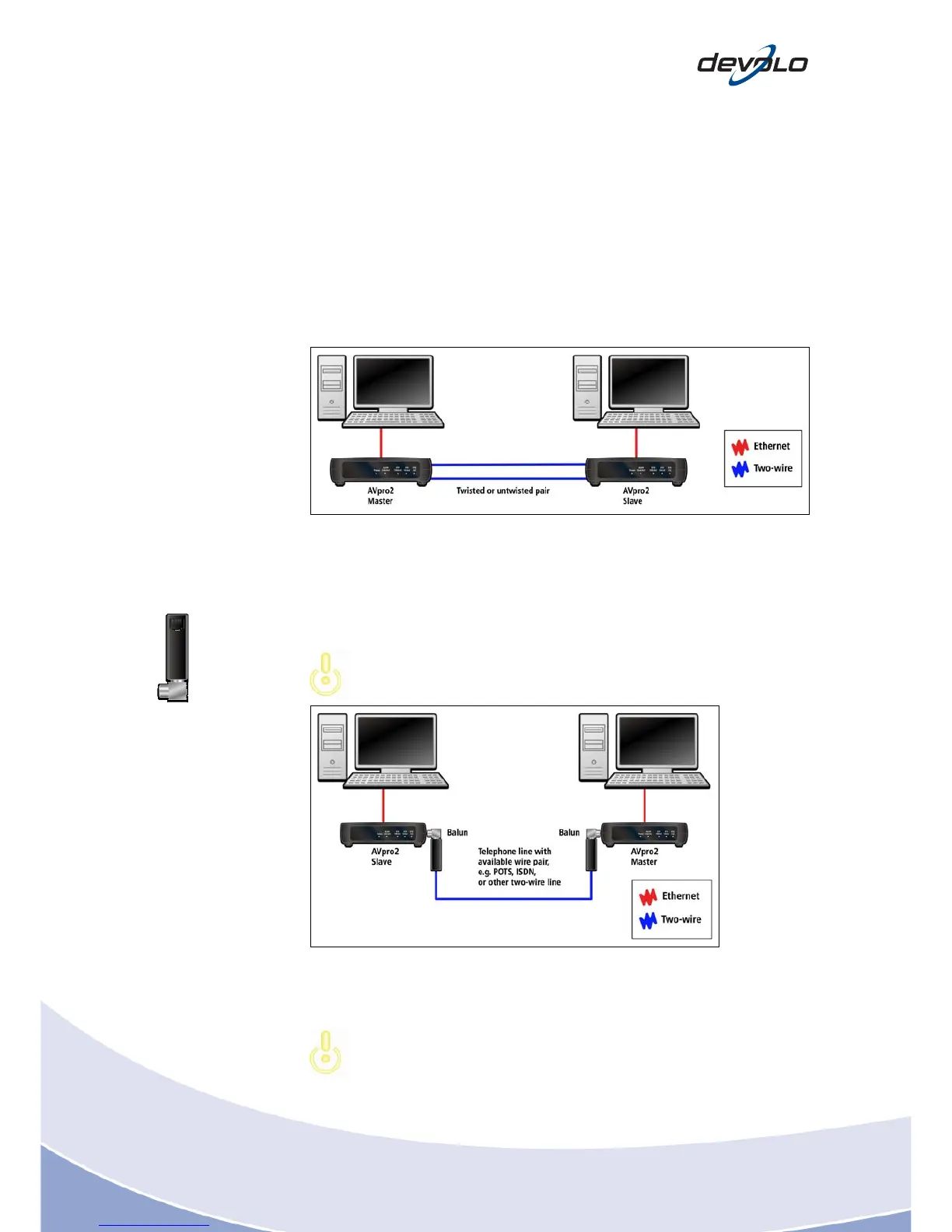
Fig. 4-1: dLAN network over a 2-wire line
4.2 Point-to-point on telephone lines (available wire pair)
If a wire pair is available, you can use this to connect the dLAN 200 AVpro adapter
without any additional measures.
If the line is not furnished with a twisted wire pair (untwisted), crosstalk
between the parallel routed l
ines is possible!
Balun adapter
F-connector to
2-wire
Fig. 4-2: dLAN via 2-wire using a Balun adapter
4.3 Point-to-point over telephone lines (occupied wire pair)
An Annex A splitter for analogue telephone lines should be used for this
installation. An Annex B splitter should be used for ISDN lines (S0).














 To Next Page