devolo dLAN® 200 AVpro Project Manual
32
Voltage doublers for appliances from abroad (110V/240V)
Babyphone appliances which communicate over the power supply system
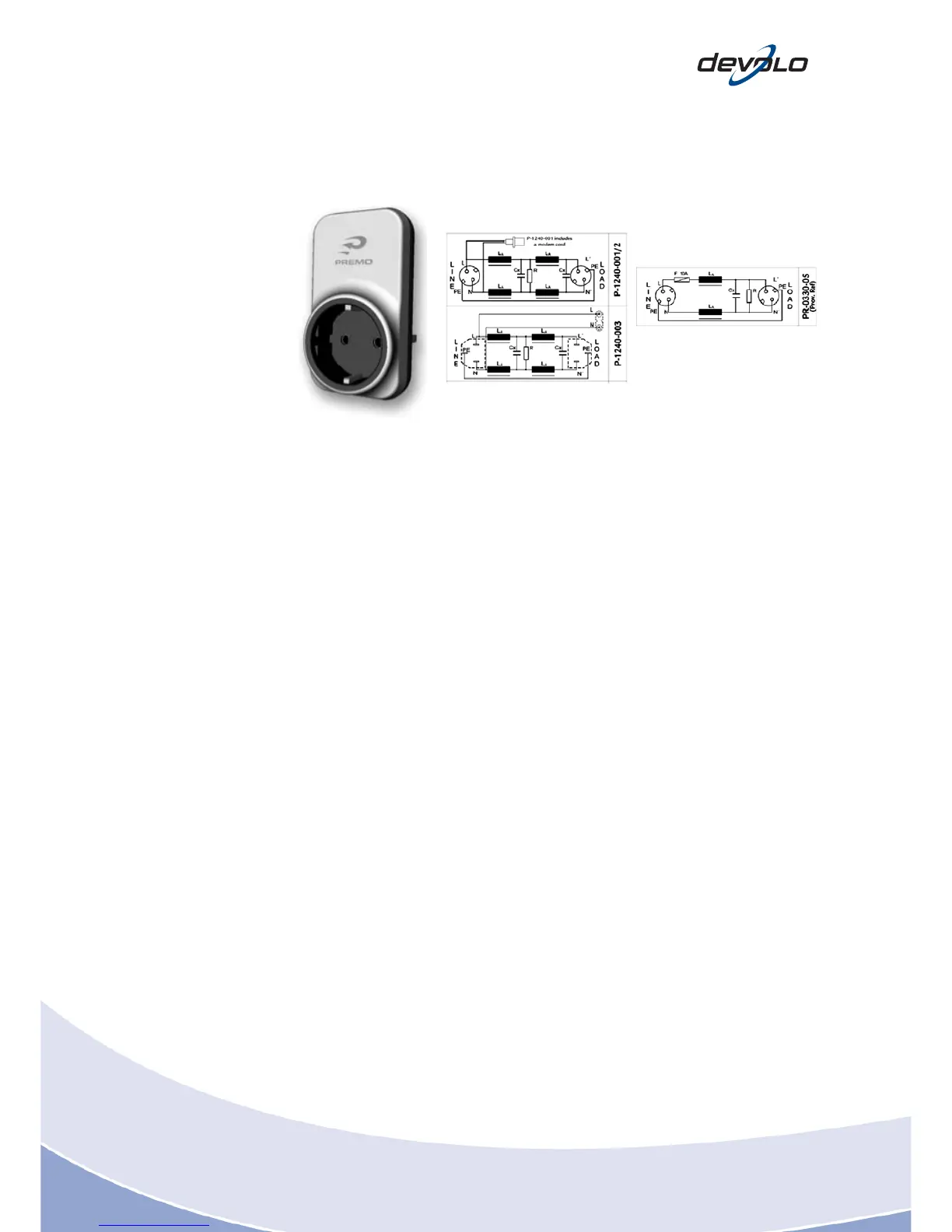
Fig. 5-13: Filter socket (source: www.premo.es)
Unplug any consumers that could be a cause of interference while monitoring the
data rate between two connection points required at the same time. If the data rate
improves when a consumer is unplugged, you should isolate it as a source of
interference. You can do this with the help of what is referred to as a quarantine
island: All sources of interference identified are operated behind a filter socket here.
In the event that a source of interference has been indentified in the vicinity or even
on the socket outlet on which the dLAN Signal is to be decoupled, we recommend
using the dLAN 200 AVpro WP, which, as a PowerLine modem, has a filter socket
directly built-in. This device is principally suited for identifying sources of
interference.
5.9 Sinks and remedies on the power line
Sinks are referred to as components which greatly attenuate the signal level of the
dLAN devices, and hence reduce the bandwidth.
A few typical examples of the possible causes of sinks, including suitable
workarounds, if available:
Residual current devices (depending on the type = not all RCDs cause
interference!) See the previous sections for various workarounds
Electric meters (may even cause a total block depending on the type) No
workaround
Surge protection socket outlets with RF filters: do not use in the vicinity of
dLAN devices














 To Next Page