devolo dLAN® 200 AVpro Project Manual
46
be specified to test TCP. To test UDP, the parameter must be specified along with
the bandwidth you want to test.
Example: site survey
IPERF -u -b 85M
as a command, you test the UDP protocol on the client-side with a requested
bandwidth of 85 Mbit/s.
TCP generates a lower throughput than UDP, because it is a connection-
oriented protocol, for which each data packet has to be acknowledged.
This decreases the useful load and hence the net bandwidth. In a test for
TCP, the program attempts to generate the maximum possible data rate on
its own.
In
a test for UDP, requesting too high a bandwidth (e.g.
-b 100M) can
falsify the results if the network card supports flow control and hence
reduced the bandwidth on its own. You can carry out a test to check for
this yourself.
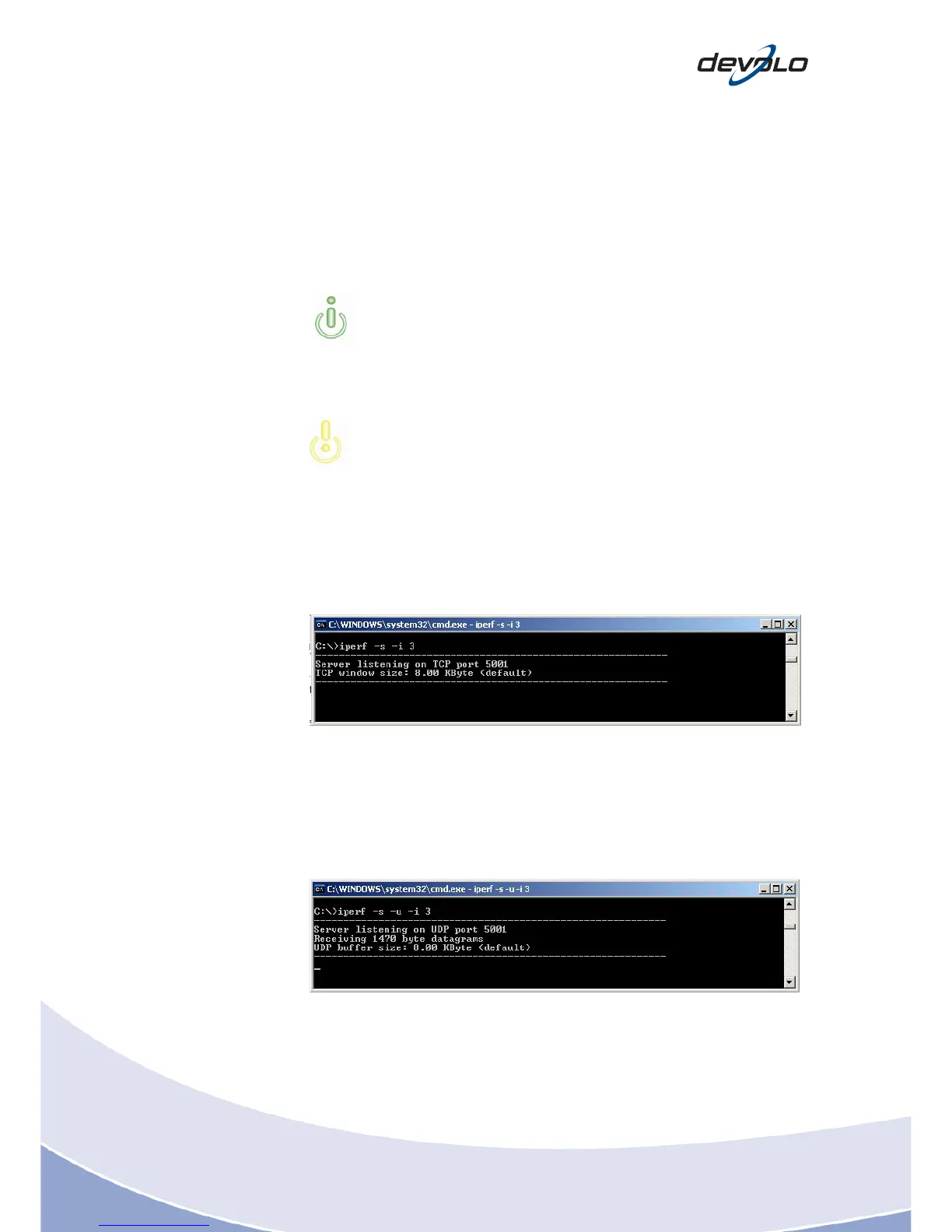
7.1.3 Setting up the server
For TCP, you c
an access the server as follows (recommended values for maximum
performance):
Legend:
- s: Server
- i 3: Reporting interval every 3 seconds
For UDP, you can access the server as follows (recommended values for maximum
performance):
Legend:
- s: Server
- u: UDP protocol
- i 3: Reporting interval every 3 seconds














 To Next Page