devolo dLAN® 200 AVpro Project Manual
52
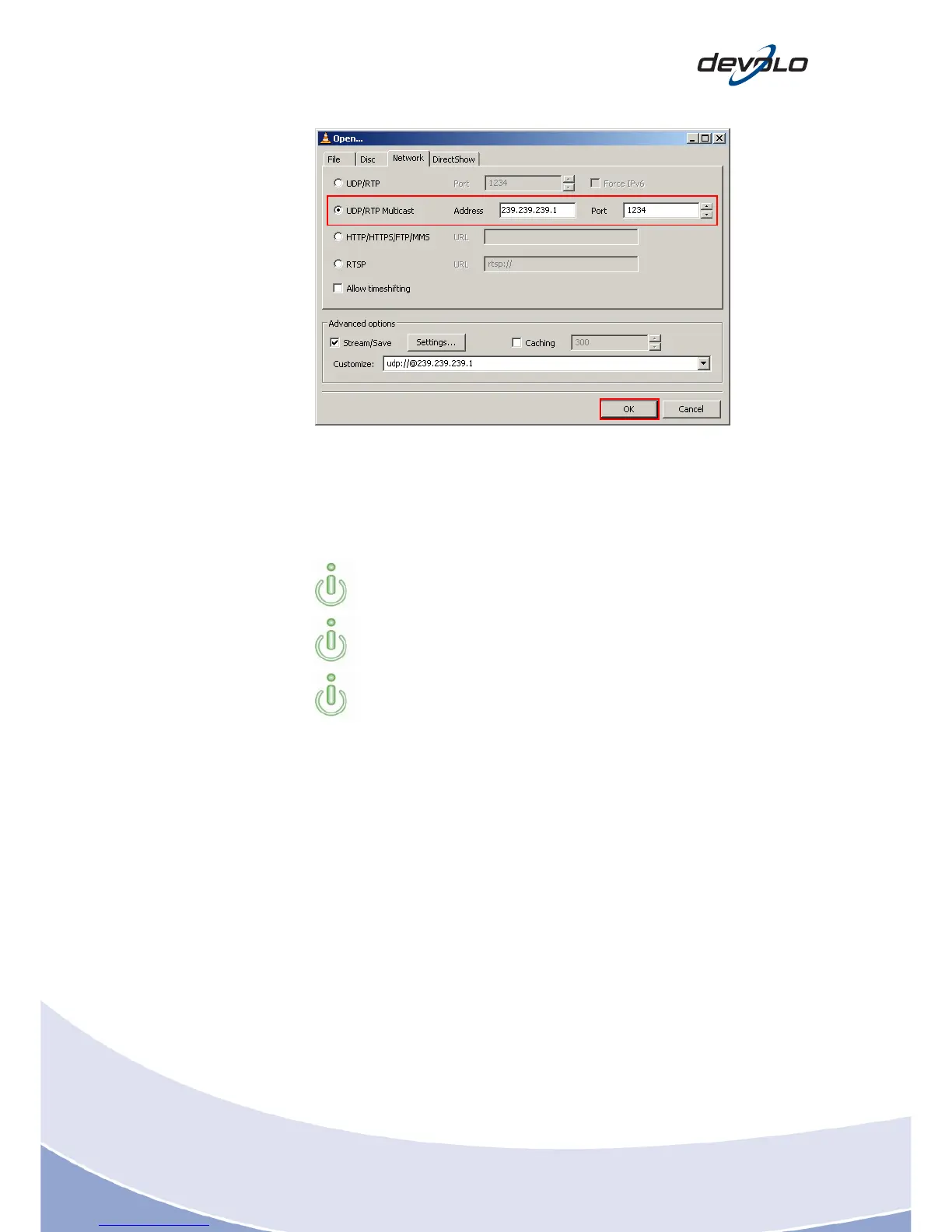
2. Select UDP/RTP Multicast and enter the required Address and Port number
on the right.
3. Click OK to confirm.
The stream or file playback now starts automatically in the player.
Simply left-click in the media window to toggle between full-screen and
window mode.
If streaming is interrupted by the network c
able being unplugging, simply
plug the cable back in. The stream will resume automatically.
You can view the bandwidth used under Vie
w > Stream and Media Info >
Statistics














 To Next Page