11 • Troubleshooting | Dexcom G7 User Guide 107
Gap in trend graph
Issue
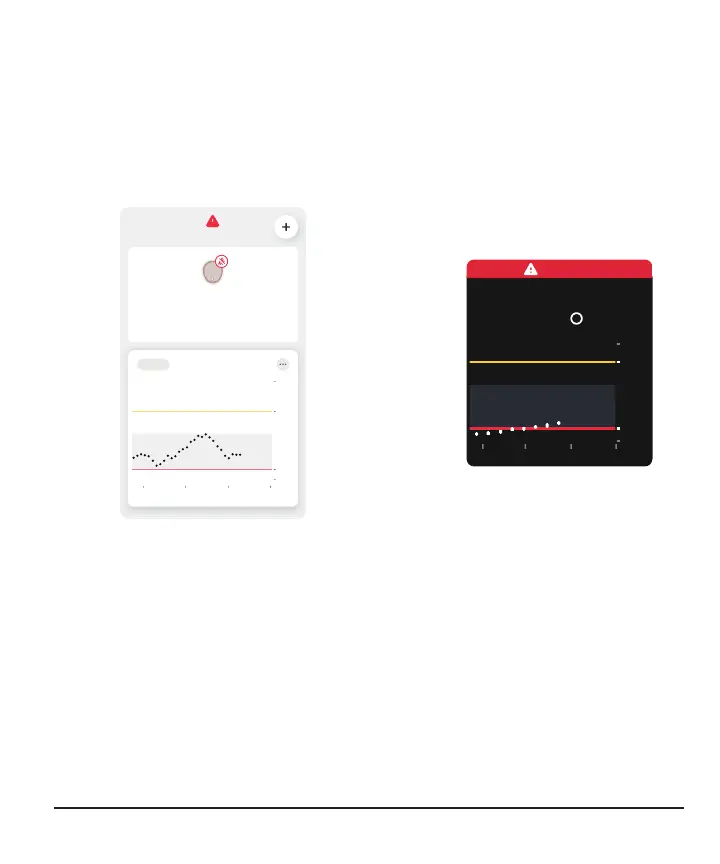
When you aren't getting sensor readings, your trend graph may show a gap in the
trend dots.
In the following example, you can see the gap where your current dot should be:
App
Now2112
40
70
250
400
3 Hours 6 12 24
No Alerts
Signal Loss
Always keep phone within 20 feet of
sensor. Wait up to 30 minutes.
Help
Receiver
Solution
When your sensor readings resume, up to 24hours of missed sensor readings can fill
in on the trend graph.



 To Next Page