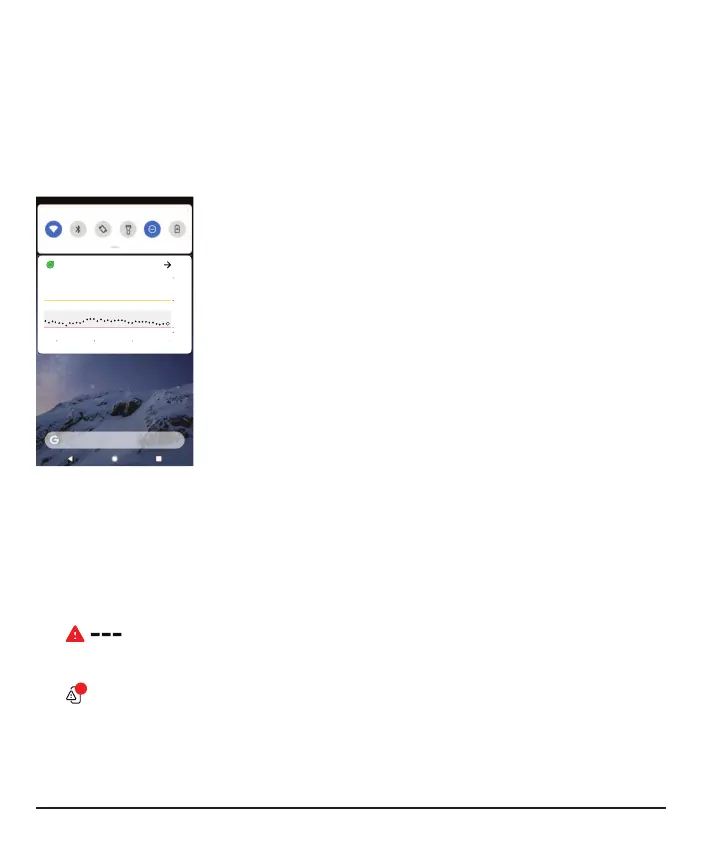
Quick Glance (Android)
Check your sensor reading, trend arrow, and trend graph (3 hour view) and other G7
information from the notification drawer. Swipe down from the top of your screen to
see Quick Glance.
To open the app, just tap the notification.
The colors work the same as in the app: yellow for high, red for low, gray for in
between.
Other icons appear near the sensor reading to give you more information when
needed, such as:
l
A banner if you get an Urgent Low or Urgent Low Soon alert.
l
If the system isn't working correctly. Tap Quick Glance to open the app to
get more information.
l
If there's a phone settings conflict.
Quick Glance is on by default. Turn it off in your display device settings or in the G7
app Profile tab.
70



 To Next Page