Apple Watch setup (iPhone)
To install the app, use the Watch app on your iPhone.
See your watch instructions for details about installing apps.
What you see What it means
Apple Watch
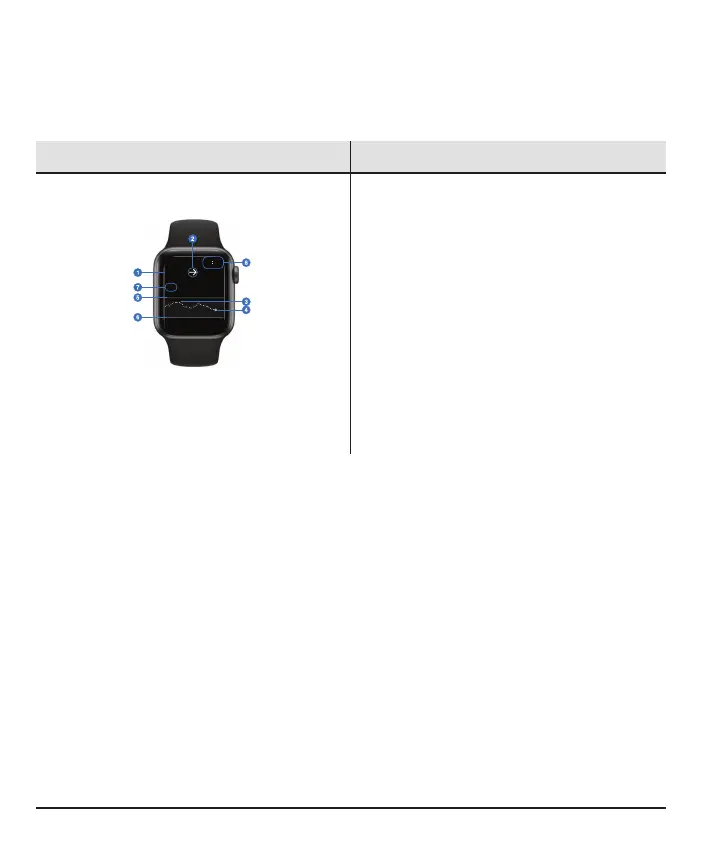
Sensor Reading and Arrow
1. Sensor reading
2. Trend Arrow
Trend Graph
3. Trend Graph
4. Current sensor reading
5. High alert Level
6. Low alert Level
7. Shows past 3hours
8. Time
Tap the graph to change the number of hours shown: 1, 3, or 6 hours
72



 To Next Page