DIGIPLEX CONTROL PANEL 21
6 KEYSWITCH PROGRAMMING
The Digiplex Control Panel can support up to 8 keyswitch zones in
addition to the 48 standard zones. A keyswitch allows a user to arm
or disarm a system by pressing a key or by toggling a keyswitch.
The keyswitches are connected to the hardwired input terminals of
either the Digiplex control panel, zone expansion modules or the
keypad. For more information on the installation of keyswitches,
please refer to section 3.14. Keyswitches must be assigned to a
keyswitch zone and that zone must be defined as described in this
section:
Keyswitch Numbering [049] to [056]:
• Serial # of the Module
• Input # of the Module
Keyswitch Parameters [149] to [156]:
• Keyswitch Definitions
• Keyswitch Partition Assignment
• Keyswitch Options
The Keyswitch Numbering feature enables you to individually
assign each input to any keyswitch zone in the Digiplex system.
Please refer to section 6.1 for details. The Keyswitch Parameters
define the keyswitch's partition assignment and its arming method
(see section 6.2 to section 6.4).
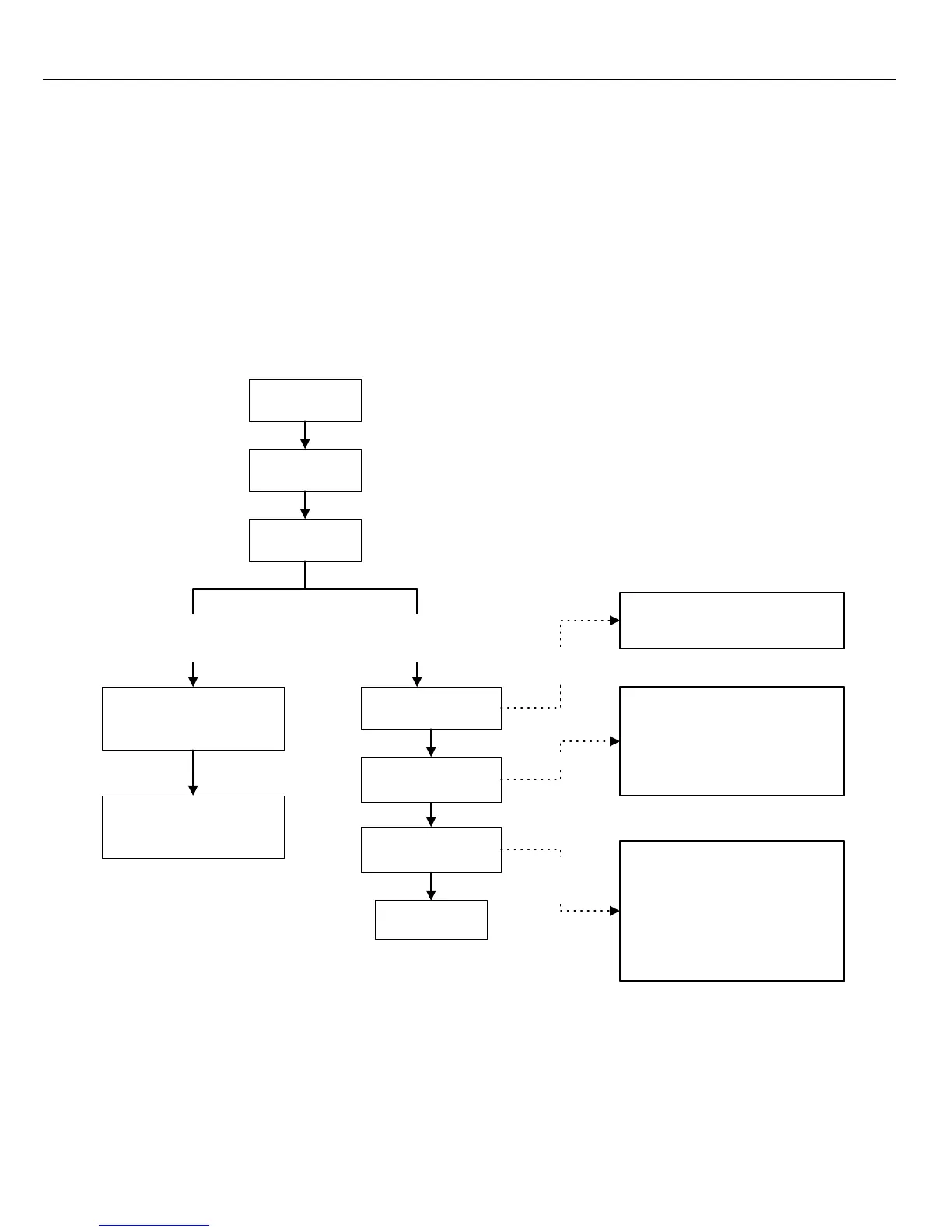
Figure 6-1: Keyswitch Programming
Press & hold the
[0]
key
Keyswitch Definition
First Digit
Keyswitch Partition
Assignment
Second Digit
Keyswitch Options
Feature Select
Enter the 8-digit
[SERIAL NUMBER]
of the
module that has a keyswitch
connected to it.
Enter the module's 3-digit
[INPUT NUMBER]
where the
keyswitch is connected.
Key-in
[INSTALLER CODE]
Press
[ENTER]
Key in 3-digit
[SECTION]
Select one only
Keyswitch Parameters
Sections
[149]
to
[156]
represent
keyswitches 1 to 8 respectively
Select
one only
Keyswitch Numbering
Sections
[049]
to
[056]
represent
keyswitches 1 to 8 respectively
Set the [5] key
on/off and select
one arming option
Keyswitch Definitions
1-
Momentary Keyswitch
2- Maintained Keyswitch
Keyswitch Partition
Assignment
1- Keyswitch Assigned to Partition 1
2- Keyswitch Assigned to Partition 2
3- Keyswitch Assigned to Partition 3
4- Keyswitch Assigned to Partition 4
Keyswitch Options
[1] to [4] Future Use
[5] On = Arm Only Off = Arm/Disarm
[6] * Stay Arming
[7] * Force Arming
[8] * Instant Arming
*Select one only; if all are off, defaults
to regular arming.



 To Next Page