Document No. CO 004844K
20
• Battery charge time (unit off): approximately 2 hrs.
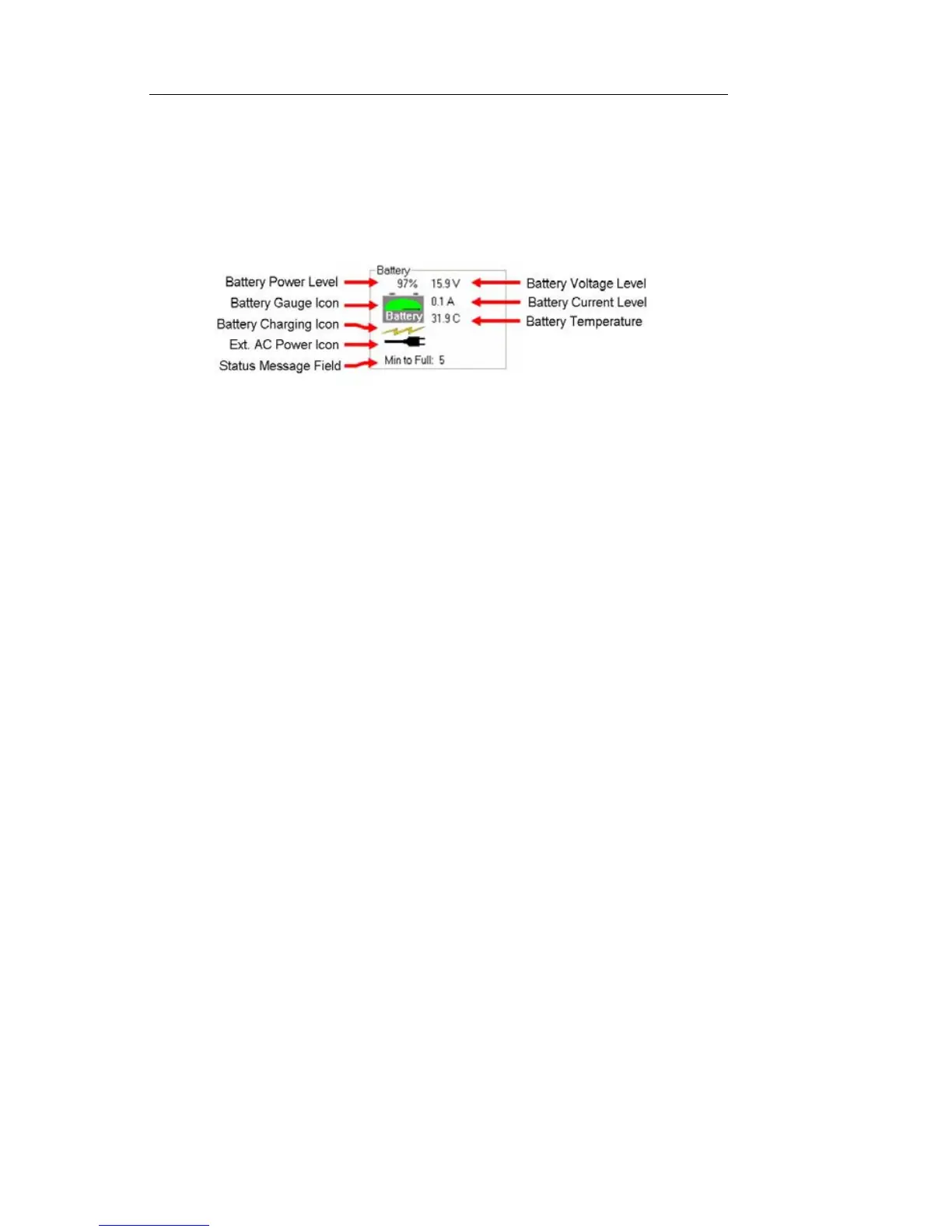
Battery Status Indicator
To view the Battery Status Indicator, select the System tab then
MISC. The following information is displayed:
Long-Term Battery Storage
If the NIC BP’s Lithium-Ion battery is stored for long periods of
time, certain precautions should be taken to protect it from dam-
age. Improper storage will reduce the battery’s life and may
even render the battery unusable.
• The battery should be stored in a partially charged state,
approximately 65% of capacity.
–Charge status can be determined by viewing the Bat-
tery Status Indicator in the NIC GUI under System/
MISC.
–The battery itself, removed from the NIC, also has a
charge indicator with four LEDs (25%, 50%, 75%,
100%). Press the button and confirm that only the 25%
and 50% LEDs are illuminated.
• In long-term storage the battery will continually lose its charge.
The charge level should be verified every 3-4 weeks with either
of the two methods described above.
• Store the battery in a cool environment but not below freezing.
In general, the colder the temperature the slower the charge
level decreases.
• If the battery is stored in an uncharged state for a long period of
time, it may become unusable.
Turning the NIC On
1. Connect the proper power cord to the AC power cord connector in
the unit’s connector panel and then plug into an AC power source.


 To Next Page
 Loading...