24
Using Quick Settings Window
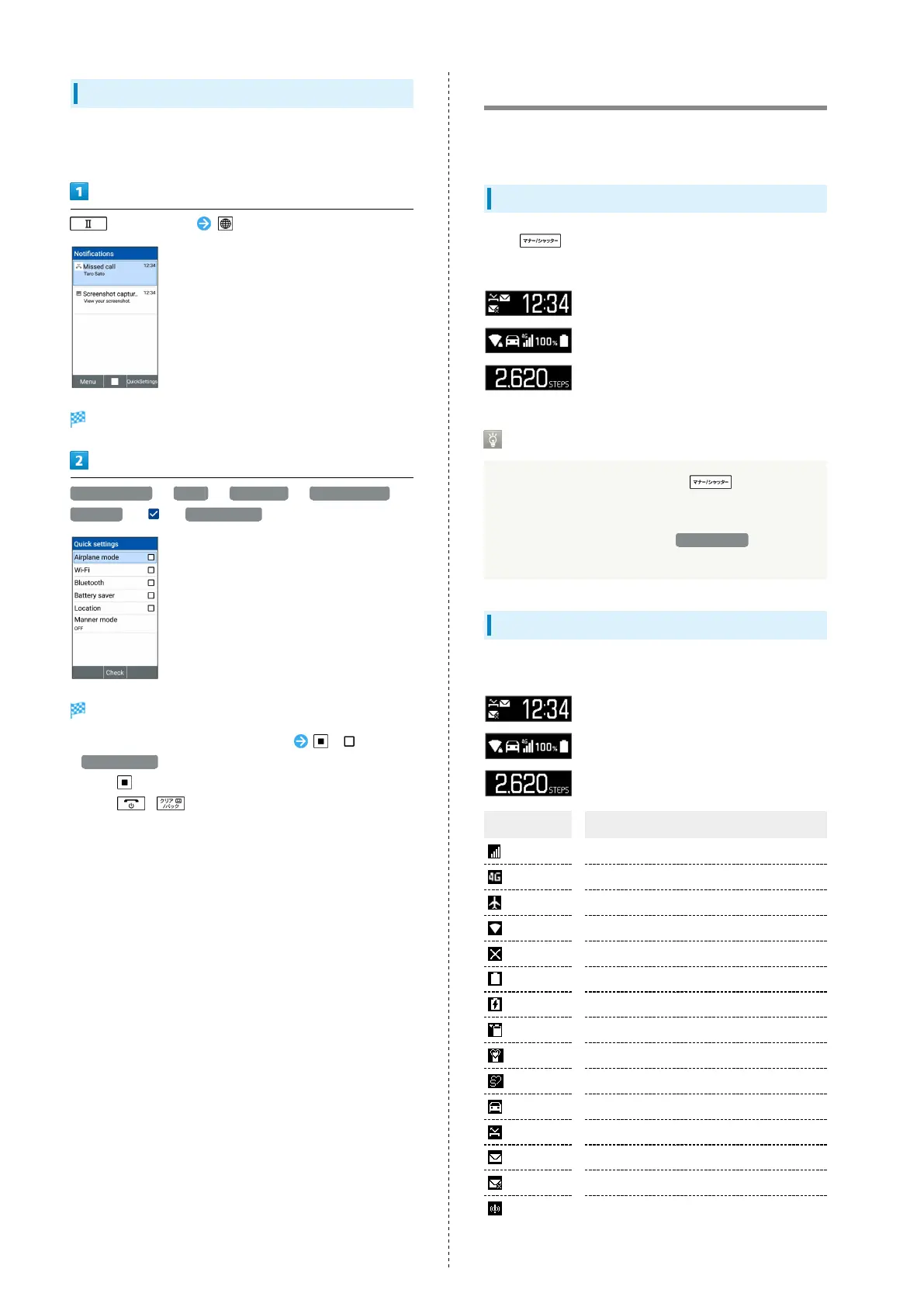
Use Quick Settings Window to toggle Airplane mode, Wi-Fi,
Bluetooth
®
, etc. on/off and to set a Manner mode etc.
(Long Press) (Quick Settings)
Quick Settings Window opens.
Airplane mode / Wi-Fi / Bluetooth / Battery saver /
Location ( )/ Manner mode
Functions are enabled.
・
To disable functions, select functions ( ).
・
Manner mode to set Manner mode. Select the mode and
Press .
・
Press / to close Quick Settings Window.
Sub-display
View signal, battery, and time as well as missed calls, and new
mail. Information appears for missed voice calls, new mail, etc.
Using Sub-display
Press (Side Key) when handset is closed to light Sub-
display.
Sub-display Indication
While Sub-display is lighting, press (Side Key) to
change indications for time/signal and battery strength/
steps.
・
When 24-hour format is off in Date & Time , AM/PM
appears to right of time indications.
Indicators
The following Indicators appear in Sub-display.
Indicator Description
Signal Strength
4G Data Connectable
Airplane Mode
Wi-Fi Network Connected
No Signal/No SIM Card
Battery Strength
Charging
Battery Care Mode
Manner Mode
Silent Mode
Drive Mode
Missed Calls
New S! Mail/SMS
S! Mail/SMS Send Failure
Urgent News Notification



 To Next Page