14
ERASE & FORMAT DONE
All SD Card files are deleted.
Cautions on Formatting SD Card
Observe the following when formatting SD Card.
・Formatting deletes all SD Card files. Carefully check SD
Card used on another device before formatting it.
・When formatting, keep handset charged or charge it
adequately beforehand.
Inserting & Removing Battery
Inserting
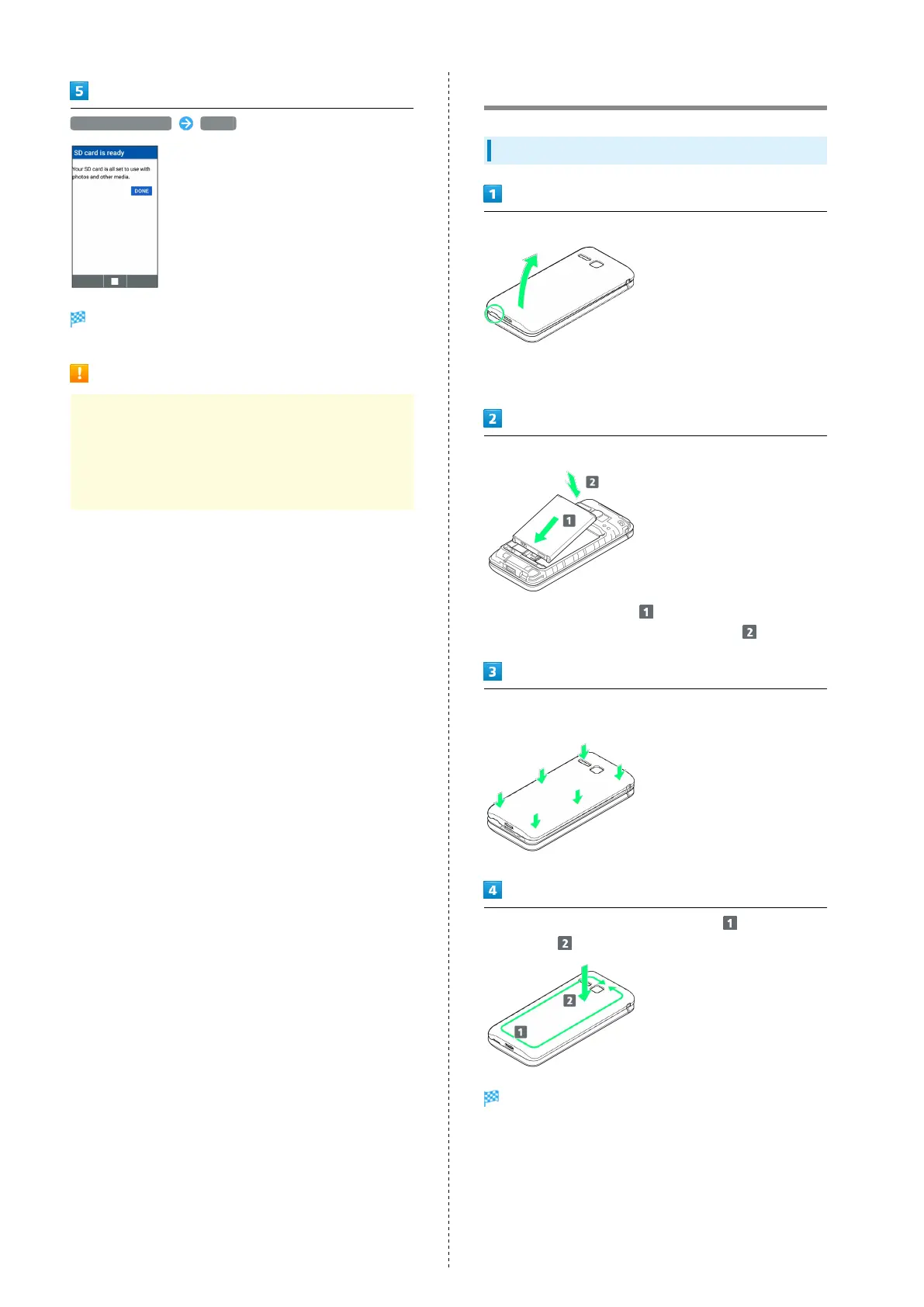
Remove Back Cover
・Gently lift Back Cover by notch in direction shown with
finger.
Insert Battery
・
Slide Battery in direction onto metal terminals in
handset, and press into handset in direction .
Fit Back Cover on handset, and press Back Cover in directions
shown
Work way around Back Cover in directions holding down
in direction to install completely
Battery is inserted.



 To Next Page