88
Wireless & Network Settings
Wireless & Network Settings
Set network functions such as Airplane mode. Settable items
are the following.
Item Description
Wi-Fi Make settings for Wi-Fi connection.
Bluetooth
®
Make settings for Bluetooth
®
connection.
For details, see "Enabling Bluetooth
®
."
Airplane Mode
Leaving power on, suspend signal-
transmitting functions.
Cellular
networks
Make settings such as access point and
network.
Data usage
Make settings for cellular data and
amount of data usage.
For details, see "Limiting & Alerting Data
Usage."
Restrict data
Set whether data communication is
enabled for individual applications.
For details, see "Restricting Data
Communication for Individual
Applications."
VPN Make VPN function settings.
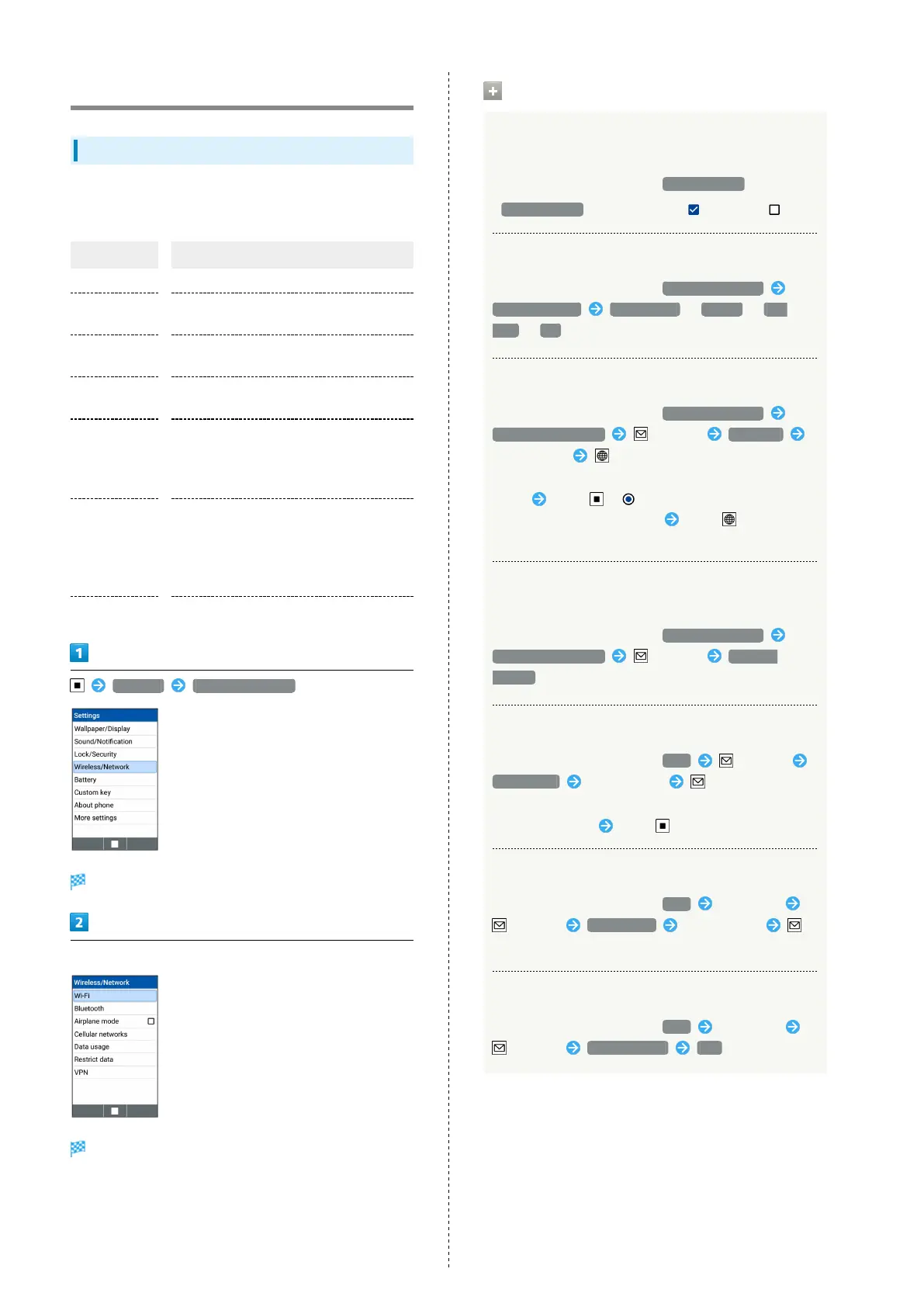
Settings Wireless/Network
Wireless/Network window opens.
Set each item
Setting is complete.
Operations on Network Settings
Setting Whether to Stop Radio Communication
with Power On
In Wireless/Network window, Airplane mode
・
Airplane mode to toggle check ( )/uncheck ( )
Selecting Network Mode
In Wireless/Network window, Cellular networks
Select Network 4G/3G/GSM / 4G/3G / 3G/
GSM / 3G
Adding Access Point
In Wireless/Network window, Cellular networks
Access Point Names (Menu) New APN
Set each item (Save)
・To use access point you added, Select the added access
point Press . ( )
・
Select the added access point Press (Edit) to edit
the access point.
Deleting Added Access Point and Resetting
Handset to Factory Default
In Wireless/Network window, Cellular networks
Access Point Names (Menu) Reset to
default
Adding VPN Destination
In Wireless/Network window, VPN (Menu)
Add profile Set each item (Save)
・To use VPN, set PIN/Password.
・
Select added VPN Press to connect/disconnect.
Editing VPN Profile
In Wireless/Network window, VPN Select VPN
(Menu) Edit profile Set each item
(Save)
Deleting VPN Profile
In Wireless/Network window, VPN Select VPN
(Menu) Delete profile Yes



 To Next Page