18
Importing Data from Other Mobile
Phones
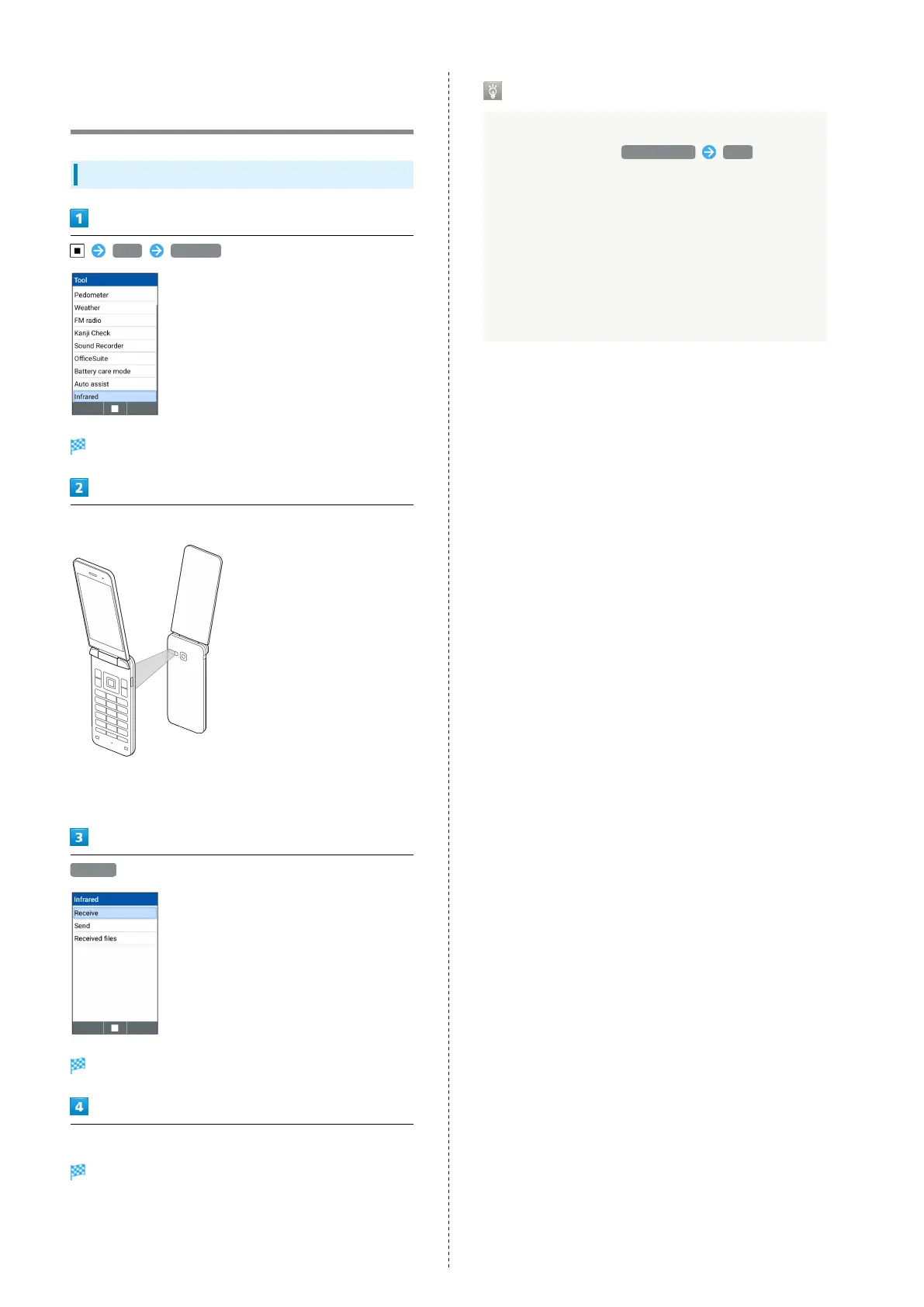
Receiving Data by Infrared
Tool Infrared
Infrared window opens.
Align infrared ports on handset and sending device
・Put handset close to sending device so that infrared port is
opposite to the other straight.
Receive
Ready screen appears.
Commence sending on the other device
File is received.
・If confirmation appears, follow onscreen prompts.
・Operation steps very by receiving data format.
Receiving Mail Data by Infrared
Mail data (.vmg) received by Infrared is saved on IrDA
folder (in Data folder, File manager IrDA ).
When reading mail data, save the data on the folder
created on the location below and perform reading
operations.
・For received mail data: PRIVATE/MYFOLDER/Mail/Inbox/
Inbox.BCK
・For sent mail data: PRIVATE/MYFOLDER/Mail/Sent
Messages/Sent Messages.BCK
・For draft/unsent mail data: PRIVATE/MYFOLDER/Mail/
Drafts/Drafts.BCK



 To Next Page