86
Lock & Security Settings
Lock & Security Settings
Make security settings including Screen lock and security
codes. Settable items are the following.
Item Description
Operation
password
setting
Set Operation Password for using
applications and functions.
For details, see "Setting Operation
Password."
Lock screen Set method for unlocking screen.
Lock screen
preferences
1
Set automatic lock, close then lock,
showing notification on lock screen, and
lock screen message.
Application
lock
Set usage restrictions for individual
functions.
Usage
restriction
Restrict outgoing/incoming call to/from
contacts not in phone book or changing PC
mail account.
Show
passwords
Set whether to show characters when
entering password.
Device admin
apps
Set device admin apps.
SIM card lock Set SIM card lock.
Encryption &
credentials
Set encryption and credentials of
handset/SD card.
Trust agents Manage trust agents
Screen pinning Set to pin specific application on display.
Apps with
usage access
Set apps with usage access
1 Displayed when Lock screen is activated.
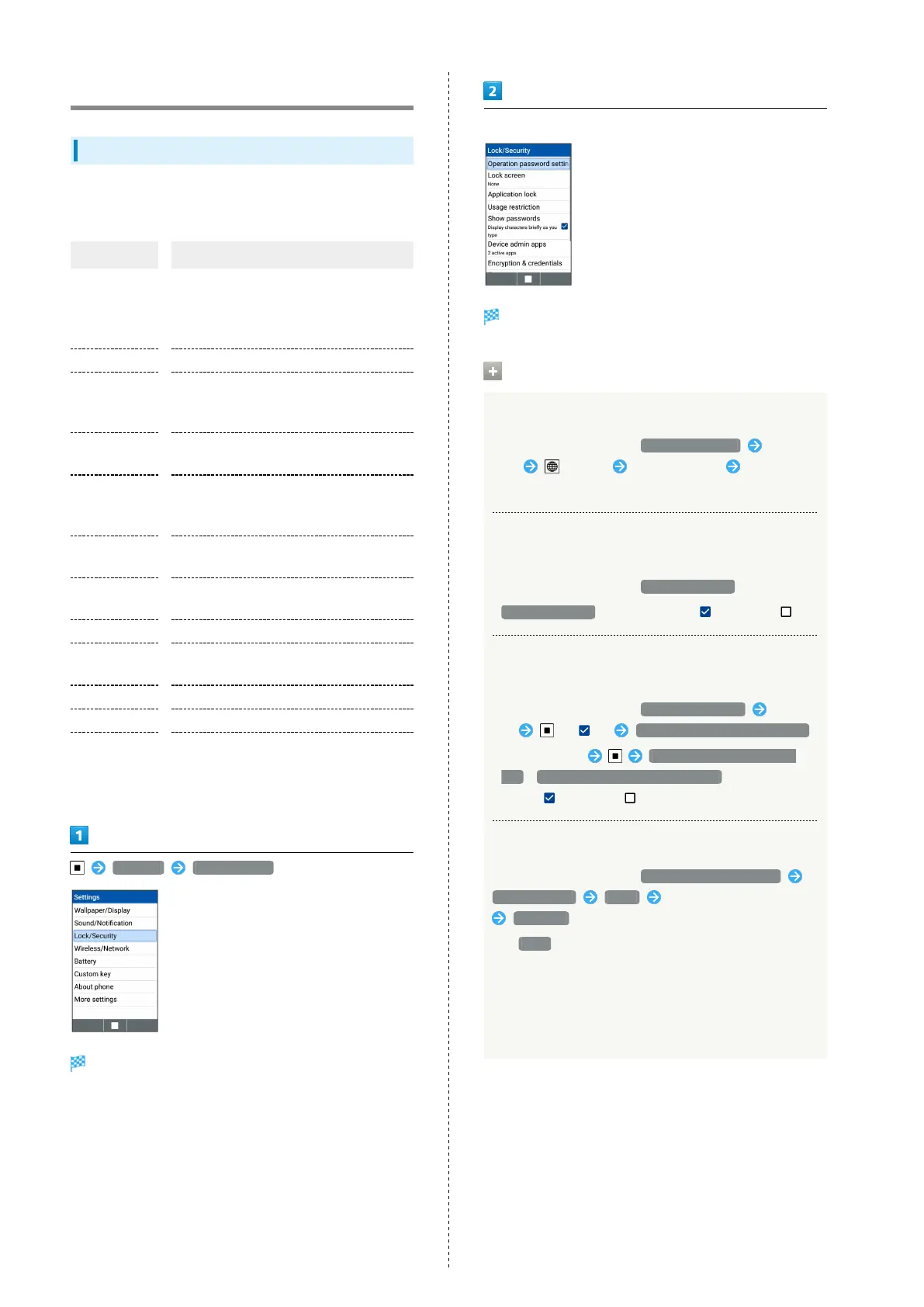
Settings Lock/Security
Lock/Security window opens.
Set each item
Setting is complete.
Operations on Using Lock/Security
Setting Usage Restriction
In Lock/Security window, Usage restriction Select
item (Edit) Enter password Set each
item
Setting whether to Display Password
Characters
In Lock/Security window, Show passwords
・
Show passwords to toggle check ( )/uncheck ( )
Set whether to Activate Device Administrator
of Apps
In Lock/Security window, Device admin apps Select
app ( ) Activate this device admin app
・
Select each app Activate this device admin
app / Deactivate this device admin app to toggle
check ( )/uncheck ( ).
Encrypting Data in Handset
In Lock/Security window, Encryption & credentials
Encrypt phone NEXT Enter Lock No./password
ENCRYPT
・
If None is selected for Lock screen, entering Lock No.
password is not required.
・Charge handset sufficiently beforehand and perform
procedure with handset kept charged.
・Please be forewarned that all data in handset will be
deleted if encryption is interrupted.



 To Next Page